Participant
August 17, 2021
Question

Export PNG Sequence crops images incorrectly

  • August 17, 2021
  • 2 replies
  • 1655 views

I want to exportan animation as a PNG sequence to import it into a game engine. The PNG's that Animate outputs are cropped in a weird way. 


Here's what it looks like in Animate, and then what the PNG looks like. The cat Graphic symbol does not have a solid background. The output PNG has what seems like an appropriate width and height but obviously wrong crop location. 
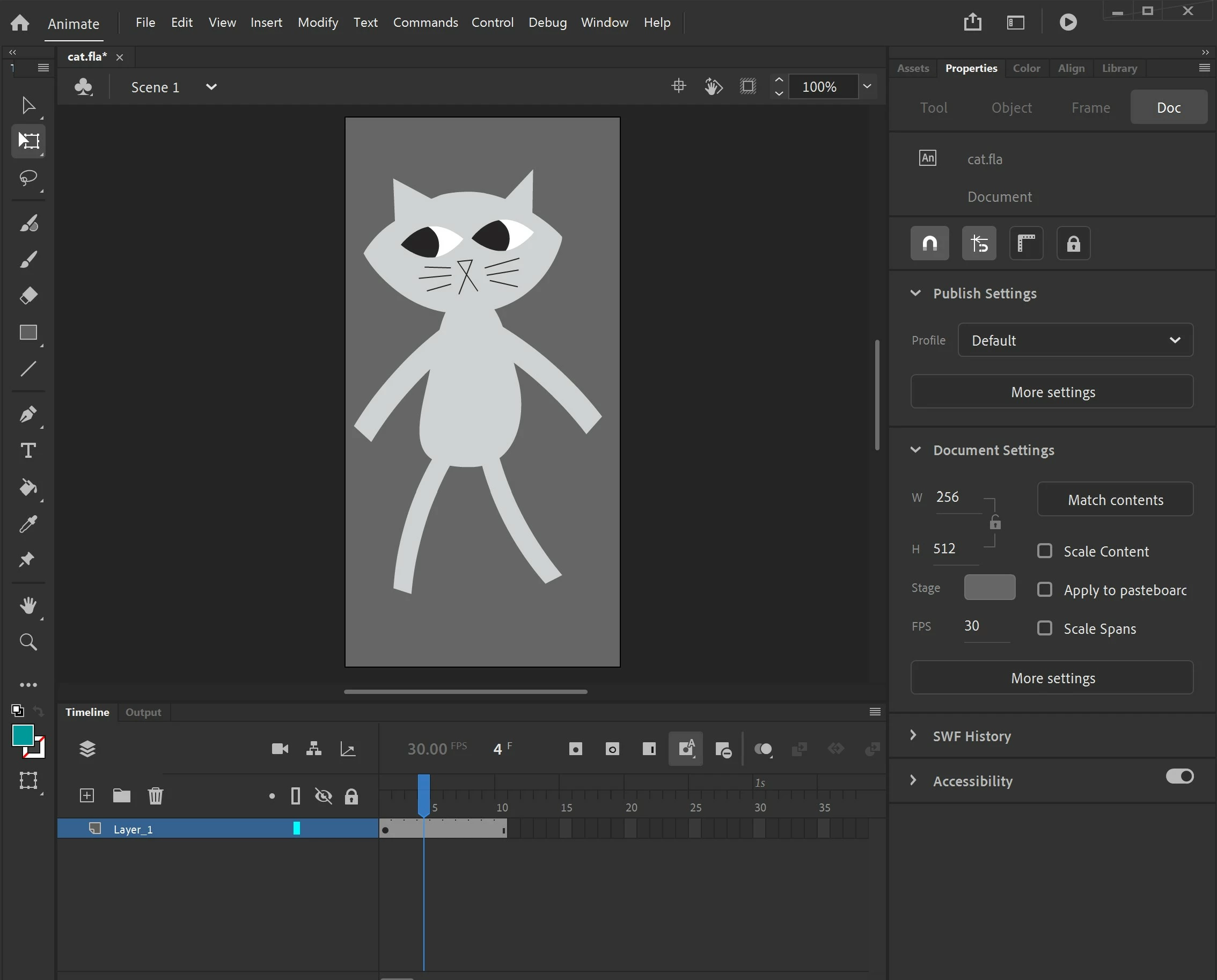


    This topic has been closed for replies.

    2 replies

    Participant
    April 27, 2022

    I have this exact same problem, has any solution been found?

    Participant
    June 4, 2022

    I found the solution that worked for me, or should i say the thing that couse the problem
    connecting layers in "parent/child" tree was the issue, after disconnecting all on all frames png sequence exportet normally

    Participating Frequently
    May 17, 2024

    Thanks a lot for sharing this! This glitch with parenting needs to be fixed. I am currently placing a fully transparent replica of everything beneath all my extreme frames before exporting, rather than manually removing every single parenting relationship and potentially messing up the motions. 

    _keyframer
    Community Expert
    Community Expert
    August 17, 2021

    Make sure you aren't exporting to PNG from inside a symbol. What does your export settings look like?

    Animator and content creator for Animate CC
    Participant
    August 17, 2021

    @_keyframer  thanks - I'm exporting from main timeline, not inside the symbol; I also get the same result if I r-click the symbol in the Library and export from there. 

    I don't get any options other than the color depth - is there somewhere else you can set export options?

    Is this something that normally should work? It could just be something super weird with how I made my animation, I just don't know if this is a feature that's usually reliable or if it's known to be a little buggy.


    _keyframer
    Community Expert
    Community Expert
    August 18, 2021

    You're doing everything right. The only thing I can think of is, that imported bitmap is larger than your document stage size. Go to Modify > Document > Match Contents and see if that changes the width and height OR scale the bitmap to the size of the current width and height of your stage area.

    Animator and content creator for Animate CC