


Participant
Aug 21, 2020 10:12 PM UTC
Question

Full screen mode help for android Air AS3
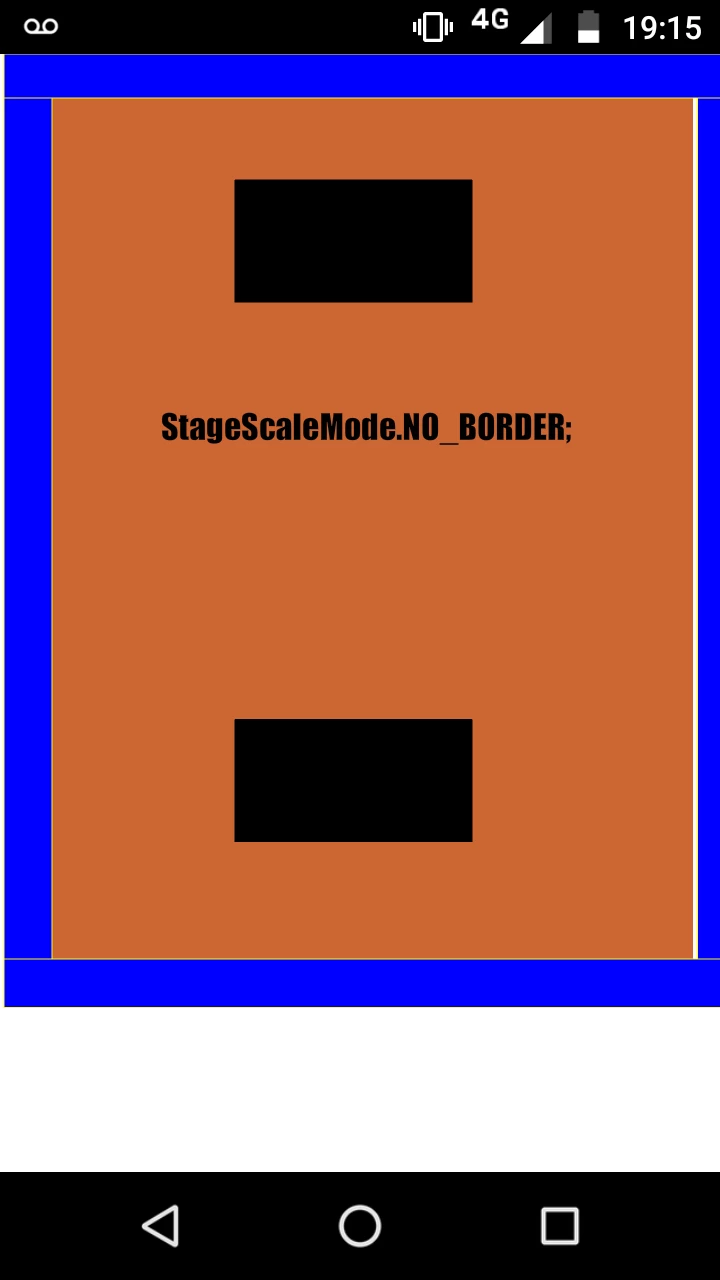
 I really need help to know how to make my app start on android phones with the stage and the objects at the same time in the same size in full screen, I've tried everything and so far no solution is not possible. Everything I try still appears on a white background below the app and never gets full screen. If any developer knows something to help me, I appreciate it.


This topic is closed to new replies. Start a new post to keep the conversation going.

4 replies

Participant
Oct 18, 2022 6:10 AM UTC
I'm also having trouble with this problem, please solve it
Translate
JoãoCésar17023019
Community Expert
Community Expert
Oct 18, 2022 9:59 AM UTC
Hi.

Please make sure that your app manifest (XML) has the max aspect set. Like this:
<android>
<!-- ... -->
<application>
<meta-data android:name="android.max_aspect" android:value="2.5"/>
<meta-data android:name="android.notch_support" android:value="true"/>
</application>
<!-- ... -->
</android>
 
Regards,
JC
Translate
Joseph Labrecque
Community Expert
Community Expert
Aug 22, 2020 3:05 PM UTC

When I did this sort of development, I'd always position and size everything programattically. You can get a lot of native hardware capabilities of mobiles from: https://help.adobe.com/en_US/FlashPlatform/reference/actionscript/3/flash/system/Capabilities.html

Translate
Participant
Aug 22, 2020 4:55 PM UTC

I'm going to go this same way, Thank you.

Updated: stage.scaleMode = StageScaleMode.EXACT_FIT solved all my problems

Translate