Known Participant
September 26, 2022
Question

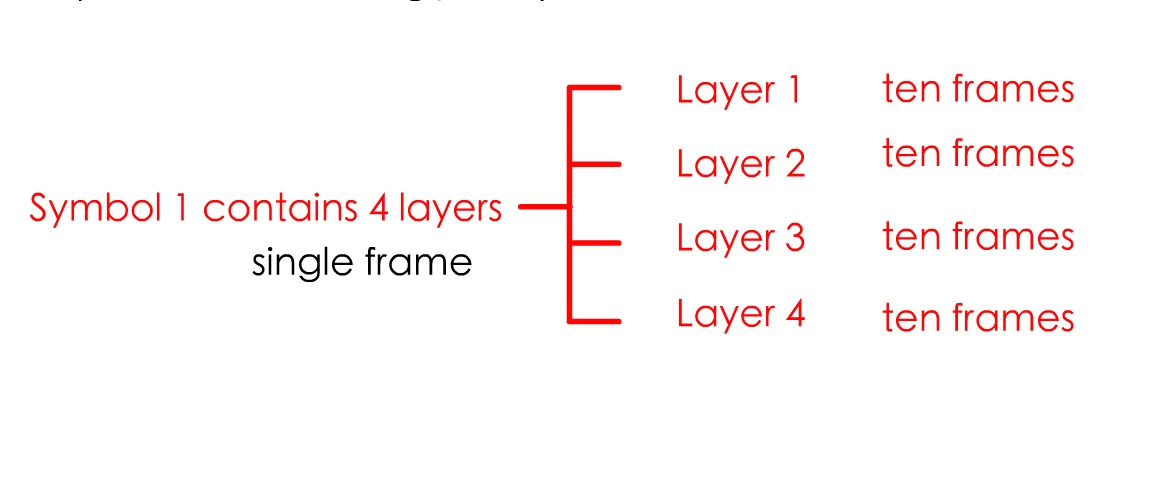
How to control the number of frames of a specified layer within a symbol through jsfl

  • September 26, 2022
  • 4 replies
  • 898 views

Implementation using jsfl,Symbol one shows the fifth frame of layer three
This topic has been closed for replies.

4 replies

kqskcmAuthor
Known Participant
October 1, 2022

kqskcmAuthor
Known Participant
October 1, 2022
Vladin M. Mitov
Inspiring
September 27, 2022

Hi,

If I understand your question correctly, I think that the property you looking for is called firstFrame. If you want to display frame 5 of the internal timeline of a symbol, its instance on the stage should be graphic.

Then, you can select the instance and execute the following code:


fl.getDocumentDOM().selection[0].firstFrame = 4;


This will set the displayed frame of the selected instance at the current keyframe to 5.


- Vlad: UX and graphic design, Flash user since 1998Member of Flanimate Power Tools team - extensions for character animation
Vladin M. Mitov
Inspiring
September 27, 2022

As an additional advice:
You can open your History Panel, right click on it and choose:
View > Javascript in Panel.
In this way, you'll see all the corresponding JSFL statements when you make changes via the UI.

Also, here is the complete (almost) JSFL documentation.


- Vlad: UX and graphic design, Flash user since 1998Member of Flanimate Power Tools team - extensions for character animation
kqskcmAuthor
Known Participant
September 28, 2022

I would like to be able to specify the number of frames in the layer inside the scene control symbol

kglad
Community Expert
Community Expert
September 26, 2022

layer.frames is read-only so you can't add/remove frames to a layer. you can insert and remove frames from a timeline.

kqskcmAuthor
Known Participant
September 27, 2022

The third layer is the symbol,Can you control it to display the fifth frame of a single frame?

kglad
Community Expert
Community Expert
September 27, 2022

i'm not sure what you've done, but you can convert a layer to a symbol (specifically a movieclip) and then you can manipulate that (and every other) moveiclip symbol's timeline by using timeline.cutFrames() and timeline.insertFrames()
