


Participant
Jul 16, 2022 1:29 PM UTC
Answered

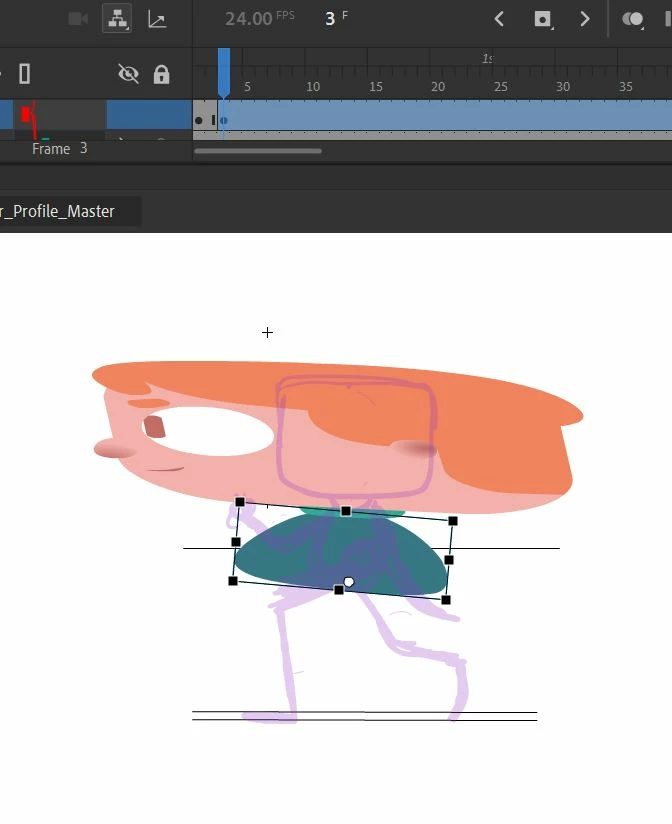
How to key a scale change in the Parent Graphic Symbol without affecting size/shape of children

Hi,


I'm trying to add a bit of squash and stretch to a Charcter Walk animation. However, I cannot key a transform in the body, without distorting the limbs/head.


I tried scaling inside the symbol, however, this changes the scale of the body across all my keys.
 

    This topic is closed to new replies. Start a new post to keep the conversation going.
    default25272109gxtw3aCorrect answer
    Participant
    Jul 16, 2022 1:42 PM UTC

    https://www.youtube.com/watch?v=whxQooRcvdc

    Found this video with solution. Problem solved

    ...turn off 'Propogate scale, skew and flip' under the parenting symbol in the timeline.

    2 replies

    Colin Holgate
    Inspiring
    Jul 16, 2022 5:35 PM UTC

    Thanks for replying with the solution you found.

    Translate
    default25272109gxtw3aAuthorCorrect answer
    Participant
    Jul 16, 2022 1:42 PM UTC

    https://www.youtube.com/watch?v=whxQooRcvdc

    Found this video with solution. Problem solved

    ...turn off 'Propogate scale, skew and flip' under the parenting symbol in the timeline.

    Translate