
Known Participant
December 2, 2024
Answered

How to make an text speech or button to play another audio

  • December 2, 2024
  • 1 reply
  • 380 views

I'm making an interactive media using html5 in adobe animate 

I want to create a button that can play an audio for textspeech, so when pressed it will play the audio.
But I also want that when pressed once again the audio will be turned off

for the button to start it is already running, but for the button to turn it off in addition to the textspeech audio stopped my interactive media music backsound also stopped.

How do I stop the audio speech without turning off the audio backsound?


or are there any suggestions on how to make a textspeech or button that can be used to play the textspeech audio?

Here my code 
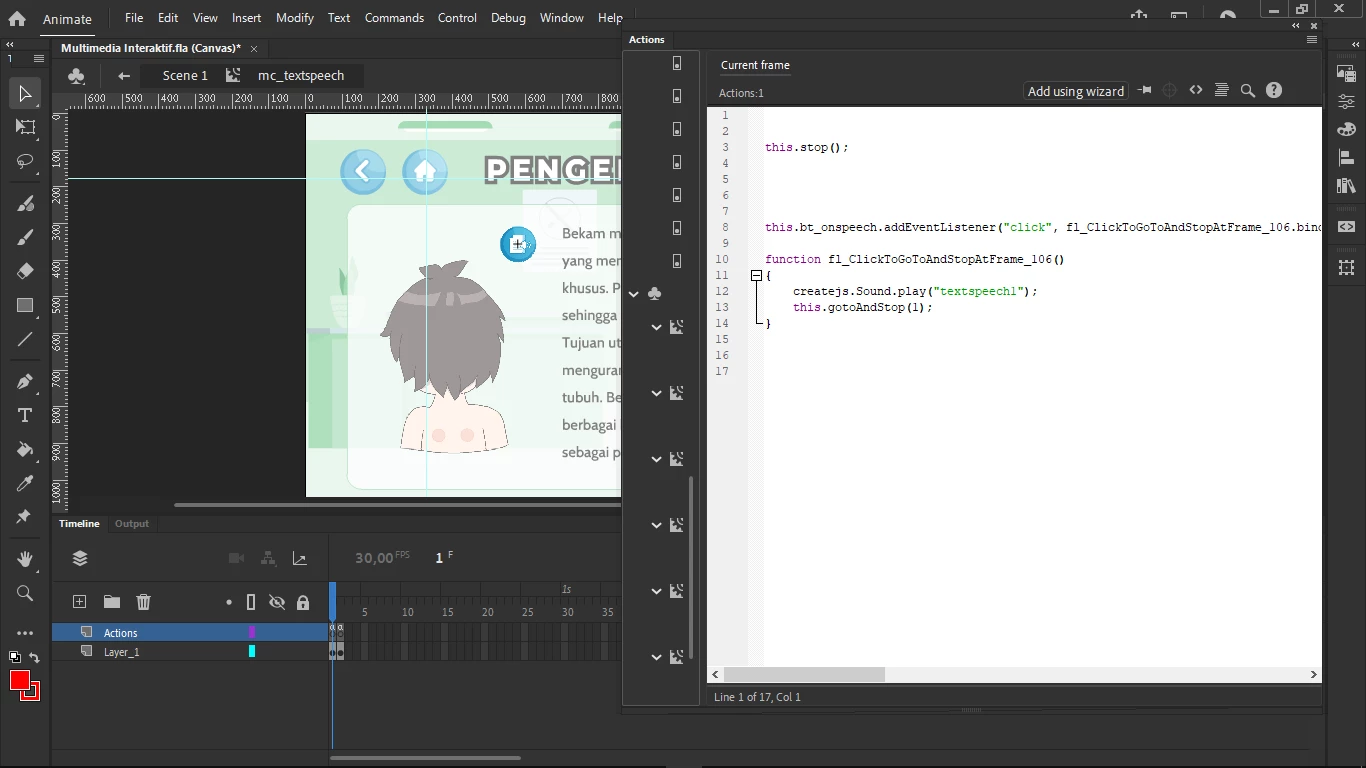
I'm using a movieclip with 2 button, here code when clicking and play the text speech
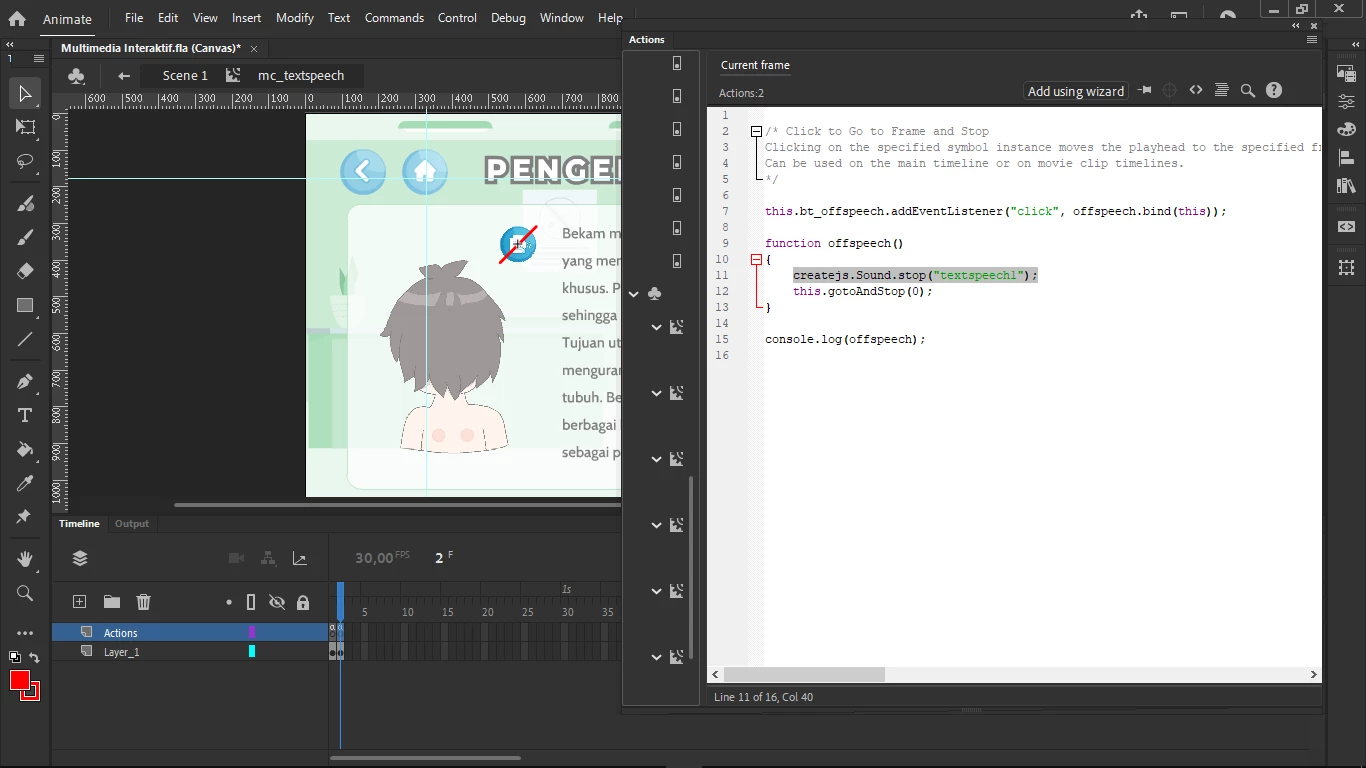
and here  the button to turn off the audio, but the backsound also stopped
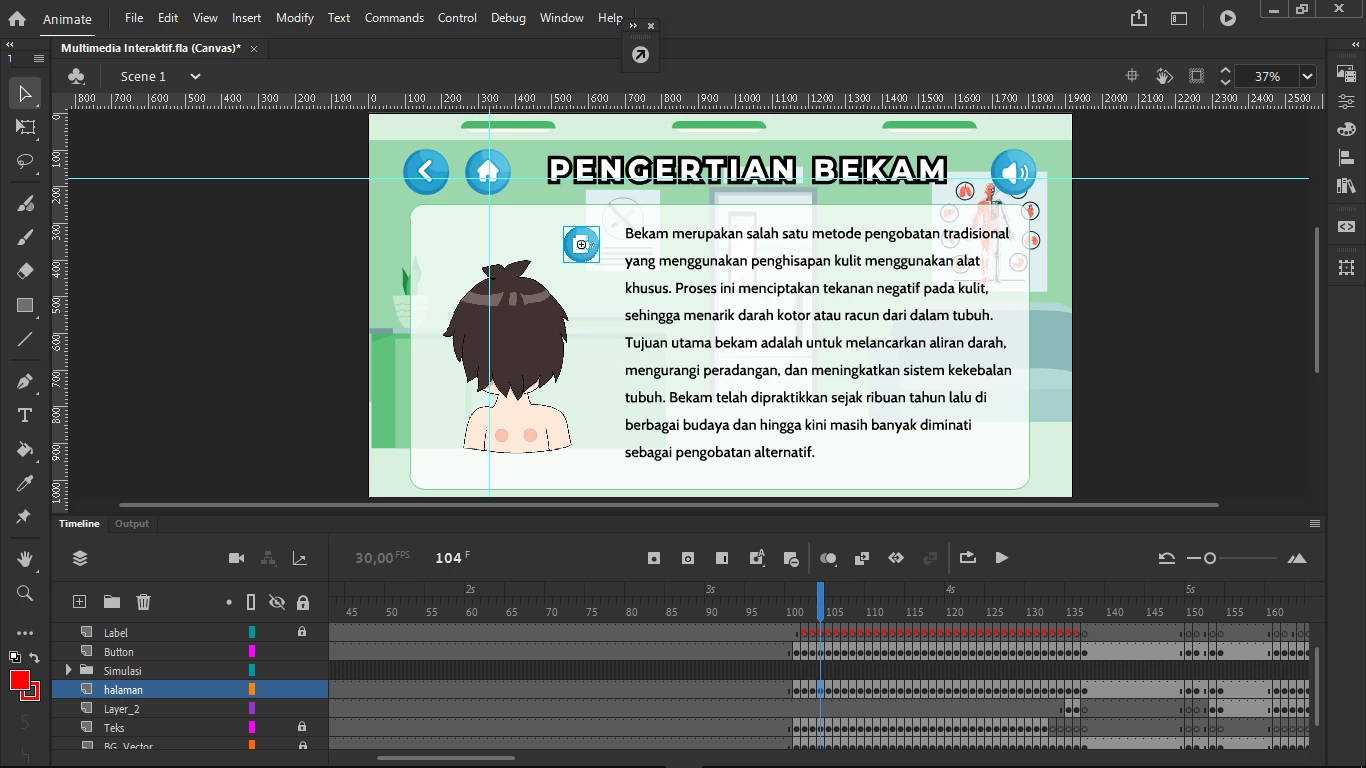
because have a separate button to disable the music backsound.


This topic has been closed for replies.
Correct answer JoãoCésar17023019

Hi.


Createjs.Sound.play returns an AbstractSoundInstance that you can control.

So one approach is to store these returned instances in variables or objects so that you can have multiple sounds playing.

For example:

var sfx = createjs.Sound.play("coin");
var bgm = createjs.Sound.play("level1");

// ...

yourSfxButton.on("click", function(){ sfx.stop(); });

// ...

yourBgmButton.on("click", function(){ bgm.volume = 0.5; });


This link should help as a reference:
https://github.com/joao-cesar/adobe/tree/master/animate%20cc/html5_canvas/narrated_story

Regards,
JC

1 reply

JoãoCésar17023019
Community Expert
JoãoCésar17023019Community ExpertCorrect answer
Community Expert
December 2, 2024

Hi.


Createjs.Sound.play returns an AbstractSoundInstance that you can control.

So one approach is to store these returned instances in variables or objects so that you can have multiple sounds playing.

For example:

var sfx = createjs.Sound.play("coin");
var bgm = createjs.Sound.play("level1");

// ...

yourSfxButton.on("click", function(){ sfx.stop(); });

// ...

yourBgmButton.on("click", function(){ bgm.volume = 0.5; });


This link should help as a reference:
https://github.com/joao-cesar/adobe/tree/master/animate%20cc/html5_canvas/narrated_story

Regards,
JC

Known Participant
December 7, 2024

@JoãoCésar17023019 Thank you for the reply!
from the references you gave 

JoãoCésar17023019
Community Expert
Community Expert
December 7, 2024

You're welcome!