
Answered
jsfl for exporting symbols from library to PNG
Hello,
I've been searching in this community for a while to to what I described in the title, I have a library full of icons which i gave a proper name. It would be great if I can export a batch with one click of a button.
I found the following script (at the bottom of this post) which I turned into a command.
Found in this topic: https://community.adobe.com/t5/animate-discussions/exporting-graphics-from-the-library/m-p/10870471
I select my library items --> then click the command --> select a specific folder --> save.
Then I get the message 0 image(s) exported.
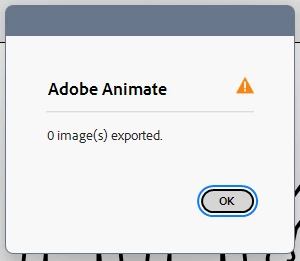
Is this because the jsfl was made for an older version? Or is there something wrong with the code?
Thanks for reading!
Erik
-----
function exportLibraryImagesToFiles() {
var doc = fl.getDocumentDOM();
if (!doc) return;
var selectedItems = doc.library.getSelectedItems();
if (!selectedItems.length) return;
var folder = fl.browseForFolderURL("Choose an output directory.");
if (!folder) return;
var i, t, sym, bmpName;
var count = 0;
for (i = 0; i < selectedItems.length; i++) {
sym = selectedItems[i];
if (sym.itemType != "bitmap") {
continue;
}
bmpName = sym.name.split("/").pop();
// strip original extension
t = bmpName.lastIndexOf(".");
if (t != -1 && ["jpg", "jpeg", "png", "gif", "bmp", "psd"].indexOf(bmpName.substr(t + 1).toLowerCase()) != -1) {
bmpName = bmpName.substr(0, t);
}
// do the thing
sym.exportToFile(folder + "/" + bmpName + "." + (sym.compressionType == "photo" ? "jpg" : "png"));
count++;
}
alert(count + " image(s) exported.");
}
exportLibraryImagesToFiles();


 AdChoices