
Answered
Как из фигуры сделать символ
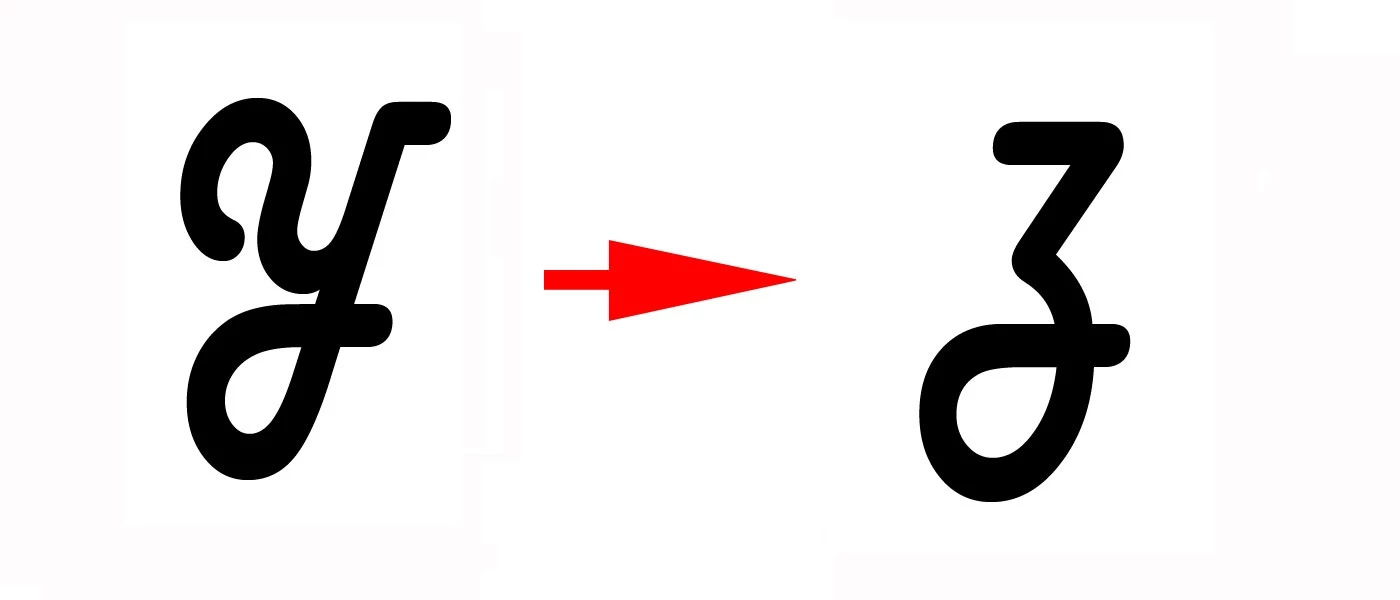

Draw two graphics in Adobe Animate using the specified raster patterns. Place raster samples on the first protected layer. Work to perform on the second layer. All figures are plain fills. The use of contour lines in the final version is excluded. The result is saved in a separate file with the name var_XXX.fla (XXX is the variant number in a three-digit format).
On the basis of the objects (p. 1), create a pair-morph of two figures, using automatic form and hint animation to ensure high-quality transformation. Animation format as a symbol in the library of characters.
Create an animated movie with the movement of the created symbol (p.2) along a semi-closed arbitrary curvilinear trajectory based on the classic motion animation and the control layer.
Add a block of player buttons (stop, play, rewind to end), placing it on a separate layer.
Save the movie to a file with the name rol_XXX.fla.
Requirements:
Only the minimum number of reference points on a curved contour is permissible.
The “splitting” of the contour with a pen is not allowed in order to imitate curvilinear sections with a broken line with short links.
Use object transformation tools to create tilt and rotate effects.
Use the simplest geometric shapes (primitives) to create non-standard font characters.
All internal cavities in logos should be transparent.
Use alignment and distribution tools to create regular structures (grids of primitives).
All textual primitives must be converted to vector objects.
Grouping objects to create a complex geometric shape is not allowed.
Finishing work should not have a primitive type "contour line" (stroke). Only fillings are allowed.
Hi эрикс
Right. So this is your assignment? University, college?
I'm a little lost of words. What is it you want? Your task is very well formulated and involves a number of techniques. Which part is it you need help with?
Roughly the steps are:
*1 Your assignment doesn't say for which platform you should publish your "var_XXX.fla" file. There are basically two possiblities, Actionscript 3 or HTML5 Canvas. For the interactive coding part it depends, either to write in Actionscript or Javascript. I give you are brief example for the Stop button in Javascript. Assuming your animated movieclip is named "morph" and your stop button "stop_btn":
var mtl = this;
this.stop_btn.on("click", function () {
mtl.morph.stop();
});
So about. You can also use Code Snippets to help you with coding. Add interactivity with code snippets in Animate CC
Right, so now it is your turn. If you have problem with particular steps feel free to come back here to ask.
Klaus
Already have an account? Login
No account yet? Create an account
Enter your E-mail address. We'll send you an e-mail with instructions to reset your password.


 AdChoices