
Participant
April 11, 2024
Answered

Keyframes not working, unable to move images.
  • April 11, 2024
  • 2 replies
  • 656 views

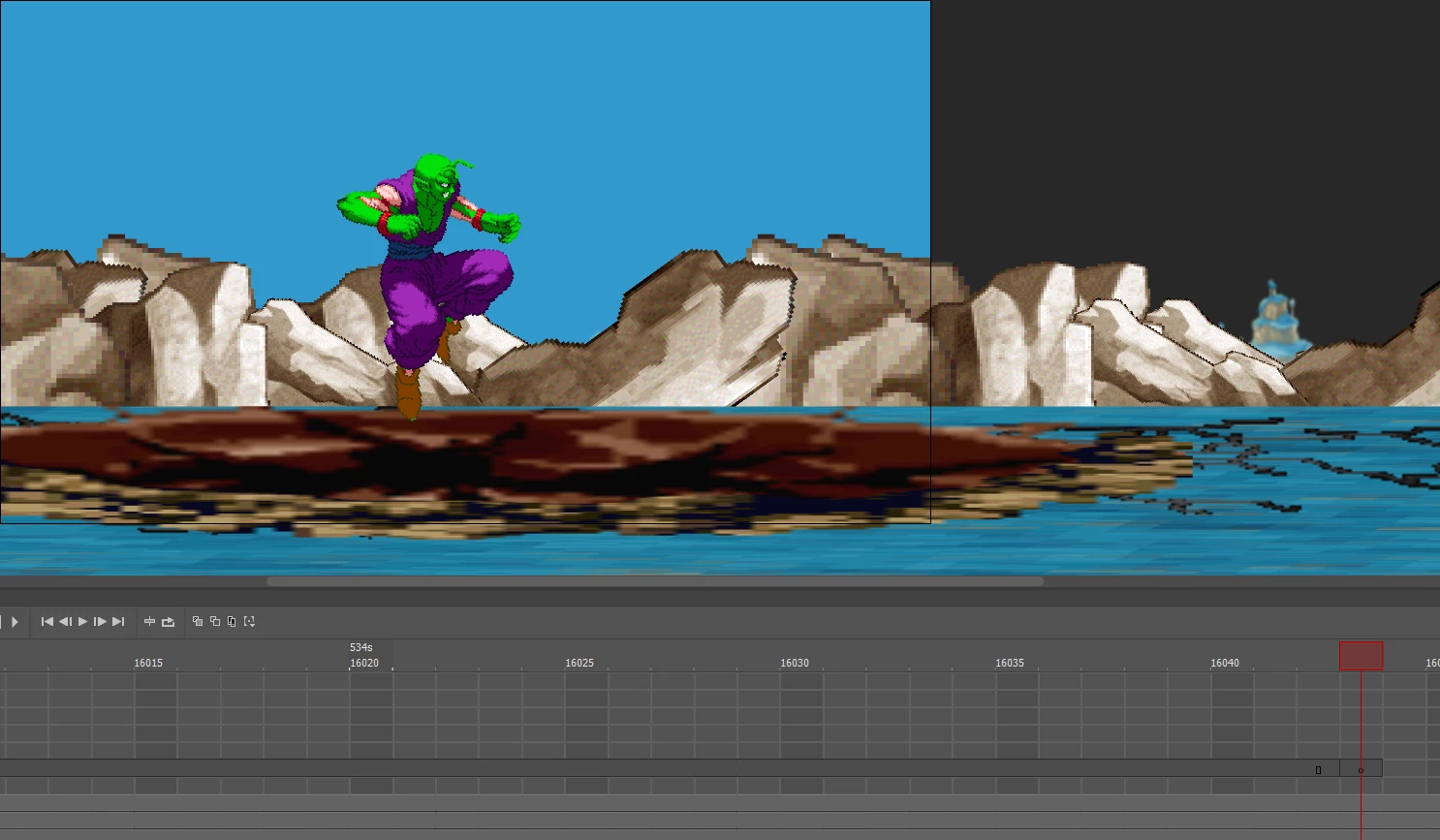
Hey, so, I'm relativly new to animating and to Adobe Animate. I've been animating this longer sprite animation, and randomly during it, I insert a new keyframe and it's the color dark grey to show that it's empty. However, when I add in the image for the keyframe (in this instance, Piccolo is the image here) it stays dark grey when it should normally turn a lighter grey since there's an image in it. So, that's weird, but then it locks Piccolo in one spot and makes it impossible to move him, anytime I try it just snaps him back to the center position. What's up with this? Anyone know how to fix this?

    This topic has been closed for replies.
    Correct answer kglad

    Ok I made sure, this is the correct timeline.


    then it's because you exceeded 16,000 frames on a timeline.  test that.

    2 replies

    kglad
    Community Expert
    Community Expert
    April 11, 2024

    you're probably not on the correct timeline to edit what you want.

    Participant
    April 12, 2024

    What do you mean? I've been adding keyframes like this the whole time and it only stops working now

    Participant
    April 12, 2024

    Ok I made sure, this is the correct timeline.

    Participant
    April 11, 2024

    ALSO, yes, I've tried closing Adobe Animate and reopening, and I've tried completely restarting my computer but the issue still remains.