
keithh2190
Participant
June 20, 2022
Question

layer parenting rotates symbols after saving

  • June 20, 2022
  • 3 replies
  • 1299 views

Hello,

I have been frustrated by a persistent problem, where symbols, such as forearms and hands in a rig, rotate 180 degrees. Everything looks fine. I save. Then, when I reopen, the symbols are twisted around.

I've researched issues related to layer parenting and rigs, but haven't seen anything with rotational problems, only drifting. Layer parenting has been working great for me for years, now suddenly it's broken.


I switched to the Flanimate power tool system and rerigged with SMR, but the lack of arcs presented a problem. I tried the parenting toggle and found that if I saved without reverting back, I had the same issue of mangled limbs that I had before.  


Any idea what's going on here? I've rebuilt the rig several times and it keeps happening.

I'm on the latest version of Adobe Animate CC 22.0.6 build 202 using Win 11.

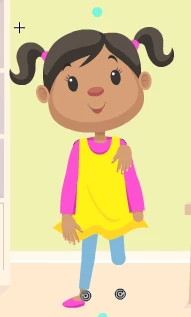
In the image below, the lower leg is flipped around and hidden behind the upper leg.
Keith

    This topic has been closed for replies.

    3 replies

    Adobe Employee
    June 21, 2022

    Thanks for reporting the issue. We are able to reproduce the same at our end. We will keep posted once there is a fix for the same.


    _keyframer
    Community Expert
    Community Expert
    July 1, 2022

    Well, this thread was an adventure!

    Animator and content creator for Animate CC
    SarahwithTea
    Participating Frequently
    June 21, 2022

    I basically stopped using 22 because of this bug. It happens constantly and doesn't show up until you close and reopen the file so you can animate for hours and discover the rotation is broken for the whole thing. It also breaks differently if you try opening already done animation in 21.
    My solution has been to animate in 21, then check it by opening that file in 22. I've had the same error occur this way but only for a frame or two instead of whole animations. So far that's been my work around for clients who need files in 22.

    Mohanaraj
    Adobe Employee
    Adobe Employee
    June 30, 2022

    @SarahwithTea @keithh2190 We have fixed an issue where the rotation applied on the parent object before it was parented is leading to an uninteded rotation on the child objects upon reopening the file. This has been fixed in 22.0.7 update released yesterday. Please update your copy of Animate to the latest and let us know if that helps.


    Thanks!

    Mohan

    SarahwithTea
    Participating Frequently
    June 30, 2022

    Did 3 different layer parenting rigs and didn't get a bug repeat. I'll keep saving and checking through this working file to be sure as I go through it but it appears to be solved!

    n. tilcheff
    Legend
    June 20, 2022

    Hi Keith,

    We came across this yesterday too. 

    It seems to be a relatively new issue, introduced with one of the recent Animate updates.


    If you are on SMR, you may want to install Animate 21 alongside 22, and use that version which has the drifting bug, but that is still preferable. Just toggle PL on, when all animation work is complete to get the arcs. With only a few toggle cycles the matrix degradation will be minimal.


    As for this issue, I hope that some of the devs will see your thread, and they will investigate and fix.


    It has been reported here multiple times already. Unfortunately PL is full of bugs.

    The so-called Advanced Layers, where each layer is wrapped into a hidden Movie Clip is a poorly thought-out concept, which led to so many issues. All implementations, based on it are problematic.


    Nick - Character Designer and Animator, Flash user since 1998 | Member of the Flanimate Power Tools team - extensions for character animation
    keithh2190
    Participant
    June 21, 2022

    Hey Nick,

    Thanks for the swift reply. I've been using this program since Flash 2 (1997), and I have to say, your SMR system is the most exciting advancement I've seen. The different keyboard shortcut has taken some getting used to, but the IK tool is amazing. I've enjoyed your approach to joints, as well. Although Animate likes to corrupt my perfect circles, so I'm still problem-solving that one. I'll give v.21 a try and see if that clears things up. 

    Keith

    n. tilcheff
    Legend
    June 21, 2022

    Thank you for the kind words, Keith!

    We have been developing the tools for over 12 years now, and we've always had in mind Flash veterans like you (and ourselves) when designing the workflows. It is very motivating when such an experienced Flash user gives us encouragement.

    (I know about the shortcuts! Changing habits is hard, and there is also 'muscle memory' involved.)


    You can have multiple versions of Animate installed on the same machine. They will run just fine, without any conflict.

    You will need to install EDAPT again in AA 21. The license will work without the need for a new activation.


    I was trying to help another user here on the forum yesterday when I accidentally ran into the save/open file corruption issue. It's clearly a newly introduced bug in AA 22, which is not present in previous versions. I'm still trying to figure out the exact circumstances when it occurs (and when it doesn't).


    As for the circles, if the vector shapes are too small pixel-wise, this may be a reason to get some shape corruption. Building your elements larger may solve this. Have a look at this thread to see if your problem is similar.


    Good luck with your work!

    And thanks again for the kind words.


    Nick - Character Designer and Animator, Flash user since 1998 | Member of the Flanimate Power Tools team - extensions for character animation