
Inspiring
June 13, 2024
Answered

"Make responsive" doesn't work - looking for html/css solution

  • June 13, 2024
  • 4 replies
  • 1979 views

Hi Community,


I designed the interactive infographic on that page: https://www.elisabethdeim.com/infografik-illustration-die-welt-der-insekten


Unfortunately, "Make responsive" didn't work. Whatever settings I used (except stretch to screen), the image ended up shrinked to the screen height. I think, the Animate-script doesn't work with such long images.
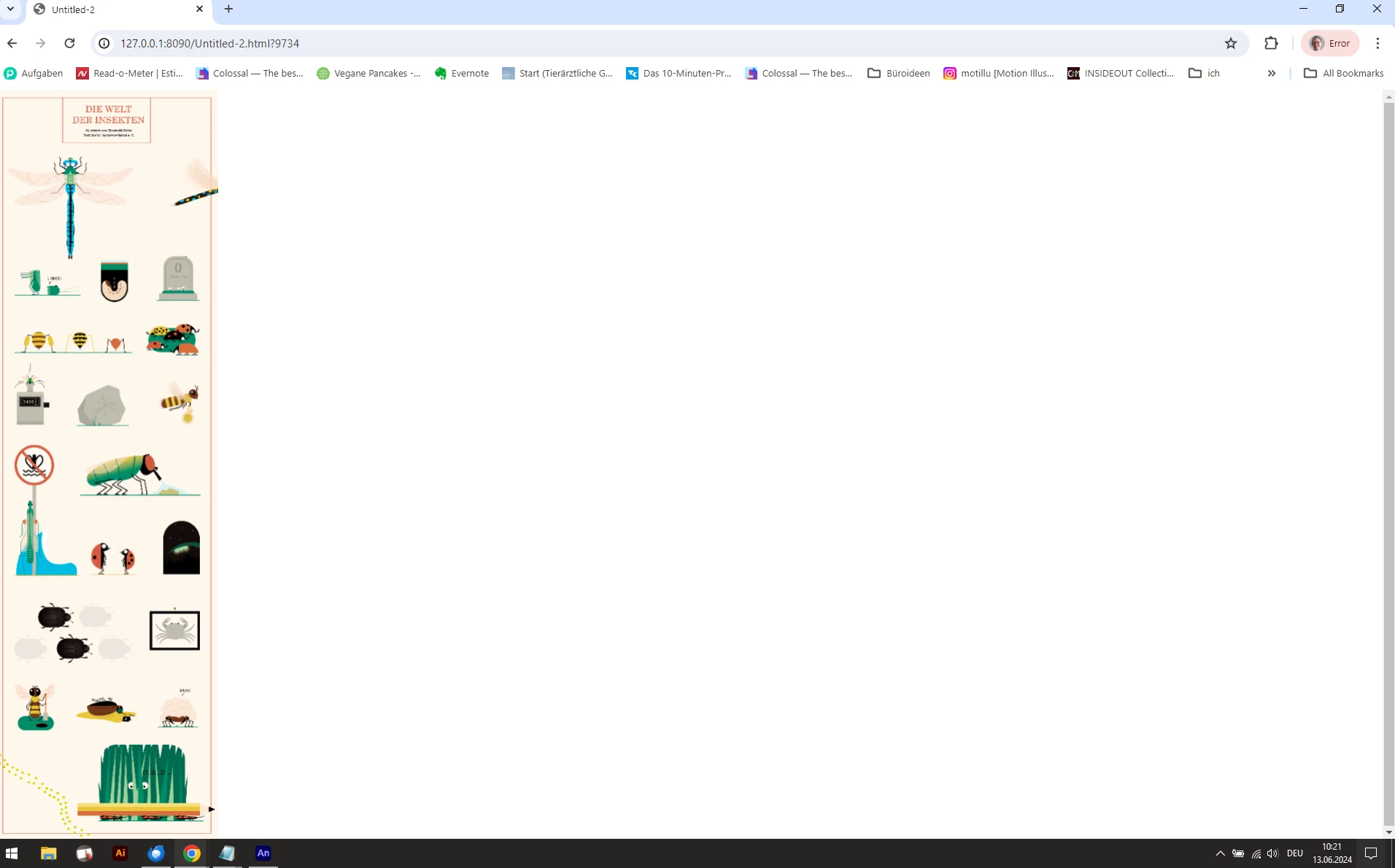


That's why I finally exported it with "make responsive" unticked, because it was the only way to get it unscaled, and tried to find a css/html solution to make it responsive. 


If I change the width of the browser window or view it on my phone, the infographic doesnt change in width, it goes above the page dimensions. My goal is it, that the infographic fits into the page design like the text and the other images and is as responsive as these. 


It works in preview in Chrome Development Tools. When I change there "canvas" width to "100% and height to "auto" it resizes perfectly when I change the width of the window:


<canvas id="canvas" width="715" height="2396" style="position: absolute; display: block; background-color:rgba(255, 255, 255, 1.00);width:100%; height:auto;"></canvas>


But as soon as I refresh the page the Animate scripts overwrite my values. Same with when I change these values directly in my code. They are overwritten by these:


<canvas id="canvas" width="643" height="2157" style="position: absolute; display: block; background-color: rgb(255, 255, 255); width: 650px; height: 2179px;"></canvas>


I also tried to change the Animate JS-Code to load the values I need, but this didn't work as well.


This JS-Code in the Header loads the values:

var lib=comp.getLibrary(); loader.loadManifest(lib.properties.manifest)
}


from this JS-file-code (changing width to 100% did not work):

lib.properties = {
	id: '4A0DC7F22C54B9489C856D25CD90F5DC',
	width: 650,
	height: 2179,
	fps: 24,
	color: "#FFFFFF",
	opacity: 1.00,
	manifest: [
		{src:"https://static1.squarespace.com/static/597c793a4c0dbf2d3c6a1490/t/66506af2b083c43608fd66c8/1716546290943/nabuinsekteninfografikelisabethdeim1500px.png", id:"nabuinsekteninfografikelisabethdeim1500px"}
	],
	preloads: []
};


Does anybody of you has an idea how to get the infographic work the same way as my other text and image blocks on that page?

Thanks for your effort!
Elisabeth

This topic has been closed for replies.
Correct answer JoãoCésar17023019

No, I just copied the JS to the header-injection field in Squarespace and added a code-block with the AA-HTML to the page where I want to have it.

Could you give me some help to set up the iframe?

I added to the header:


<script src="https://code.createjs.com/1.0.0/createjs.min.js"></script>
<script src="https://elisabeth-deim-eh9h.squarespace.com/s/nabu-infografik-insekten-interaktiv-v2.js"></script>
<script>
// Global Scripts
	</script>
<script>
var canvas, stage, exportRoot, anim_container, dom_overlay_container, fnStartAnimation;
function init() {
	canvas = document.getElementById("canvas");
	anim_container = document.getElementById("animation_container");
	dom_overlay_container = document.getElementById("dom_overlay_container");
	var comp=AdobeAn.getComposition("4A0DC7F22C54B9489C856D25CD90F5DC");
	var lib=comp.getLibrary();
	var loader = new createjs.LoadQueue(false);
	loader.addEventListener("fileload", function(evt){handleFileLoad(evt,comp)});
	loader.addEventListener("complete", function(evt){handleComplete(evt,comp)});
	var lib=comp.getLibrary(); loader.loadManifest(lib.properties.manifest)
  
}
function handleFileLoad(evt, comp) {
	var images=comp.getImages();	
	if (evt && (evt.item.type == "image")) { images[evt.item.id] = evt.result; }	
}
function handleComplete(evt,comp) {
	//This function is always called, irrespective of the content. You can use the variable "stage" after it is created in token create_stage.
	var lib=comp.getLibrary();
	var ss=comp.getSpriteSheet();
	var queue = evt.target;
	var ssMetadata = lib.ssMetadata;
	for(i=0; i<ssMetadata.length; i++) {
		ss[ssMetadata[i].name] = new createjs.SpriteSheet( {"images": [queue.getResult(ssMetadata[i].name)], "frames": ssMetadata[i].frames} )
	}
	exportRoot = new lib.nabuinsekteninfografikinteraktivloesung();
	stage = new lib.Stage(canvas);
	stage.enableMouseOver();	
	//Registers the "tick" event listener.
	fnStartAnimation = function() {
		stage.addChild(exportRoot);
		createjs.Ticker.framerate = lib.properties.fps;
		createjs.Ticker.addEventListener("tick", stage);
	}	    
	//Code to support hidpi screens and responsive scaling.
	AdobeAn.makeResponsive(false,'both',false,1,[canvas,anim_container,dom_overlay_container]);	
	AdobeAn.compositionLoaded(lib.properties.id);
	fnStartAnimation();
}
</script>


and to the code-block of the page:


<body onload="init();" style="margin:0px;">

  <div id="animation_container" style="background-color:rgba(255, 255, 255, 1.00); width:650px; height:2179px; margin:auto;">
<canvas id="canvas" width="715" height="2396" style="position: absolute; display: block; background-color:rgba(255, 255, 255, 1.00);"></canvas>
<div id="dom_overlay_container" style="pointer-events:none; overflow:hidden; width:100%; height:auto; position: absolute; left: 0px; top: 0px; display: block;">
</div>
</div>
</body>


How do I set up the iframe to make the infographic always align to the dimensions of the parent div?


I'm not familiar with Squarespace, but a simple standalone solution could be something like this:
https://drive.google.com/file/d/1lm0IVGipMGg4tEsj6IcSsFdBlgmRASxY/view?usp=sharing


Please not that I had to use a publish template to remove the overflow from Animate's output.

4 replies

nurba
Participating Frequently
June 13, 2024

Can you try following script?


<script>
// Global Scripts
</script>
<script>
 
function makeResponsiveCopy(lib) {
var lastW, lastH, lastS=1;
window.addEventListener('resize', resizeCanvas);
resizeCanvas();
function resizeCanvas() {
var w = lib.properties.width, h = lib.properties.height;
//var iw = window.innerWidth, ih=window.innerHeight;
        
//dimensions of original canvas
var maxW = w;
var maxH = h;
var padding = 15; // padding from left/right px
 
var iw = window.innerWidth-padding*2;
 
var ratio = iw/maxW;
 
if (ratio>1) {
ratio = 1;
}
 
$('#canvas').css('width', maxW * ratio);
$('#canvas').css('height', maxH * ratio);
 
$('#canvas').attr('width', maxW * ratio);
$('#canvas').attr('height', maxH * ratio);
 
stage.scaleX = ratio;
stage.scaleY = ratio;
            
stage.tickOnUpdate = false;            
stage.update();            
stage.tickOnUpdate = true;
}
}
 
var canvas, stage, exportRoot, anim_container, dom_overlay_container, fnStartAnimation;
function init() {
canvas = document.getElementById("canvas");
//anim_container = document.getElementById("animation_container");
//dom_overlay_container = document.getElementById("dom_overlay_container");
var comp=AdobeAn.getComposition("4A0DC7F22C54B9489C856D25CD90F5DC");
var lib=comp.getLibrary();
var loader = new createjs.LoadQueue(false);
loader.addEventListener("fileload", function(evt){handleFileLoad(evt,comp)});
loader.addEventListener("complete", function(evt){handleComplete(evt,comp)});
var lib=comp.getLibrary(); loader.loadManifest(lib.properties.manifest)
  
}
function handleFileLoad(evt, comp) {
var images=comp.getImages();
if (evt && (evt.item.type == "image")) { images[evt.item.id] = evt.result; }
}
function handleComplete(evt,comp) {
//This function is always called, irrespective of the content. You can use the variable "stage" after it is created in token create_stage.
var lib=comp.getLibrary();
var ss=comp.getSpriteSheet();
var queue = evt.target;
var ssMetadata = lib.ssMetadata;
for(i=0; i<ssMetadata.length; i++) {
ss[ssMetadata[i].name] = new createjs.SpriteSheet( {"images": [queue.getResult(ssMetadata[i].name)], "frames": ssMetadata[i].frames} )
}
exportRoot = new lib.nabuinsekteninfografikinteraktivloesung();
stage = new lib.Stage(canvas);
stage.enableMouseOver();
//Registers the "tick" event listener.
fnStartAnimation = function() {
stage.addChild(exportRoot);
createjs.Ticker.framerate = lib.properties.fps;
createjs.Ticker.addEventListener("tick", stage);
}     
//Code to support hidpi screens and responsive scaling.
//AdobeAn.makeResponsive(false,'both',false,1,[canvas,anim_container,dom_overlay_container]);
makeResponsiveCopy(lib);
AdobeAn.compositionLoaded(lib.properties.id);
fnStartAnimation();
}
document.addEventListener("DOMContentLoaded", (event) => {
  init();
});
</script>
 
<body>
<div id="parent_container">
<canvas id="canvas" width="100" height="100"></canvas>
</div>
</body>
</html>


Inspiring
June 13, 2024

Thanks for your great effort, nurba. But I'm afraid, I'm not experienced enough to implent your suggestion.  I use a JS file, a header code-injection for the single page and a code block for the html on that page. Part of your script is in my JS file, another part in the header code-injection. I'm pretty sure it won't work if I rip your code in two. Your sugesstion works best, if everything is exported to one html-file with the javascript inside, isn't it?

Also, as soon as I delete the animation container and DOM div, the graphic doesn't load at all.

Due to my limited experience, I will try to set up the iframe. This seems to be a little easier.

nurba
Participating Frequently
June 13, 2024

script part goes to your header section

and just following canvas tag will be on inside div code-block


<canvas id="canvas" width="100" height="100"></canvas> 


iframe also solution but still it needs some code to resize

JoãoCésar17023019
Community Expert
Community Expert
June 13, 2024

Also, if you want your banner to take up the entire width while keeping it scrollable, you can set the stage size in Animate to be the same size of your banner and then use these publish settings.


Sample FLA: https://drive.google.com/file/d/1xeJc86nlIBPqfOiDQA4jNLTLaSRHhp9q/view?usp=sharing.


Regards,

JC

Inspiring
June 13, 2024

Hi JC,


thanks for your answers. Unfortunately, they doesn't help with my issue.


What I want is, that this long interactive infographic about insects on my page is responsive: https://www.elisabethdeim.com/infografik-illustration-die-welt-der-insekten (second image on the page)


I know it needs custom code, but whatever I tried, is not working. 

Inspiring
June 13, 2024

It shall not be stretched to the entire width of the screen, but limited to the width of the parent.

JoãoCésar17023019
Community Expert
Community Expert
June 13, 2024

Hi.


If that CSS fix worked for you, then you can keep it permanent by using a publish template.

https://community.adobe.com/t5/animate-discussions/how-to-add-clicktag-without-coding/m-p/14616552#M375636


https://helpx.adobe.com/animate/using/creating-publishing-html5-canvas-document.html


I hope these help.


Regards,

JC

nurba
Participating Frequently
June 13, 2024

Have you tried changing publish settings?

Make responsive there?

nurba
Participating Frequently
June 13, 2024

Animate responsive code calculates window width and height


there is makeResponsive function in AA created js file, 

an.makeResponsive = function(isResp, respDim, isScale, scaleType, domContainers) {
 
you can duplicate that function and call it on
AdobeAn.makeResponsiveDuplicate(false,'both',false,1,[canvas,anim_container,dom_overlay_container]);
 
change following section
......
var w = lib.properties.width, h = lib.properties.height;
//var iw = window.innerWidth, ih=window.innerHeight; 
//get parent div dimensions here        div_id block-yui_3_17_2_1_1714415128793_4151
//change iw and ih variables, so it gets parent div dimensions
      var iw = window.innerWidth, ih=window.innerHeight;
 
Inspiring
June 13, 2024

The graphic doesn't load at all after I changed the code to this and called it on
AdobeAn.makeResponsiveDuplicate(false,'both',false,1,[canvas,anim_container,dom_overlay_container]);


an.makeResponsiveDuplicate = function(isResp, respDim, isScale, scaleType, domContainers) {
var lastW, lastH, lastS=1;
/* window.addEventListener('resize', resizeCanvas); */
resizeCanvas();
function resizeCanvas() {
var w = lib.properties.width, h = lib.properties.height;
var iw = block-yui_3_17_2_1_1714415128793_4151.width, ih=block-yui_3_17_2_1_1714415128793_4151.height;


Do you see any mistakes here? My javascript coding skills are pretty basic.


I also tried your suggested publish settings, but they doesn't work. Even if I choose only by width, the graphic is shrinked to the height of the screen. That's not what I want.