
Participant
August 21, 2020
Question

Masks not working as expected in Animate

  • August 21, 2020
  • 1 reply
  • 3341 views

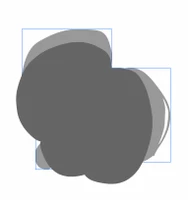
I am trying to mask a layer with another, but for some reason it works properly in one frame and then in next it does not. The one that is not working seems to have the mask layer downscaled if compared to the original. But if I view the mask layer it is exactly the same as the original. So I have three layers. 1. mask layer, 2. layer with highlights, 3. fill layer that is the same as mask layer.

                            

This topic has been closed for replies.

1 reply

Community Expert
August 22, 2020

See if this tutorial helps you. https://youtu.be/8GHoAFeTYQc

Participant
August 24, 2020

Thanks.


I am aware of how to create a mask. So this is not really helpful. Normally it works just fine for me. But in this case it just stops working as expected in the middle of a scene/sequence. Maybe it`s a brush thing or some other setting that I have accidentally switched on. 


I have to admit that I don`t like how the masking works in general in Animate... Why on earth does it lock the layers? And why can`t I see the result without layers being locked? It`s a pain in the ass to adjust anything... Maybe I am just missing something, but it sure ain`t very intuitive or fluent to use. 

Participant
December 25, 2022

I have the same issue ! it masks one thing perfectly, and in next keyframe, it just makes the thing itself disappear !. how did you solve it?