Participant
July 21, 2022
Question

move gauge needle with mouse click - Animate HTML5

  • July 21, 2022
  • 3 replies
  • 338 views

How do i make it so the user can click on the end of a gauge needle and turn it on its center point??
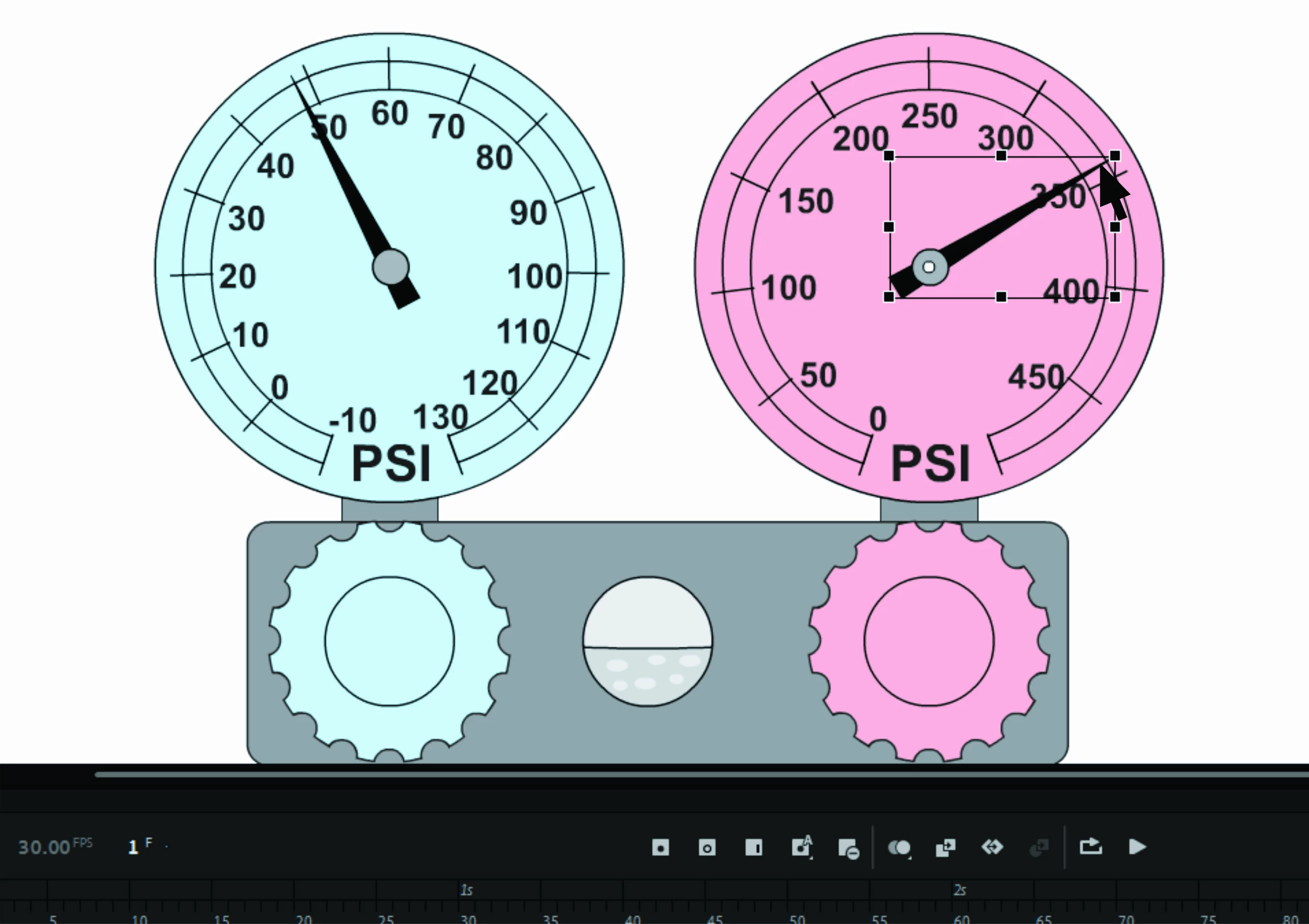
This topic has been closed for replies.

3 replies

Participant
July 26, 2022

Wow, thank you JoãoCésar! I'll give that a try.

Community Expert
July 25, 2022

Very cool piece of work. Also great code JoãoCésar

JoãoCésar17023019
Community Expert
Community Expert
July 21, 2022

Hi.


Here is a sample.


Try it:

https://bit.ly/3PJu1RP


JavaScript / JS code:

[Global script section]

(function()
{
	function DragToRotate(props)
	{
		this.target = props.target;
		
		if (this.target.hit)
			this.target.hitArea = this.target.hit;
		
		this.offset = 0;
		this.mouseDownEvent = this.target.on("mousedown", this.onMouseDown, this);
	}

	DragToRotate.prototype.onMouseDown = function()
	{
		var stg = this.target.stage;
		var rads = Math.atan2((stg.mouseY / stg.scaleY) - this.target.y, (stg.mouseX / stg.scaleX) - this.target.x);
		
		this.offset = rads * (180 / Math.PI) - this.target.rotation;
		this.onPressMove();
		this.pressMoveEvent = this.target.on("pressmove", this.onPressMove, this);
		this.target.parent.pressUpEvent = this.target.on("pressup", this.onPressUp, this);
	};

	DragToRotate.prototype.onPressMove = function()
	{
		var rads = Math.atan2((this.target.stage.mouseY / this.target.stage.scaleY) - this.target.y, (this.target.stage.mouseX / this.target.stage.scaleX) - this.target.x);
		var angle = rads * (180 / Math.PI) - this.offset;
		
		this.target.rotation = angle;
	};

	DragToRotate.prototype.onPressUp = function()
	{
		if (this.target)
		{
			this.target.off("pressmove", this.pressMoveEvent);
			this.target.parent.off("pressup", this.pressUpEvent);
		}
	};

	DragToRotate.prototype.destroy = function()
	{
		this.target.off("mousedown", this.mouseDownEvent);
		this.target.off("pressmove", this.pressMoveEvent);
		this.target.parent.off("pressup", this.pressUpEvent);
		this.target = null;
	};

	window.ui = { DragToRotate: DragToRotate };
})();


[Main timeline]

// definition code for the drag to rotate component
// is in the global script section (left side section)

var root = this;
var dragToRotate;

function main()
{
	createjs.Touch.enable(stage);
	stage.mouseMoveOutside = true;
	dragToRotate = new window.ui.DragToRotate({ target: root.pointer });
}

main();


Download / FLA / source:

https://bit.ly/3B9fiLW


I hope this helps.


Regards,

JC

Known Participant
July 24, 2022

Hi, @JoãoCésar17023019 

Your fla is awesome !! I want to add display angle with dynamic text, something like this :

this.angleDisplay.text = angleRotation;

// but I have no idea about angleRotation function


JoãoCésar17023019
Community Expert
Community Expert
July 25, 2022

Thanks a lot!


Do you want to display the rotation of the needle in a text field?
