Known Participant
February 24, 2022
Answered

My Number Counter Doesn't Work In Animate CC

  • February 24, 2022
  • 1 reply
  • 401 views

Hi,


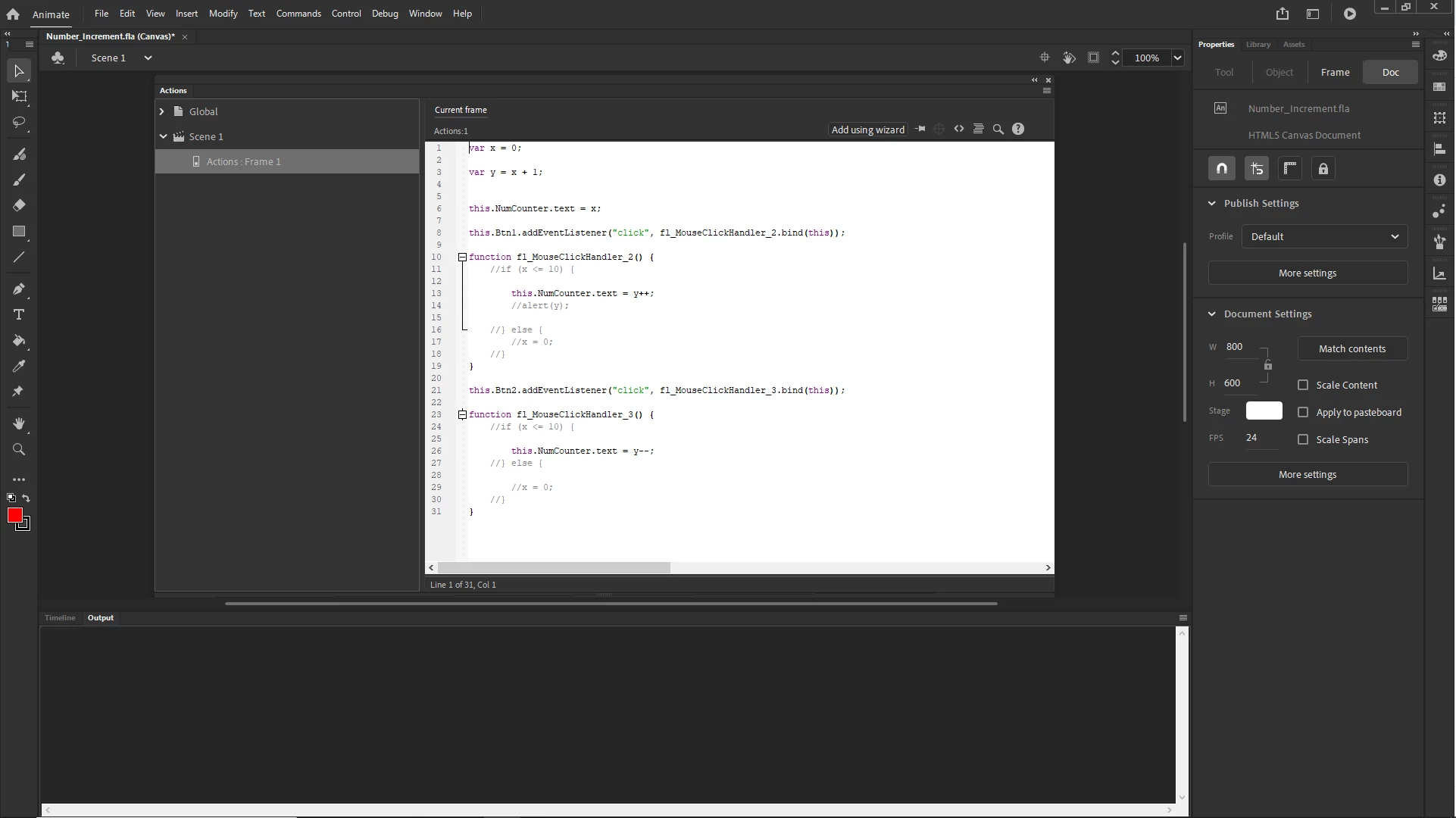
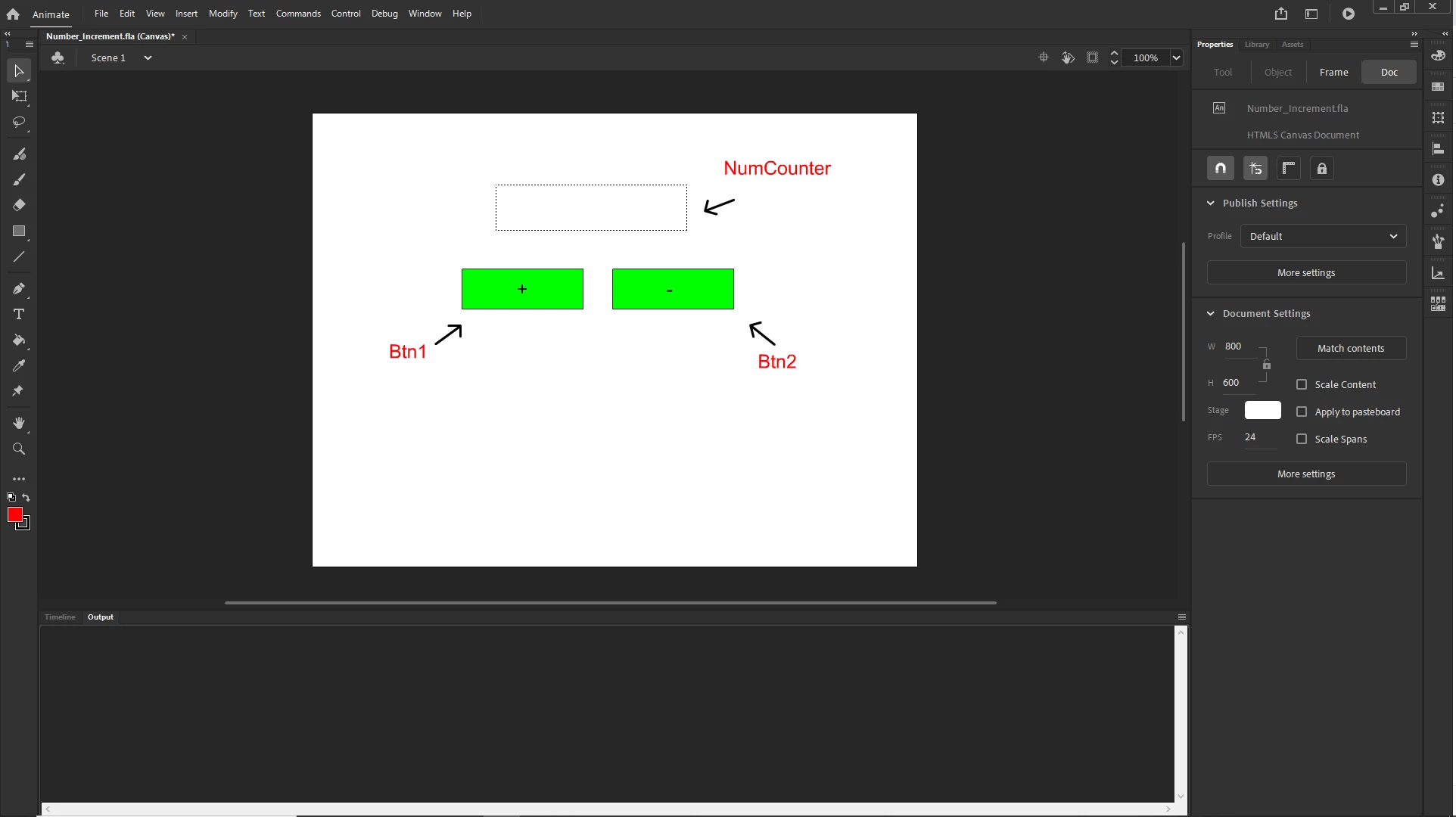
I've written javascript to cause a number to count up or down when the plus button or minus button is pressed. The problem I'm having is that after I press the plus button and, the numbers start incrementing, if I then press the down button the number increments one more before it starts decrementing. 


So if I count up to five, then press the minus button, the number goes to six before starting down again.


I couldn't get the fla to attach so I've attached a couple of screen caps to show my work.


Thanks

    This topic has been closed for replies.
    Correct answer JoãoCésar17023019

    Hi.


    If used postfix, with operator after operand (for example, x++), the increment operator increments and returns the value before incrementing.


    If used prefix, with operator before operand (for example, ++x), the increment operator increments and returns the value after incrementing.


    https://developer.mozilla.org/en-US/docs/Web/JavaScript/Reference/Operators/Increment


    So try this:

    var y = 0;
    
    function fl_MouseClickHandler_2()
    {
    	this.NumCounter.text = ++y;
    }
    
    function fl_MouseClickHandler_3()
    {
    	this.NumCounter.text = --y;
    }
    
    this.NumCounter.text = y;
    this.Btn1.addEventListener("click", fl_MouseClickHandler_2.bind(this));
    this.Btn2.addEventListener("click", fl_MouseClickHandler_3.bind(this));


    I hope it helps.


    Regards,

    JC

    1 reply

    JoãoCésar17023019
    Community Expert
    JoãoCésar17023019Community ExpertCorrect answer
    Community Expert
    February 24, 2022

    Hi.


    If used postfix, with operator after operand (for example, x++), the increment operator increments and returns the value before incrementing.


    If used prefix, with operator before operand (for example, ++x), the increment operator increments and returns the value after incrementing.


    https://developer.mozilla.org/en-US/docs/Web/JavaScript/Reference/Operators/Increment


    So try this:

    var y = 0;
    
    function fl_MouseClickHandler_2()
    {
    	this.NumCounter.text = ++y;
    }
    
    function fl_MouseClickHandler_3()
    {
    	this.NumCounter.text = --y;
    }
    
    this.NumCounter.text = y;
    this.Btn1.addEventListener("click", fl_MouseClickHandler_2.bind(this));
    this.Btn2.addEventListener("click", fl_MouseClickHandler_3.bind(this));


    I hope it helps.


    Regards,

    JC

    mlb172Author
    Known Participant
    February 24, 2022

    Absolutely spot on. Thanks for your help.

    JoãoCésar17023019
    Community Expert
    Community Expert
    February 24, 2022

    You're welcome!