


Participating Frequently
September 29, 2025
Answered

My TextInput and Submit Button are not working.

  • September 29, 2025
  • 2 replies
  • 279 views

Hi guys, 

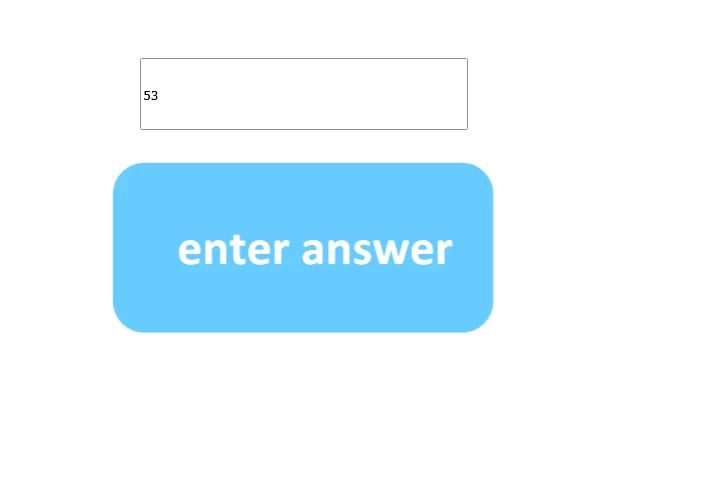
so I'm new to Adobe Animate 2024 CC The last time I used Adobe Animate was Adobe Flash Professional CS6, and so I've been trying to make a text input component along with a submit button. So, for example, if the correct answer to a question was "53", and you type that into the text input and hit submit, it will check to see if it matches and then do this.gotoAndPlay("frame that tells you you're correct') and if what you answered wasn't 53, it will gotoAndPlay("frame that tells you you're wrong.) However, every time I enter an input into my input box and hit the submit button, it does not respond at all, and it doesn't do anything. So I'd really appreciate it if someone could help me in this situation. Here's my code below.


this.stop();

this.submitbtn.addEventListener("click", function(event) {
var val = this.answerbox.text;
if (val.toLowerCase().trim() === "correctanswer") {
this.gotoAndPlay(72);
} else {
this.gotoAndPlay(13);
}
}.bind(this));

 

    Correct answer JoãoCésar17023019

    Hi.


    Components don't live in the canvas and are not CreateJS objects, so you'll need to use one of the DOM methods to access it first. Like this:

    this.stop();
    	
    this.submitbtn.addEventListener("click", function (event)
    {
    	var val = document.getElementById("answerbox").value;
    	
    	if (val.toLowerCase().trim() === "correctanswer")
    	{
    		this.gotoAndPlay(72);
    	}
    	else
    	{
    		this.gotoAndPlay(13);
    	}
    }.bind(this));


    Regards,
    JC

    2 replies

    JoãoCésar17023019
    Community Expert
    JoãoCésar17023019Community ExpertCorrect answer
    Community Expert
    September 29, 2025

    Hi.


    Components don't live in the canvas and are not CreateJS objects, so you'll need to use one of the DOM methods to access it first. Like this:

    this.stop();
    	
    this.submitbtn.addEventListener("click", function (event)
    {
    	var val = document.getElementById("answerbox").value;
    	
    	if (val.toLowerCase().trim() === "correctanswer")
    	{
    		this.gotoAndPlay(72);
    	}
    	else
    	{
    		this.gotoAndPlay(13);
    	}
    }.bind(this));


    Regards,
    JC

    mary_0172Author
    Participating Frequently
    September 29, 2025

    Hi JC,

    I tried your code and put it into the actions layer of my project. I tried typing something into my inputanswer box and pressin the submit button, but it still isn't functioning the submit button just does not do anything. I have my submit button set as a button with it's up down, over, and hit stages and its instance name matches the one in the actions tab, but it still will not take me to the appropiate frame when i press the submit button after putting something in the inputbox. 

    kglad
    Community Expert
    Community Expert
    September 29, 2025

    what's the developer console say?

    kglad
    Community Expert
    Community Expert
    September 29, 2025

    html5?


    insert alert(val)


    after cal is defined 


    check dev. console for errors 

    mary_0172Author
    Participating Frequently
    September 29, 2025

    Yeah it's html5,

    thanks i'll try this

    kglad
    Community Expert
    Community Expert
    September 29, 2025

    keep us updated.