Question
My visemes is only showing a single option
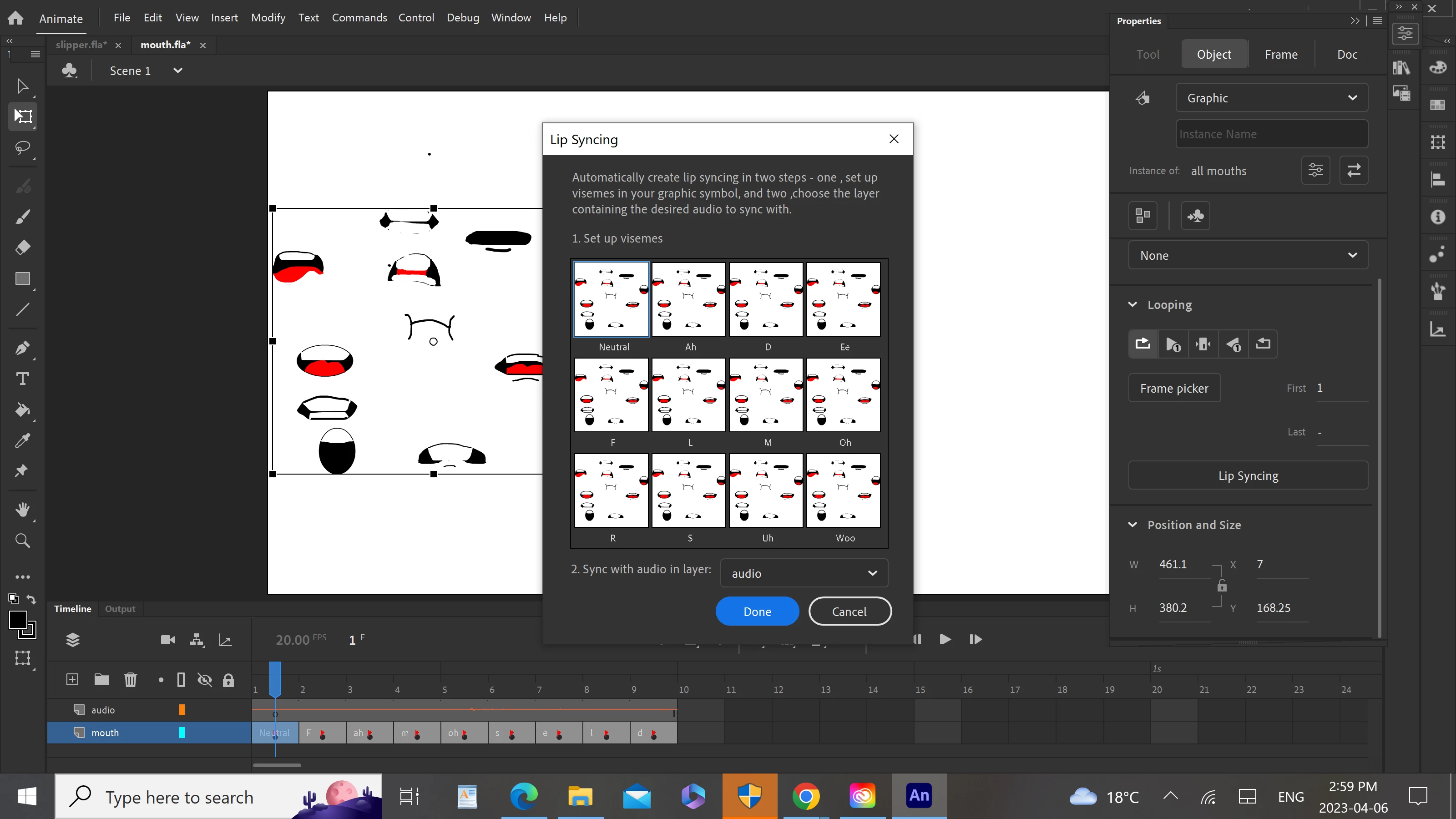 so i tried to use the lip synching function and coverted all the visemes all at once just as the youtube tutorial, but they showed up as a whole instead of seperating, what should i do?

so i tried to use the lip synching function and coverted all the visemes all at once just as the youtube tutorial, but they showed up as a whole instead of seperating, what should i do?
Already have an account? Login
Enter your E-mail address. We'll send you an e-mail with instructions to reset your password.


 AdChoices