
Need a little Script help for using buttons to navigate specific frame ranges in HTML5 canvas.
Hi,
I'm doing something a little unusual for a study project, and building a basic drum machine in Animate that has three different kits pages (each with different sounds) and a help page.
I have buttons for Kit 1, Kit 2, Kit 3 and Help which I'm using to navigate. The square 'pads' 1-8 are used to trigger 8 different sounds on each drum kit.
Currently when my animation plays it automatically plays through Kit 1 for 3 seconds, Kit 2 for 3 seconds etc... and loops this following my timeline.
If a user clicks on any of the Kit buttons the animation stops with the script I have and the user can play that kit until they click on another kit. So switching and staying on a kit is working fine once a user clicks on any of the kits.
I saved another version with an extra frame at the start and used 'this.stop(1);' which did stop the animation from playing through the timeline, thus it stayed on Kit 1 page until it got a user input, but for some reason after the user moved to Kit 2 or Kit 3 for example, the Kit buttons no longer worked to navigate freely like they did in the previous version where it looped until the user stopped it with an input.
I'll try to include some screenshots and existing code so it might be easier to understand. This is just my prototype, so I haven't set it up with pretty images yet.
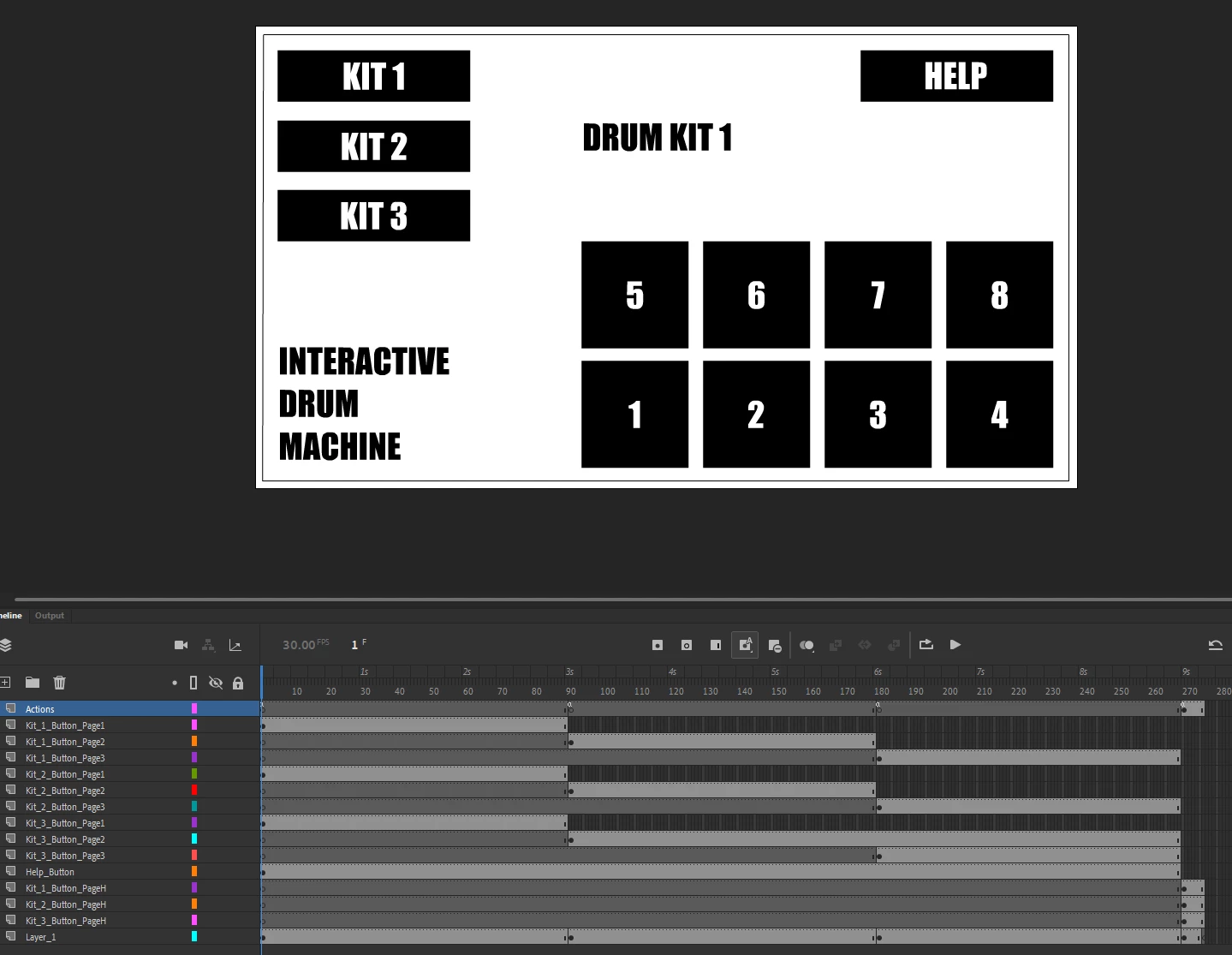
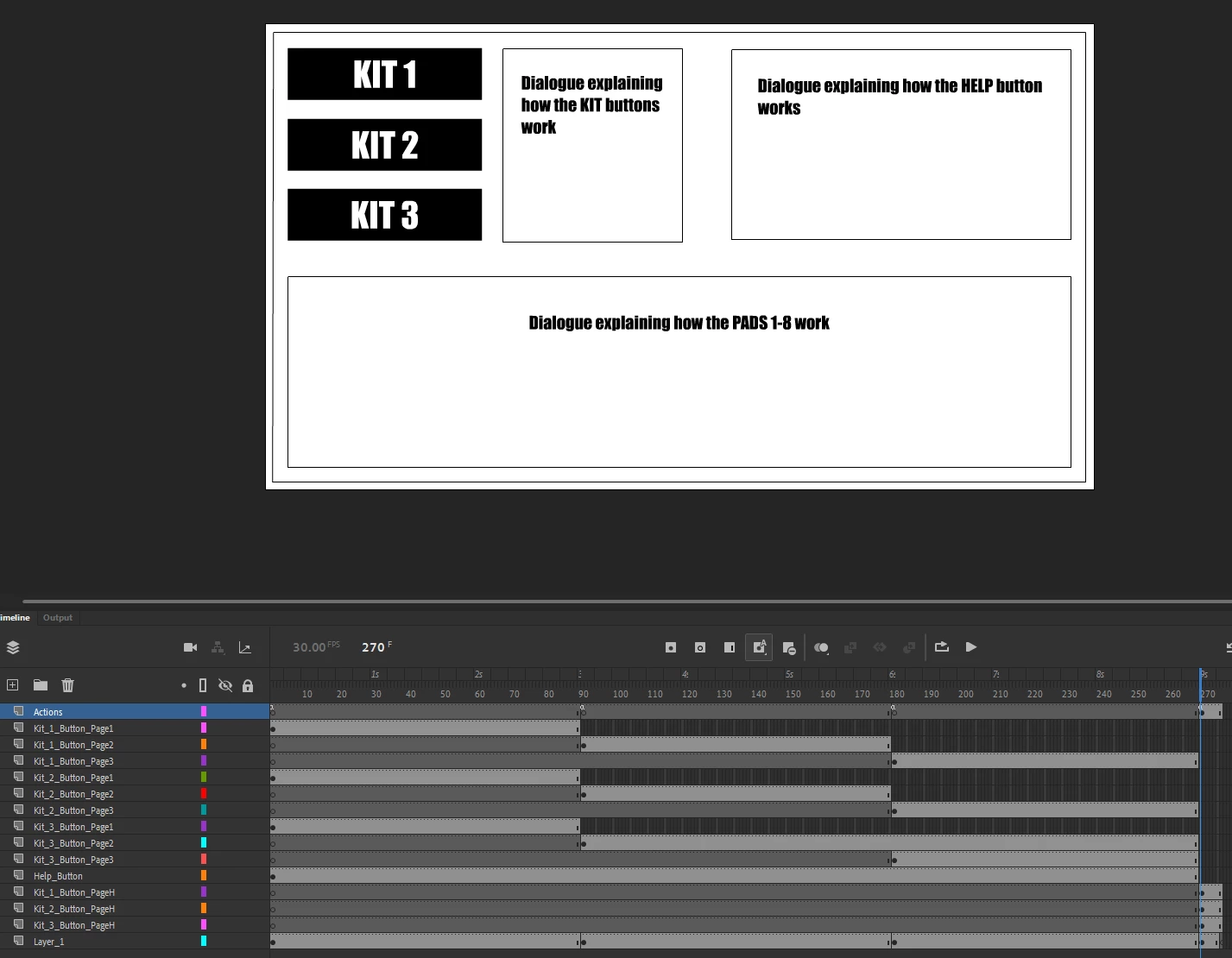
Here's an example of the code I'm using which lets me navigate exactly how I want to (except the animation loops at launch until it gets a user input).
this.kit1_page1_btn.addEventListener("click", fl_ClickToGoToAndPlayFromFrame.bind(this));
function fl_ClickToGoToAndPlayFromFrame()
{
this.gotoAndPlay(2);
this.stop(90);
}
this.kit2_page1_btn.addEventListener("click", fl_ClickToGoToAndPlayFromFrame_2.bind(this));
function fl_ClickToGoToAndPlayFromFrame_2()
{
this.gotoAndPlay(92);
this.stop(180);
}
this.kit3_page1_btn.addEventListener("click", fl_ClickToGoToAndPlayFromFrame_3.bind(this));
function fl_ClickToGoToAndPlayFromFrame_3()
{
this.gotoAndPlay(182);
this.stop(269);
}
this.help_btn.addEventListener("click", fl_ClickToGoToAndPlayFromFrame_17.bind(this));
function fl_ClickToGoToAndPlayFromFrame_17()
{
this.gotoAndPlay(271);
this.stop(275);
}
...and here's the code I was using on frame 1 which worked to stop the animation from auto-looping, but somehow my navigation was broken after this (even with frame numbers adjusted in the code for the extra frame I added at the start). Also I hadn't setup the Help page yet in this example.
this.stop(1);
this.kit1_page0_btn.addEventListener("click", fl_ClickToGoToAndPlayFromFrame_11.bind(this));
function fl_ClickToGoToAndPlayFromFrame_11()
{
this.gotoAndPlay(2);
this.stop(90);
}
this.kit2_page0_btn.addEventListener("click", fl_ClickToGoToAndPlayFromFrame_12.bind(this));
function fl_ClickToGoToAndPlayFromFrame_12()
{
this.gotoAndPlay(92);
this.stop(180);
}
this.kit3_page0_btn.addEventListener("click", fl_ClickToGoToAndPlayFromFrame_13.bind(this));
function fl_ClickToGoToAndPlayFromFrame_13()
{
this.gotoAndPlay(182);
this.stop(269);
}
It's only my second time using animate, so I've likely missed something simple. Would REALLY appreciate any help the community has to offer.
Thanks,
Brad.


 AdChoices