

Answered
.PNG files transparency exports as white blocks in Spritesheet Publishing settings..?
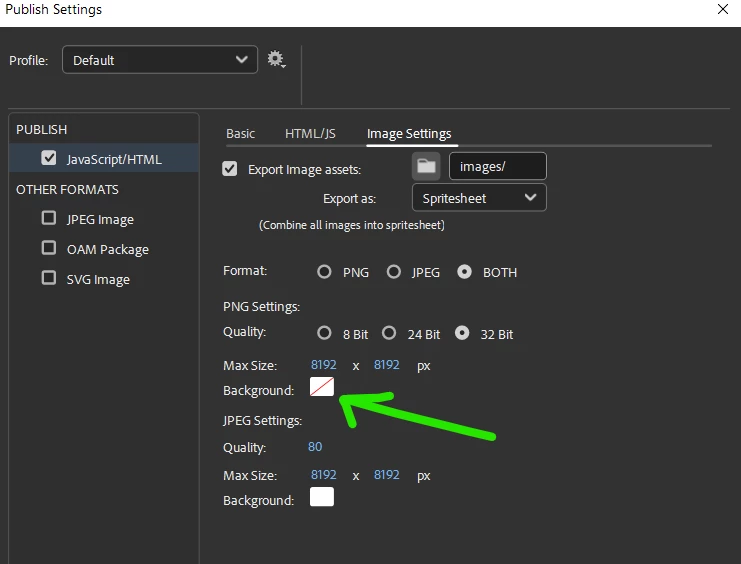
I am finding that when I export a Test Movie to the browser my .png graphics are showing with white blocks in place of transparency.
I changed the Publish Settings from Spritesheet to Image assets, and this fixed it.
But other team members say they have no transparency issues exporting as Spritesheet (and they recommend this for smaller file size).
How do I export in Spritesheet mode and still get the .png transparency?


 AdChoices