
Participant
July 13, 2024
Answered

Shading toggling on and off from frame to frame

  • July 13, 2024
  • 1 reply
  • 277 views

I'm new to Adobe Animate. I created a character layer and a background layer. I have one keyframe that lasts 5 seconds. However, when I play the animation of those 5 seconds, the shading toggles on and off every frame. Here's a screenshot of frame one and frame 2. Any ideas what I'm getting wrong?
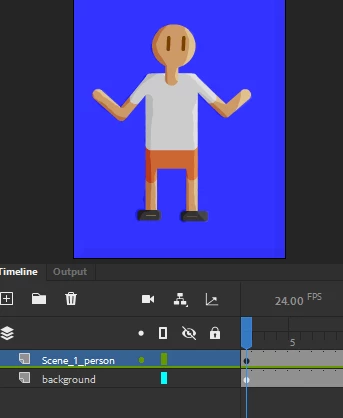
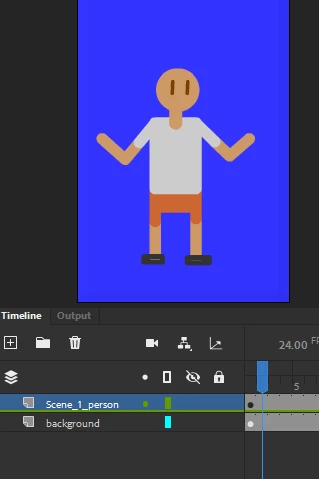
 

    This topic has been closed for replies.
    Correct answer kglad

    you're welcome.


    for others, when you add a movieclip, that movieclip/graphic will play unless there's a this.stop() on the movieclip symbol's timeline or other code to stop it.

    1 reply

    kglad
    Community Expert
    Community Expert
    July 13, 2024

    is the shading on another timeline.

    Participant
    July 14, 2024

    I had conbined multiple layers into a symbol with two frames. The shading was only added to one of the frames. I was able to fix it from there. Thanks for your help

    kglad
    Community Expert
    kgladCommunity ExpertCorrect answer
    Community Expert
    July 14, 2024

    you're welcome.


    for others, when you add a movieclip, that movieclip/graphic will play unless there's a this.stop() on the movieclip symbol's timeline or other code to stop it.