
Participant
August 11, 2022
Answered

Simple scale animation in classic tween is skewing?

  • August 11, 2022
  • 4 replies
  • 2297 views

I have a very simple animation I am trying to do, and I am not extremely experienced in Animate so I feel like I must be missing something very basic, but cannot find any explanation or figure it out myself.
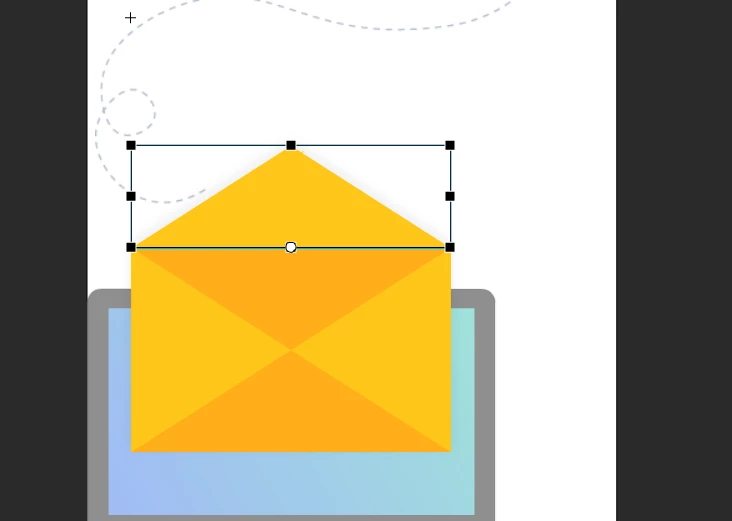
 

I simply want to take this shape and do a classic tween to animate the y scale from 100% to -100%  so the top of this envelope can appear to close, and I've moved the transform point to the bottom so it will scale around that. (I made sure the transform point was moved and is in the same place on all keyframes before adding any animation.)
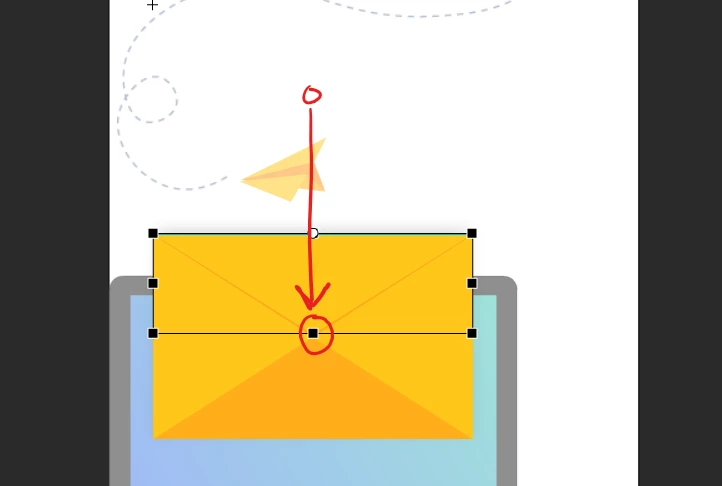
The rectangle is a drawing object within a graphic symbol on it's own layer. I simply insert a keyframe on frame 10, change the scale to what I want the final position to be, then right click between the keyframes on the timeline to create a classic tween, but instead of simply scaling it seems to also animate the skew?
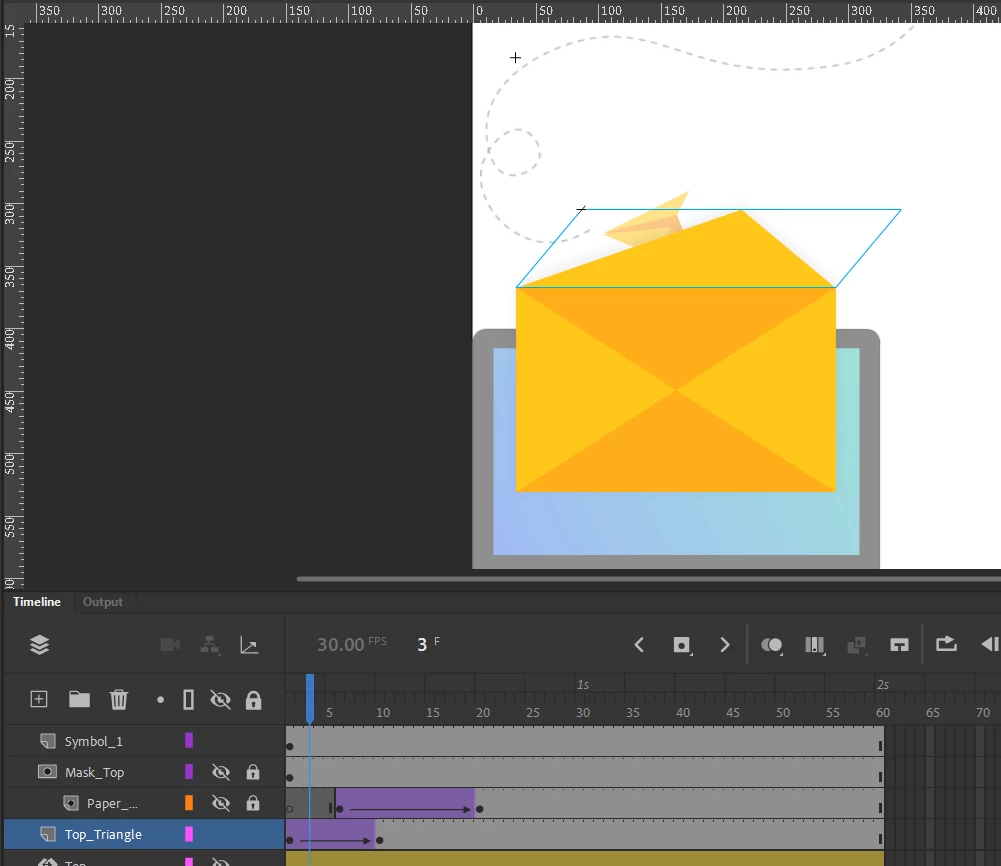
Why is this happening? I've tried doing the exact same thing with a motion tween, and this doesn't happen, but I would prefer to use a classic tween for performance purposes.

    This topic has been closed for replies.
    Correct answer _keyframer

    This should only take you 1-2 min if you follow the attached video tutorial I made for you. Cheers.

    ENVELOPE ANIMATION TUTORIAL 

    4 replies

    Colin Holgate
    Inspiring
    August 13, 2022

    Motion tweens were added in 2008, by which time animators may have had over 10 years of doing things with Classic tweens, and may still not need to use motion tweens.

    Motion tweens do let you tween different parameters over different durations very easily, and the performance is perfect if you are doing ActionScript 3 documents, whether that is to export as SWF, AIR, or to video.

    The problem case is HTML5 Canvas. Every frame of a motion tween is exported as a single frame EaselJS tween, which leads to a huge amount of code, and very poor performance. You get the same issue if you use a custom ease classic tween.

    So, if you are animating for HTML5 Canvas, do everything using the presets in a classic tween. Then the performance will be good. If you're animating for video export, or to play back in an AIR app, motion tweens would be easier to use.

    _keyframer
    Community Expert
    _keyframerCommunity ExpertCorrect answer
    Community Expert
    August 12, 2022

    This should only take you 1-2 min if you follow the attached video tutorial I made for you. Cheers.

    ENVELOPE ANIMATION TUTORIAL 

    Animator and content creator for Animate CC
    Participant
    August 12, 2022

    Thank you! That was extremely helpful and a little flattering that you went through the effort to make a whole video about it. 🙂 After more trial and error I assumed it had something to do with the fact that the object was technically being flipped, but as I'm used to animating in After Effects, the way the scaling and animation tools work for classic tweens is somewhat unintuitive for me.


    I assume that motion tweens are designed in a way that is more similar to Adobe's other animation/keyframing programs (such as After Effects), which is why they don't reproduce this problem. But I supposed classic tweens are 'classic' for a reason, haha.


    _keyframer
    Community Expert
    Community Expert
    August 12, 2022

    It's totally possible! Just don't rely on the tween span to do it all for you. I'll create a quick video tutorial as that will be easier to explain....Gimme time.

    Animator and content creator for Animate CC
    kglad
    Community Expert
    Community Expert
    August 12, 2022

    a classic tween is bound to fail.  ie, the tween engine has no idea you want to tween on the y-scale as opposed to rotating to achieve the desired end-state.


    you can use a motion tween (on an object) or a shape tween (on a shape).