
TomaD
Inspiring
November 28, 2019
Answered

symbol, transparency and overlapping

  • November 28, 2019
  • 1 reply
  • 2707 views

Hello

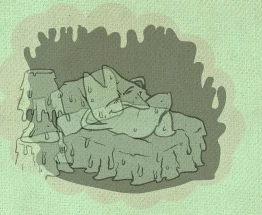
I'm looking for a way to display a semi-transparent animated symbol (picture1) without seeing the different overlapped layers contained in this animated symbol (picture 2). Kind of "ghost effect" on the whole symbol.

Properties of the occurence of the symbol are "Alpha 50%", and its layer is on Multiply.

Any solution?

Thanks
This topic has been closed for replies.
Correct answer n. tilcheff

When you have your animation complete, duplicate to keep the tweens and guide the original layers.

Then convert to frame by frame, merge and convert to bitmaps. It will work.


Or, as I said earlier, install 2018 alongside your 2019 and use Frames To Movieclips and Effects Tween. 


Both variants will produce the desired result.


1 reply

n. tilcheff
Legend
November 28, 2019

Hi mate,


In previous versions you could choose different blending modes for Movie Clips and change the alpha. It would render the picture without revealing the internals. The last version that behaves as it is should is An CC 2018.

In 2019 with the introduction of the so called Advanced Layers they changed the behaviour which I believe to be a bug. It may be fixed at some point.


Until then your only options are:

  • to convert to bitmap if you don't have animation (and want to use An 19+)
  • if you have animation you have to go a few versions back and use Frames To Movieclips and Effects Tween.


Hope this helps!


Nick - Character Designer and Animator, Flash user since 1998 | Member of the Flanimate Power Tools team - extensions for character animation
TomaD
TomaDAuthor
Inspiring
November 28, 2019

Thank you for your fast reply

Yes, I work on Animate CC 2019... (and my symbol is not a MovieClip, but an animated graphic symbol.)

I'm stuck...

n. tilcheff
n. tilcheffCorrect answer
Legend
November 28, 2019

When you have your animation complete, duplicate to keep the tweens and guide the original layers.

Then convert to frame by frame, merge and convert to bitmaps. It will work.


Or, as I said earlier, install 2018 alongside your 2019 and use Frames To Movieclips and Effects Tween. 


Both variants will produce the desired result.


Nick - Character Designer and Animator, Flash user since 1998 | Member of the Flanimate Power Tools team - extensions for character animation