


Unwanted Children Warping (22.0.7)
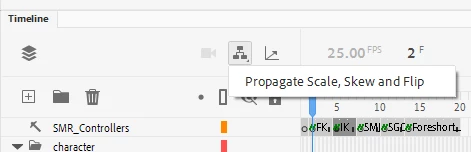
I'm having a problem where I can't transform a parent object without its children transforming as well. To my knowledge, this is an intentional feature (or at least I remember seeing something about it in an update note, which I wonderfully can't find now), but I want to turn it off. I'm on a new computer and I'm trying to recreate my comfortable settings, but this is nowhere to be found.
I've tried doing an online search but there's seemingly zero information. I also checked here as well to see if anyone else was having a similar problem, but this is not the case. I can't remember what this feature was called either, and I can't find any documentation that references it. If someone can guide me through the process of turning this unwanted feature off, that would be wonderful. It's greatly thrown me off schedule and I'm beginning to fall behind on multiple important projects.
The parent object is the only one I've got selected.
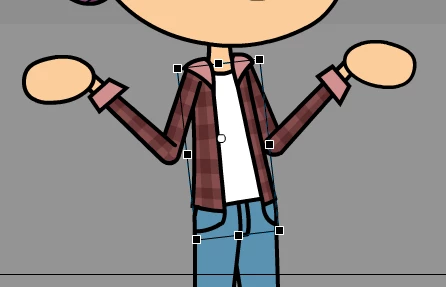
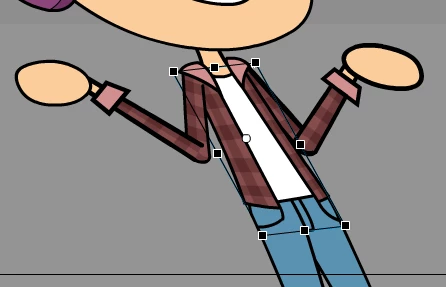
But the character's entire body is warping with it; this is what I don't want, I want to transform their body independently of their limbs.

 AdChoices