

What is the best way to generate a caption box for a dynamic text?
This is an html 5 canvas project. I am trying to find the best way to use JS to generate a caption box for each instance of a dynamic text symbol.
My ideal solution (i think..) would be:
step 1. Create a symbol with a dynamic text property containing simple placeholder text.
step 2. Place multiple instances of this symbol onto my timeline.
step 3. Call function that loads text for each instance from a JSON file.
What I've tried that doesn't work or is not efficient to batch create unique instances:
1. Create a symbol with two layers. A text layer and a background layer with a rectangle shape for the caption box.
Problem: If I use JS to change the text the text overflows the caption box since the shape does not scale to match the bounds of the text.
I currently have this function working to change one instance on the timeline but it does not change the text in symbols I dynamically load as pages later.
function boxCreate() {
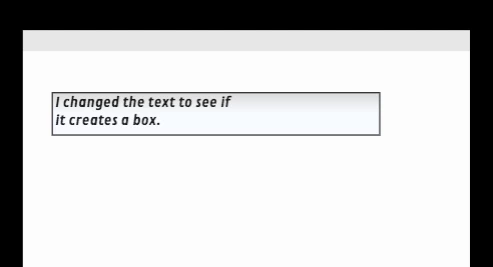
root.captionBox.boxText.text = "I changed the text to see if it creates a box.";
var bounds = root.captionBox.boxText.getBounds();
//console.log( bounds.x, bounds.y, bounds.width, bounds.height);
var tbX = bounds.width*2.3;
var tbY = bounds.height*1.14;
var newBox = new createjs.Graphics();
newBox.lf(["rgba(245,248,255,0.871)","rgba(216,216,217,0.929)","rgba(212,212,212,0.929)","rgba(245,248,255,0.871)"],[0,0.498,0.518,1],0,-18,0,18.1).ss(1).s("#000000");
newBox.dr(bounds.x, bounds.y, tbX, tbY);
var shape = new createjs.Shape(newBox);
root.captionBox.boxBg.addChild(shape);
}
}
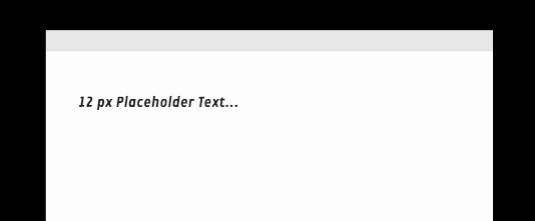
Before calling the function...
After calling the function...
I would like it to write this function once and have it effect every instance of the symbol regardless of where those instances sit on the timeline.
A few solutions I'm considering, (though I don't know how to build) :
1. Modify the constructor of the instance to add the caption box to all instances of the symbol.
2. Create a custom "text" component instead of using JS and theme with CSS.
3. Somehow use this code to target all instances of the symbol regardless of where they live on the timeline.
4. Realize there is a more simple way to do this, that I have yet to discover.
I'm looking for a low jank and scalable solution. So if I'm creating bloat and don't know it please let me know.
Thanks!


 AdChoices