
Working with Color Inside Colors
So, very confused with how color works in Adobe Animate. I am beginning the coloring for this character here and started with their cheeks first using the Paint Behind brush mode. The reason being because I believed that if something meant to be colored without lineart was filled first, I could just fill the rest of the shape behind it easily. The other reason being I was selecting the pink itself and using Snapping to move it around in some other frames, and that becomes harder to do if the entire layer is colored... anyways..

I know Paint Inside exists, but I've had varying results of success with it (mainly the brush coloring the lineart instead of the colors behind it). But Paint Behind is starting to fail me too, as whenever I try to fill in this character's head it overrides the pink entirely. Painting it manually achieves the effect I want, however?
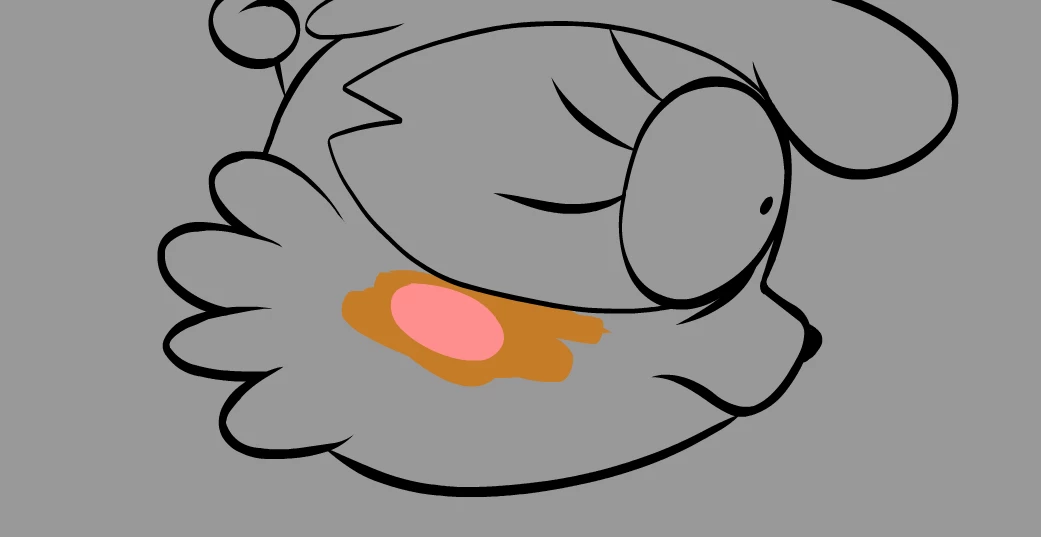
So I guess what I'm asking is, what is the best way to do this? How can you draw/fill colored objects on top of an already filled drawing? What are the recommended brush modes?


 AdChoices