Participant
April 20, 2017
Answered

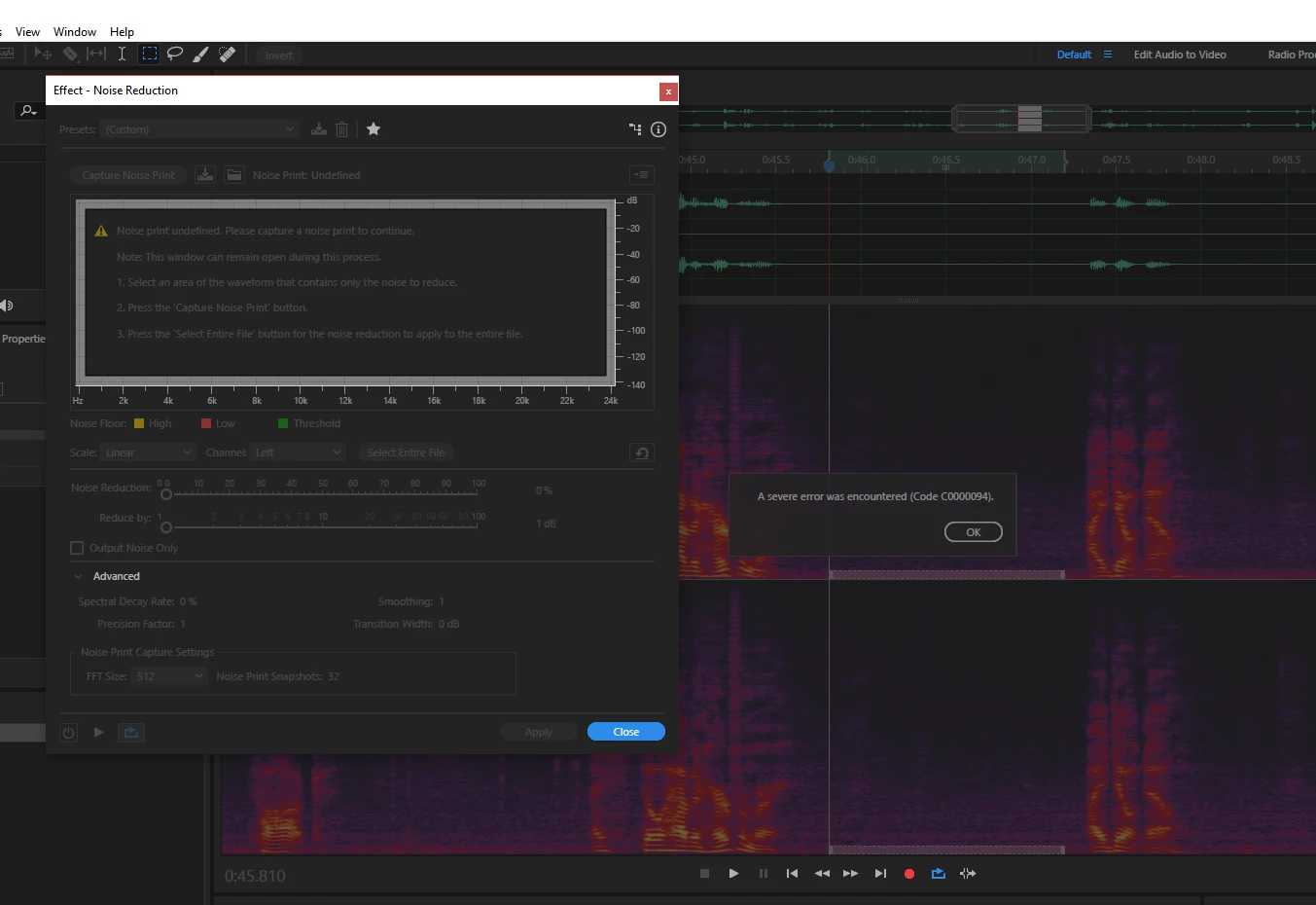
A severe error was encountered Code (C0000094)

  • April 20, 2017
  • 21 replies
  • 13078 views

When capturing a noise print while using the effect - noise reduction I get this error and I an not able to use the noise reduction effect. On a few occasions Audition has crashed.

This topic has been closed for replies.
Correct answer Bob Howes

See the announcement from Durin at the top of the forum...the fix for this issue has now been released.

21 replies

Participant
April 26, 2017

Absolutely absurd that this bug exists - it has completely halted my workflow and I've now missed a deadline because of it.  If it isn't fixed very soon my subscription will definitely be cancelled.

Participating Frequently
April 25, 2017

Same problem here. This sucks.

Inspiring
April 25, 2017

Confirm the same, in the latest Audition Noise Reduction returns the error seemingly random, so only fix for now is to roll back to previous version. MAJOR bummer, really, and waiting for a fix!

Participant
April 24, 2017

Same problem here.  I rolled back and it works. 

Participant
April 24, 2017

This is really needs to be fixed. The latest version is a showstopper for our studio.  We have rolled back one version but...WOW!  This is a major feature we depend on and one of the biggest reasons we use Adobe Audition in our studio.

Participating Frequently
April 23, 2017

Same prob. So, when it will be fixed?

This Question is for the Adobe...

Vicki4
Participating Frequently
April 21, 2017

Vinay,

I attempted the same procedure in my Surface Book and it worked perfectly, as expected.  I'm thinking the issue has something to do with my desktop PC.  Hopefully, this won't be too painful to troubleshoot.  There are so many variables.

Vinay Dwivedi
Adobe Employee
Adobe Employee
April 21, 2017

Hi Vicki,

Sorry for the delayed response. Can you try activating your Admin user account and then check the Audition behavior in it?

Here are the steps to activate Admin user.

https://www.ghacks.net/2014/11/12/how-to-enable-the-hidden-windows-10-administrator-account/

//Vinay

Vicki4
Participating Frequently
April 21, 2017

Hi Vinay,

I enabled the Administrator account on my desktop PC and Audition performed perfectly in that profile.  I did not change any settings from the defaults. 

So, of course I went back to my working profile (where I am an administrator) and set Audition to "run as administrator".  No joy. Audition crashed.

Thank you for your reply.  Seems like we are getting closer (?) to to the issue.

Cocoa123
Participant
April 21, 2017

I've been having the same problem as well. It might be some kind of malfunction with the update. Also, that previous version tactic did not work (the button is just gone).

randalll84750171
Participant
April 21, 2017

I have the same issue!  This really needs to be FIXED!!!

Participant
April 21, 2017

I have the exact same problem. I just updated Audition (along with some other Adobe programs) a few hours ago. Going to try and get the old audition back.