
MRowan
Participating Frequently
Feb 18, 2020 8:23 PM UTC
Answered

Audition interface looking unusually odd (image attached)?!

Hi,

I was wondering if anyone could identify what the cause of the user interface in audition to act glitchy.

It might just resolve its self with a quick restart!
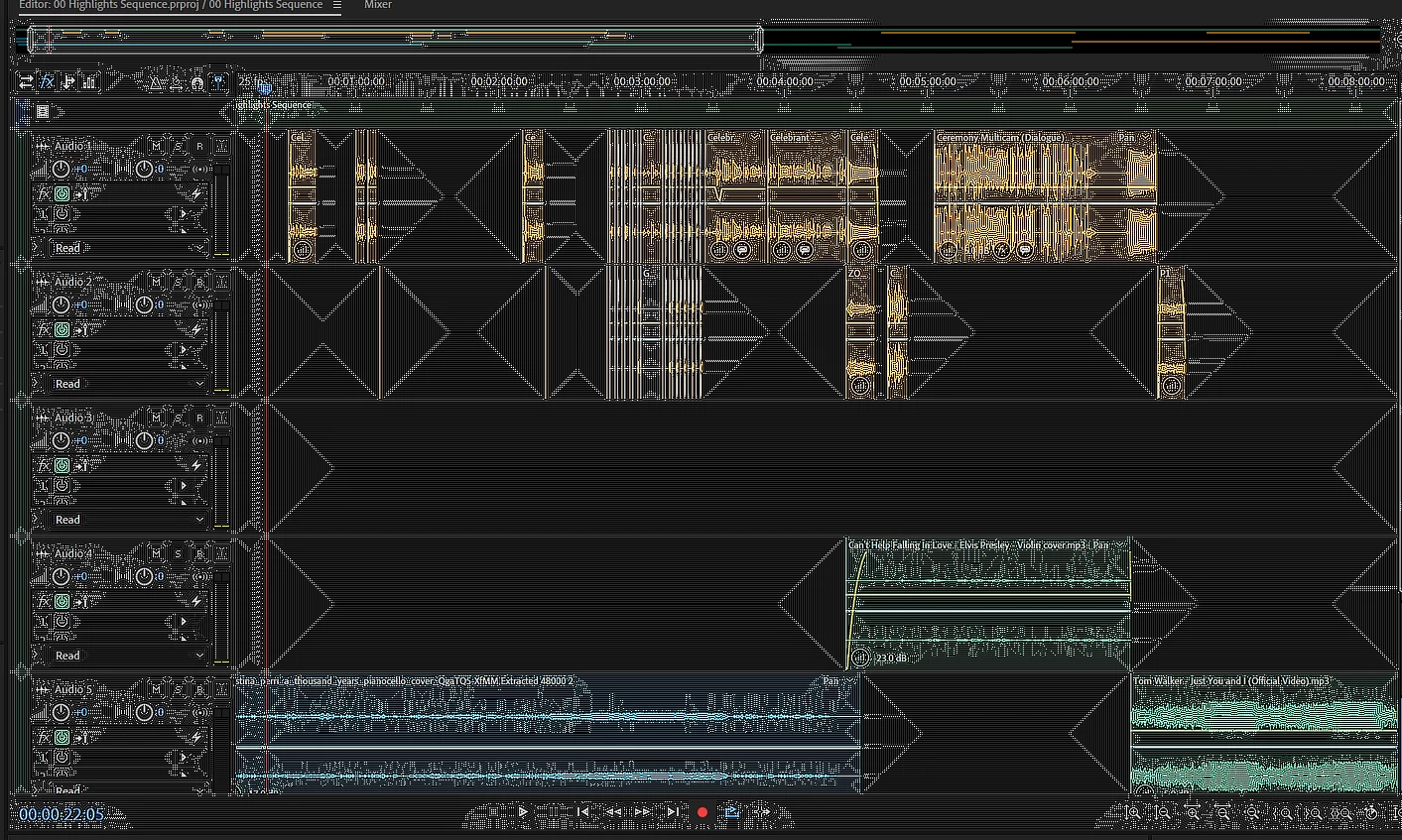
This topic is closed to new replies. Start a new post to keep the conversation going.
SteveG_AudioMasters_
SteveG_AudioMasters_Correct answer
Community Expert
Feb 18, 2020 11:10 PM UTC

It's very unlikely to have resolved itself completely - yet. You need to look this thread: Specked display 


Almost invariably when this happens, this is the root cause (and the cure...)

3 replies

MRowan
MRowanAuthor
Participating Frequently
Feb 18, 2020 8:55 PM UTC

So for anyone experiencing this - it seems to have resolved itself - but I also did:

- Restart

- set appearance to performance

- cleared cache

hope this helps - happy editing 🎞️👍

thanks

Rowan

Translate
SteveG_AudioMasters_
Community Expert
SteveG_AudioMasters_Community ExpertCorrect answer
Community Expert
Feb 18, 2020 11:10 PM UTC

It's very unlikely to have resolved itself completely - yet. You need to look this thread: Specked display 


Almost invariably when this happens, this is the root cause (and the cure...)

Translate
MRowan
MRowanAuthor
Participating Frequently
Feb 21, 2020 12:17 PM UTC

Thanks for the thread Steve,

You are right, the restart was due after driver updates – so invariably resolved the specked display.

Happy editing 🎞️

Rowan

Translate