

compupix
Known Participant
Mar 2, 2022 9:00 PM UTC
Answered

Add WebP Format

How do I add the WebP file format to Adobe Bridge 2022's File Type Associations list?
 

Thanks!

LumigraphicsCorrect answer
Legend
Mar 2, 2022 9:08 PM UTC

There is not a supported way to do so, however you can edit the "Adobe Bridge Opener Preferences.xml" file that should work.

11 replies

Participant
Nov 23, 2024 6:22 PM UTC

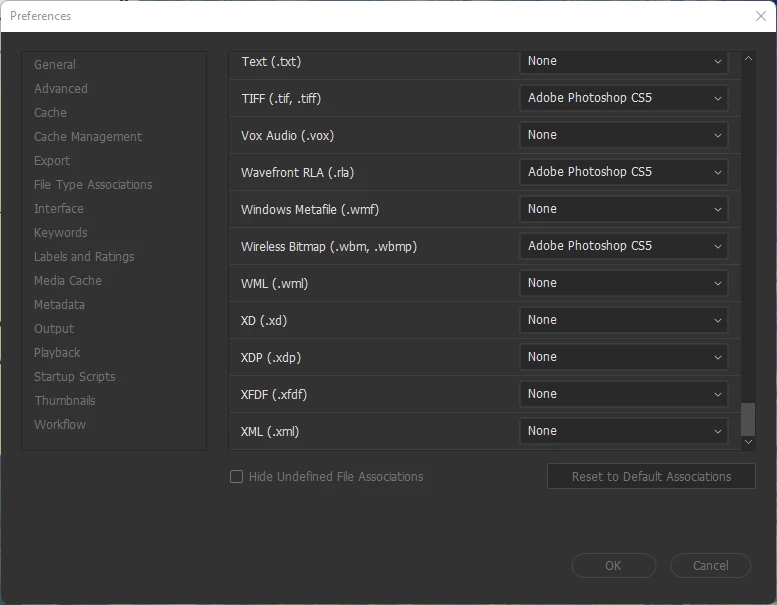
hola, he encontrado una manera de poder abrir archivos webp en adobe bridge camera raw, en la opcion de preferencias

al final esta el formato webp, viene configurado a que se abra en photoshop, pero uno puede elegir el programa exe buscas bridge y listo.


Translate
LumigraphicsCorrect answer
Legend
Mar 2, 2022 9:08 PM UTC

There is not a supported way to do so, however you can edit the "Adobe Bridge Opener Preferences.xml" file that should work.

Translate
compupix
compupixAuthor
Known Participant
Mar 3, 2022 1:14 AM UTC

Thanks! Adding the following line (in alphabetical order):

<item description="$$$/Bridge/OpenersXML/Description/WebP=WebP" extensions="webp" app_name="Photoshop">

to file

"C:\Program Files\Adobe\Adobe Bridge 2022\Resources\Adobe Bridge Opener Preferences.xml"

worked just fine.

(Admin privileges are required to replace the file.)

Translate
Anton Strukov
Participant
May 11, 2022 8:58 AM UTC

And how to make this on Mac? Can't find Adobe Bridge Opener Preferences.xml.

Translate