
May 14, 2015
Question

Adding keywords when exporting to .pdf

  • May 14, 2015
  • 1 reply
  • 410 views

Is there a way create a script or an option to export the keywords used for that file into the pdf?

As of now, the only option is to export the filename and extension.
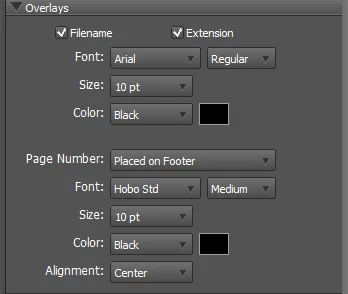
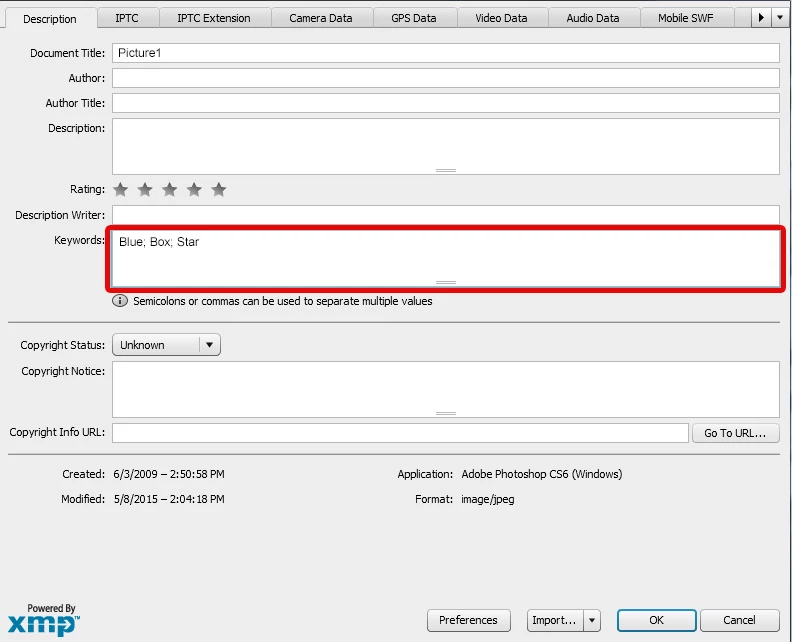
I want to export the keywords that I used for that specific file:
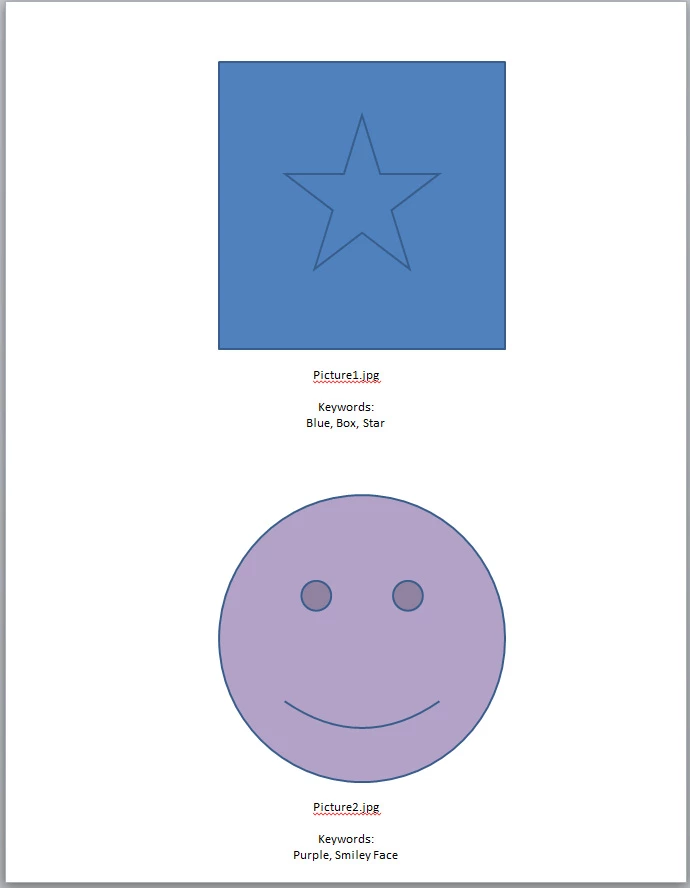
So that when I export the PDF it looks like this:
Any thoughts?

Thank you!

This topic has been closed for replies.

1 reply

Pedro Cortez Marques
Legend
June 16, 2015

I got it only from photoshop.

I only manage use an workaround if you open de desired images on photoshop.

And to add keywords means that I must use "PDF presentation" script  = one image on each PDF page

PDF presentation script will need a image list. I used on photoshop all opened images passing them on a list object (list1).

There are other additions that can be enabled but I couldn't found how to use this with "contact sheet" script (several images per page).

It adds the keywords found on the doc in the text next to the image.

//////////////////////////////////////////////////////////////////////

#target photoshop;

app.bringToFront();

//

if (app.documents.length > 1) {

    var list1 = new ActionList(); // will get all the group of opened images to add to the PDF

    app.preferences.rulerUnits = Units.PIXELS;

    // if it has been created before, it deletes it

    var saveFile = File(Folder.desktop + "/myPDF.pdf");

    if (saveFile.exists) File(saveFile).remove();

    //

    var thisDoc = app.activeDocument;

    //

    app.activeDocument = app.documents[0];

    for (var mlh=0; mlh < documents.length ; mlh++) {

        app.activeDocument = app.documents[mlh];

        app.activeDocument.info.title = "keywords: " + app.activeDocument.info.keywords.join(" || ") ;

        list1.putPath( new File( app.documents[mlh].fullName.toString()) );

    }

    app.activeDocument = thisDoc;

    //

    savePDFpresentation(saveFile);

}

////////////////////////////////////////////////////////////////////////

function savePDFpresentation(saveFile) {

    var desc4 = new ActionDescriptor();

    // list1 was created/collected outside

    desc4.putList( charIDToTypeID('flst'), list1 );

    desc4.putPath( charIDToTypeID('T   '), new File( saveFile) );

    //

    desc4.putEnumerated( charIDToTypeID('BckC'), charIDToTypeID('BckC'), charIDToTypeID('Wht ') ); // 'Blck':black | 'Wht ':white

    desc4.putInteger( stringIDToTypeID('fontSize'), 10 ); // I can't center text

    desc4.putBoolean( stringIDToTypeID('includeFilename'), true );

    desc4.putBoolean( stringIDToTypeID('includeExtension'), false );

    desc4.putBoolean( stringIDToTypeID('includeTitle'), true );

    desc4.putBoolean( stringIDToTypeID('includeDescription'), false );

    desc4.putBoolean( stringIDToTypeID('includeAuthor'), false );

    desc4.putBoolean( stringIDToTypeID('includeCopyright'), false );

    desc4.putBoolean( stringIDToTypeID('includeEXIFData'), false );

    desc4.putBoolean( stringIDToTypeID('includeAnnotations'), false ); // true if you want to include localized text annotations (tool: Notes) from photoshop on PDF

    //

    var desc5 = new ActionDescriptor();

    desc5.putString( stringIDToTypeID('pdfPresetFilename'), "High Quality Print" );

    desc5.putBoolean( stringIDToTypeID('pdfPreserveEditing'), false );

    desc5.putBoolean( stringIDToTypeID( 'pdfEmbedThumbnails' ), true );

    desc5.putInteger( stringIDToTypeID('pdfCompressionType'), 10 ); // maximum quality = 10

    desc5.putBoolean( stringIDToTypeID('pdfViewAfterSave'), true );

    //

    desc4.putObject( charIDToTypeID('As  '), charIDToTypeID('PhtP'), desc5 );

    executeAction( stringIDToTypeID('PDFExport'), desc4, DialogModes.NO );

}