
Answered
Adding of include search path for JS scripts is not supported by this host application
Hey,
I'm currently writing a CEP extension for Adobe Bridge CC 2022. I ported it over from Premiere since it turned out the feature set I need, was a better fit for Bridge.
Now I've hit a roadblock.
I can't load my host scripts via the scipts provided in the Premiere sample panel.
When I call csInterface.evalScript() in my panel for the first time, I get following error:
INFO Adding of include search path for JS scripts is not supported by this host applicationGoogling this yields no results.
The folder structure of my project currently looks like this:
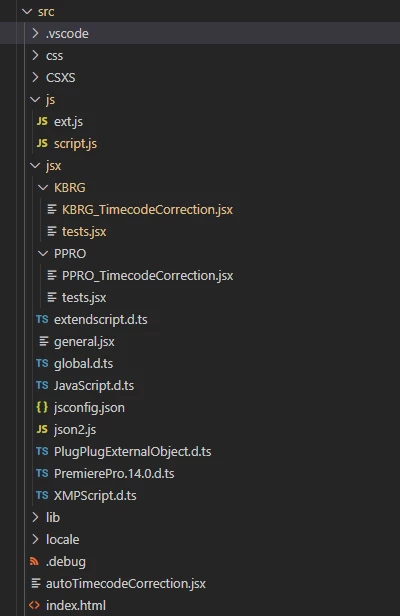
I have a working connection to the KBRG Host, and I could confirm that KBRG_TimecodeCorrection.jsx wasn't loaded. Do i use the wrong folder paths or does this approach just not work in Bridge?
Any help would be greatly appriciated.
 AdChoices