


Known Participant
September 26, 2023
Answered

Adobe Bridge 14. not showing file names in some folders

  • September 26, 2023
  • 1 reply
  • 1740 views

Hi, just installed Adobe Bridge 14 (and Photoshop 2024). (at least the Photoshop has a mac looking interface, where are the Bridge I clearly  windows look)


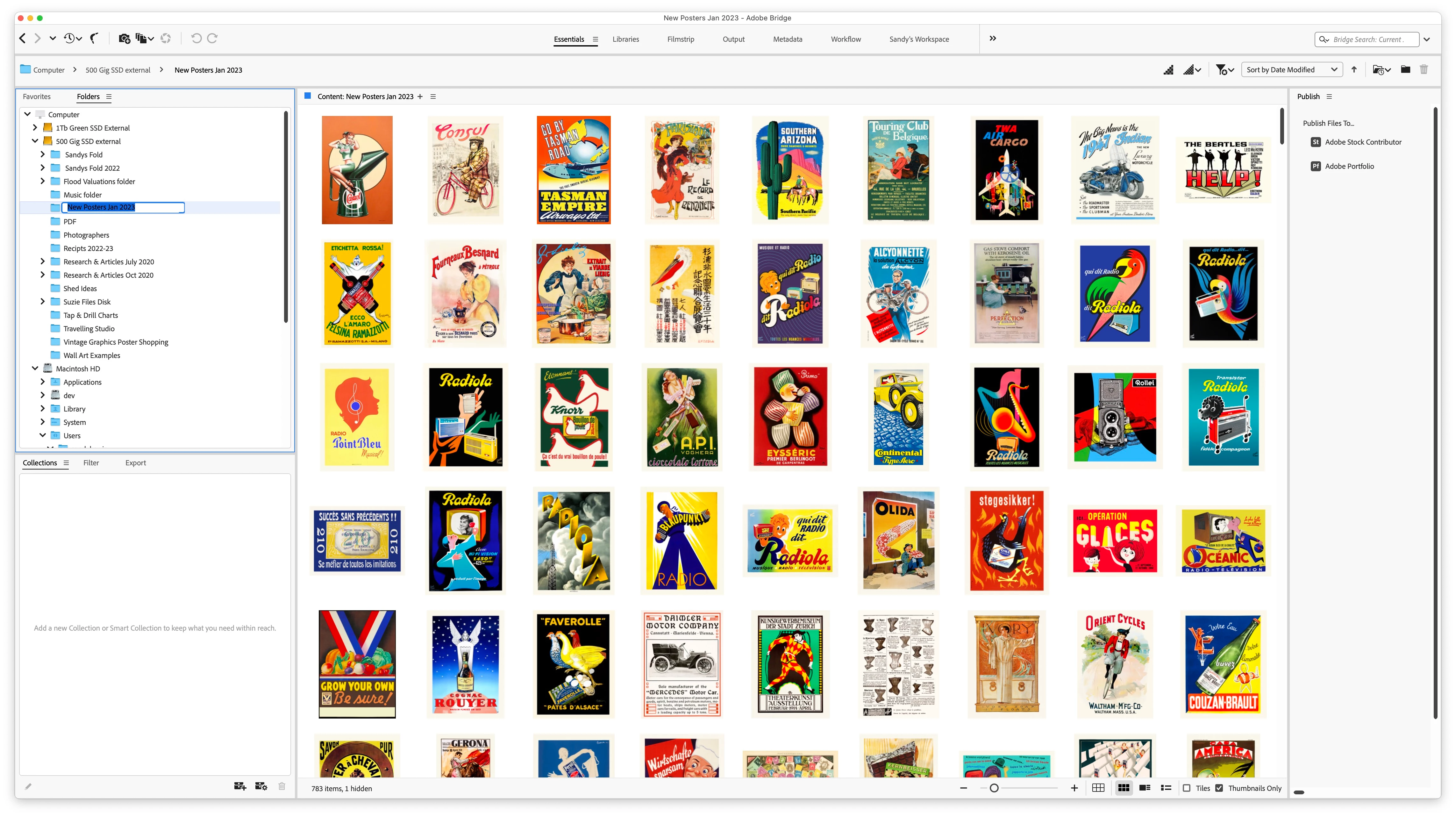
and now when I use Bridge to look for photoshop files in folders, some folders DO NOT show the files names of Photoshop files within some folders. (a few folders with non photoshop files do show file names on non photoshop files in a folder)


while I can still see the files, I often add a 'postfix' to a name to mark wick version of a file I am working on. (that I now cant see)


so when and where and how will I get my file names back please adobe.?

Sandy Barrie.


Correct answer Shashwat_Srivastava

Hi,
To be able to view filenames you have to uncheck "Thumbnails Only" checkbox on the bottom right .
Thank You

1 reply

Known Participant
September 26, 2023

AH.. me-a-culpa. just found that I was in "Essentials" and not in my workspace. so no have my filenames back.


Regards, Sandy

Shashwat_SrivastavaCorrect answer
Adobe Employee
October 6, 2023

Hi,
To be able to view filenames you have to uncheck "Thumbnails Only" checkbox on the bottom right .
Thank You

Known Participant
October 6, 2023

OH WOW. another excellent tip. (did not notice that check mark. have cataracts)

greatly appreciate the expert tip.

Regards, Sandy