corinnas64902438
Participant
October 9, 2017
Answered

Adobe Bridge CS6 - adding/showing Criteria on contact sheet.

  • October 9, 2017
  • 2 replies
  • 528 views

Hello to all experts, I added several different labels descriptions, like "Delete" "Approval" etc.  in Bridge CS6  to individual pictures in the view "Metadata", which I would now want to provide a customer as a PDF contact sheet showing not only picture and file name but as well "label descriptions" and picture measurement -  this or additional criteria from the metadata. I can not find a way to add the criteria to the PDF contact sheet. I would be very grateful for your help!

Thank you, br. Co.

This topic is closed to new replies. Start a new post to keep the conversation going.
Correct answer Stephen Marsh

You will need to be more specific on the exact metadata, I am not 100% sure from your text.

The default contact sheet is indeed somewhat lacking.

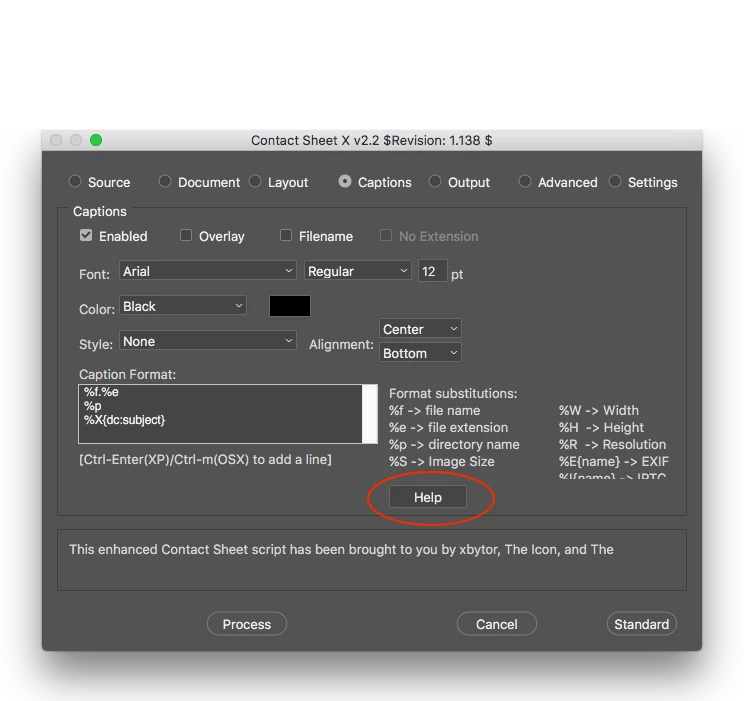
Contact Sheet X from xbytor has more options, however it may need some working out:

Then there is InDesign, which also has metadata support.

2 replies

Stephen Marsh
Community Expert
Community Expert
October 11, 2017

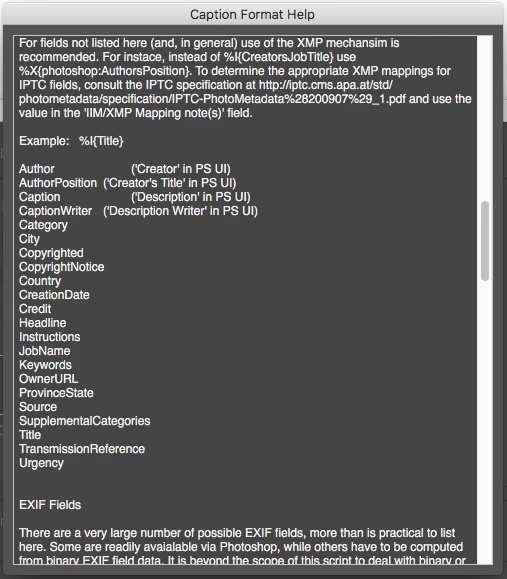
An example of adding a Bridge XMP Label to the output of Contact Sheet X:

Stephen Marsh
Community Expert
Stephen MarshCommunity ExpertCorrect answer
Community Expert
October 10, 2017

You will need to be more specific on the exact metadata, I am not 100% sure from your text.

The default contact sheet is indeed somewhat lacking.

Contact Sheet X from xbytor has more options, however it may need some working out:

Then there is InDesign, which also has metadata support.