Answered
adobe bridge problem
If I right click on image in bridge it has 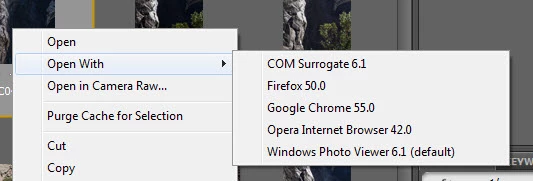 default which is not photoshop cs6 How can I get my default changed to cs6??

If I right click on image in bridge it has default which is not photoshop cs6 How can I get my default changed to cs6??
Already have an account? Login
Enter your E-mail address. We'll send you an e-mail with instructions to reset your password.



 AdChoices