
Inspiring
December 8, 2024
Answered

Adobe Bridge Search with wildcards not working?

  • December 8, 2024
  • 1 reply
  • 378 views

Hi Community,

I've filenames like YYYYMMDD_HHMMSS_D750.NEF, and others like YYYYMMDD_HHMMSS_MS_D750.NEF (extended with milliseconds).

I want to find (not batch rename, not find and replace, just find and display) only filenames with the milliseconds extension.

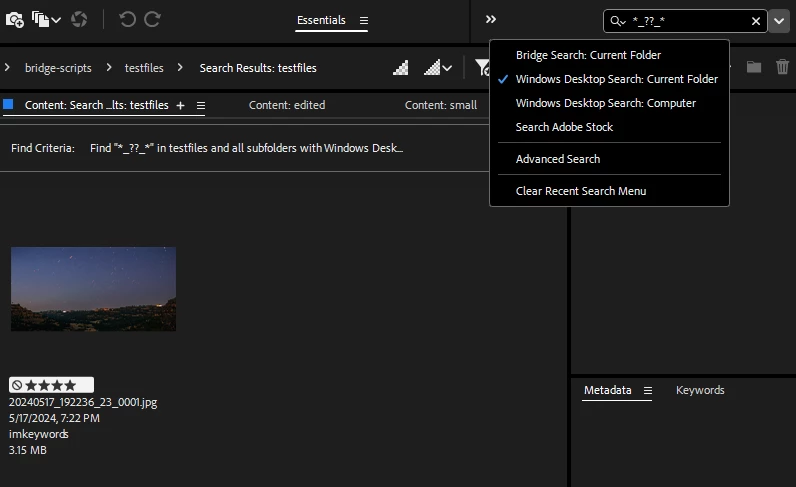
Works easily in Windows Explorer search with wildcards ("*_??_*") but not in the Bridge search.

So Bridge search cannot be used with well known wildcards?

Thanks for your feedback or ideas for a workaround.

Martin
  

This topic has been closed for replies.
Correct answer dashz63429591

In the dropdown next to the search bar, select "Windows Desktop Search: Current Folder", then try your search. I just tested, works for me.


1 reply

dashz63429591Correct answer
Inspiring
December 9, 2024

In the dropdown next to the search bar, select "Windows Desktop Search: Current Folder", then try your search. I just tested, works for me.


Inspiring
December 9, 2024

Thx @dashz63429591, that works perfectly.

I was focused on Bridge Search and did not realize the other options.

Thx for quick help.