


Known Participant
Aug 22, 2026 10:44 AM UTC
Question

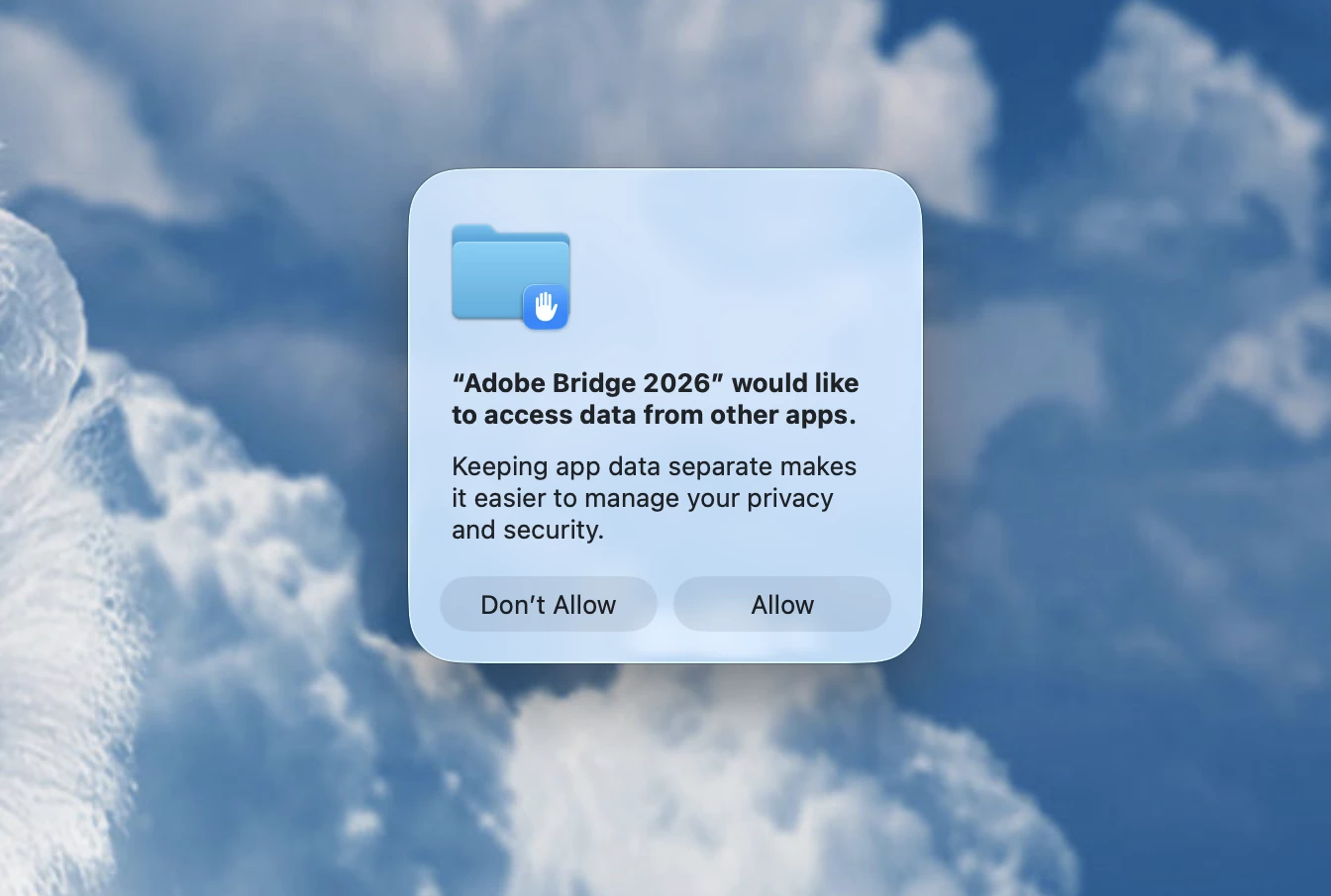
Adobe Bridgeasking to allow data from other apps upon opening

Since the last update, whenever I open Adobe Bridge I get a pop up saying “Adobe Bridge 2026 would like to access data from other apps. Keeping app data separate makes it easier to manage your privacy and security.” The I have to choose either “allow” or “don’t allow” every single time. I have gone into my privacy settings and allowed Adobe access but don’t see any other place t make changes. I’m on a Mac using Tahoe. Running Bridge v.16.0.6.9
 

    2 replies

    kglad
    Community Expert
    Community Expert
    Aug 22, 2026 12:17 PM UTC

    p.s. if you have more questions about bridge, ask in the bridge forum, https://community.adobe.com/bridge-555

    Translate
    kglad
    Community Expert
    Community Expert
    Aug 22, 2026 12:16 PM UTC

    assuming mac os:


    • Open System Settings (or System Preferences).
    • Go to Privacy & Security.
    • Click on Full Disk Access.
    • Click the + button and enter your admin password.
    • Select Adobe Bridge from your Applications folder and turn it ON.
    Translate