
Participant
July 9, 2017
Question

Adobe Photo Downloader - crashing (AGAIN)

  • July 9, 2017
  • 2 replies
  • 893 views

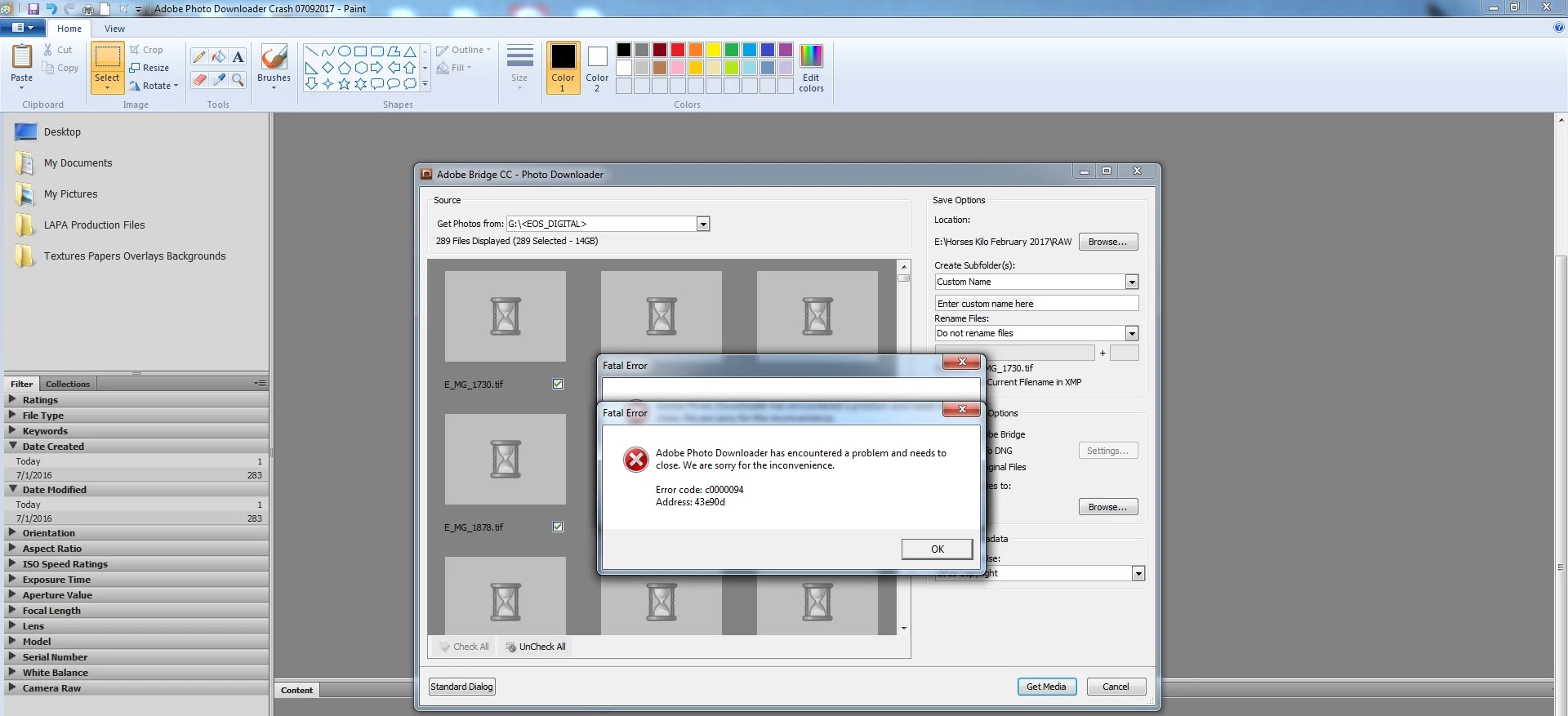
I haven't used Bridge in about a month. This afternoon, I attempted to download files from my CF card to my hard drive and received this lovely message. I had a similar issue a while back, which prompted me to make the switch from CS5 to CC. I've been able to use BridgeCC for around a year without issue (going from memory), and have had several updates which have not been problematic.

When I got this message today, I checked my version of CC, and noticed that the last auto update appeared to have had an issue. I was able to successfully re-launch that, it updated, but this issue still persists - much to my frustration as I've run into this before (though not necessarily the exact same problem).

I am NOT very technically inclined. I can follow instructions just fine, so long as no steps are left out. Can someone assist me in fixing this? (Please, before I toss everything out of the front door and resort to cocktails???)

I'm running Windows 7 Pro 64 bit with 16 GB RAM on the latest version of Adobe CC.
This topic has been closed for replies.

2 replies

Mohit Goyal
Community Manager
Community Manager
July 12, 2017

Hi LauraAdamsPhoto,

You may try and reset the Adobe Bridge preferences back to defaults and check if that helps, refer: Troubleshoot Adobe Bridge for errors and freezes

Let us know if that helps.

Regards,

Mohit

Participant
July 16, 2017

That was the third thing I did to try and correct this. It did NOT resolve the issue.

I've verified that my app is UTD. I've re-set my preferences. I've re-started my machine after both of these. I still cannot use the Adobe Photo Downloader. This is now costing me $, time, and resources as I've had to use work-arounds to bypass the Photo Dowloader, and cannot use my software as intended.

I must get this resolved. This is now the second time I've encountered this issue with Bridge (see my previous post from last fall). I cannot be the only person experiencing this issue.

Participant
July 18, 2017

Hello? Anything else. This is STILL not resolved.

Participant
July 10, 2017

Anyone? Adobe???