Participant
May 7, 2021
Answered

After batch renaming, filter cannot find images anymore

  • May 7, 2021
  • 1 reply
  • 899 views

Hi, I am quite new in Bridge. I am using Bridge 2021 in MacOS. I batch renamed several photos keeping them in their folders. I also preserved the original filename. Now I am traying to find them using advanced search. Neither using filename nor preserved filename, I could find those images. But the images are still in the folders when I manually browse them. How can I solve this problem.

Thanks
This topic has been closed for replies.
Correct answer gary_sc

Probably good to try the other two but meanwhile, as you state they are on an external drive =, have you given Bridhe permission to access external drives? Yeah, seem silly but this is part of Apple's protection system.


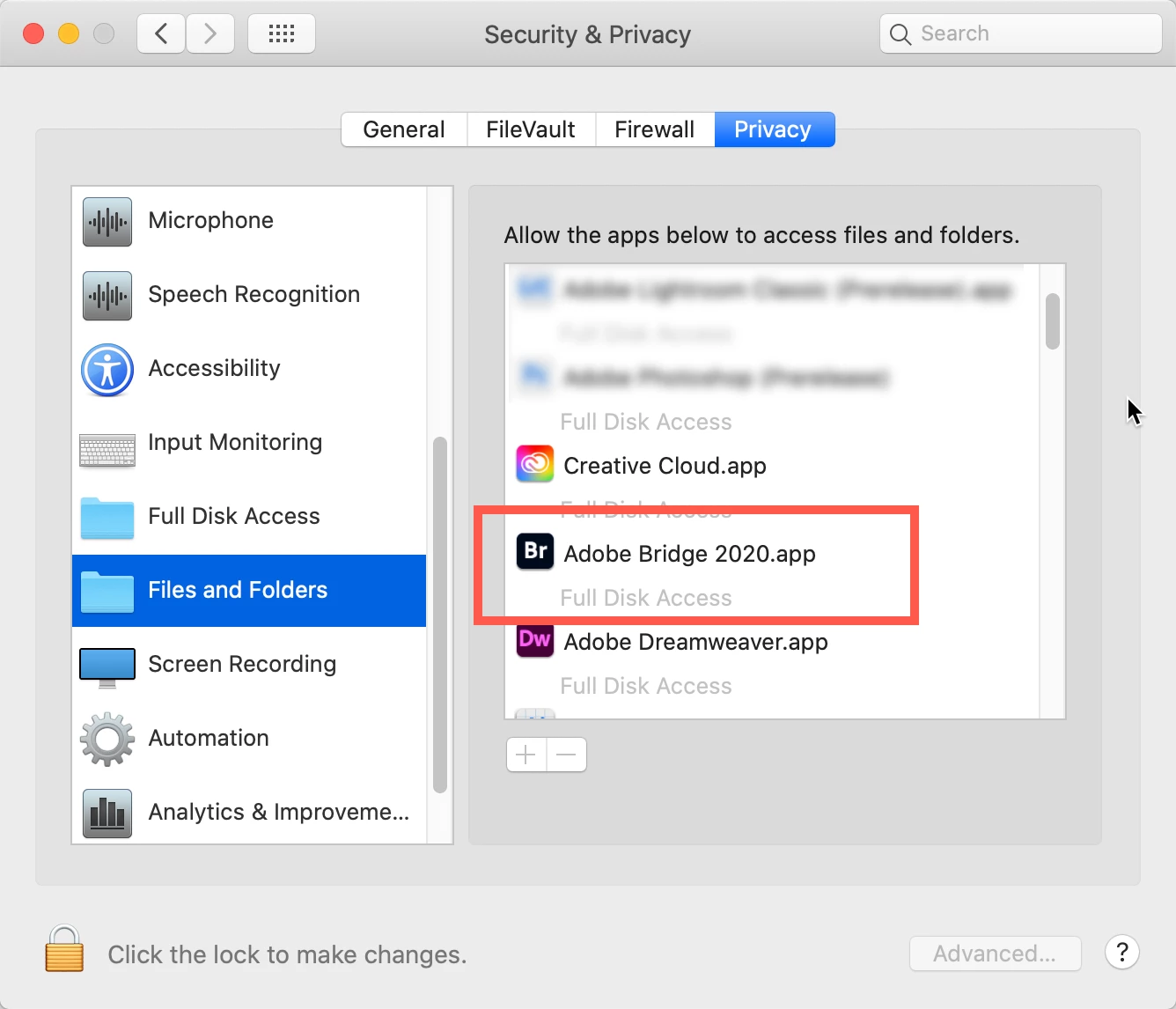
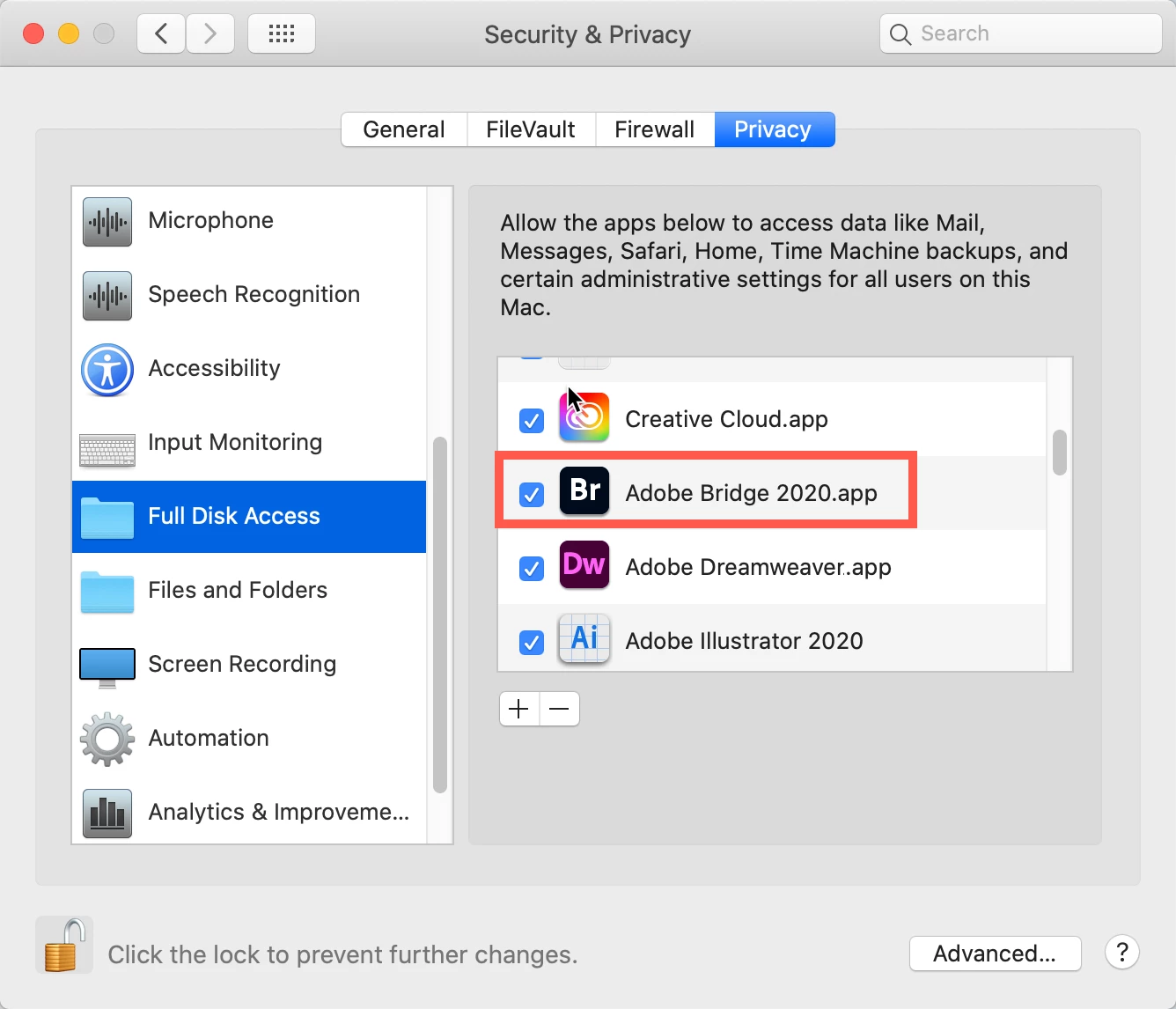
Go to your System Preferences and select Security and Privacy (found in the top section). Now click on the Privacy setting (last tab). Now click on the lock on the bottom left and provide your Administrator code. Now select the Full Disk Access option and click on the "+" symbol. This will bring up the standard Mac Open window and let you add any application you want or need to have full access. Look for Bridge, select it, it will now appear in that window and make sure it's checked. Next go to the Files and Folders option and do the same thing as above (although there's nothing to check, just add. Close everything down and see if that makes it all work.

Please let me know


1 reply

gary_sc
Community Expert
Community Expert
May 7, 2021

At this point from what you've written it's hard to know exactly what happened. One question I do have is are these files on your computer or on an external drive?


Also, Bridge has several mechanisms for searching, please note the following screenshot. Do any of the options help?

Sinan5C18Author
Participant
May 7, 2021

Thanks for reply. My photos are in an external drive. I tried the first two options but nothing changed. 

gary_sc
Community Expert
gary_scCommunity ExpertCorrect answer
Community Expert
May 7, 2021

Probably good to try the other two but meanwhile, as you state they are on an external drive =, have you given Bridhe permission to access external drives? Yeah, seem silly but this is part of Apple's protection system.


Go to your System Preferences and select Security and Privacy (found in the top section). Now click on the Privacy setting (last tab). Now click on the lock on the bottom left and provide your Administrator code. Now select the Full Disk Access option and click on the "+" symbol. This will bring up the standard Mac Open window and let you add any application you want or need to have full access. Look for Bridge, select it, it will now appear in that window and make sure it's checked. Next go to the Files and Folders option and do the same thing as above (although there's nothing to check, just add. Close everything down and see if that makes it all work.

Please let me know