
After latest update Bridge and PS refuse to start without using admin mode (on three computers!)
This problem is a ghost. You can google it down to CS6.
Was working all fine until i updated today. Three different computers and all with the same result.
- Dell XPS 15, 16gig. SSD. Geforce GTX960 Win10
- Desktop I7 4770 32gig, SSD Geforce GTX1060 Win10
- HP Zbook G1 I7 4770 Quadro K2100M Win10
All with latest drivers and Win updates.
I'm getting the following error on app startup
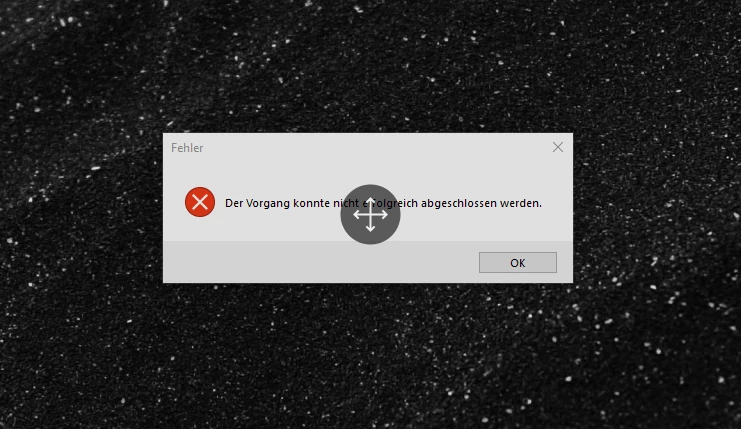 This is german and means "operation could not be completed".
PS gives me this one:
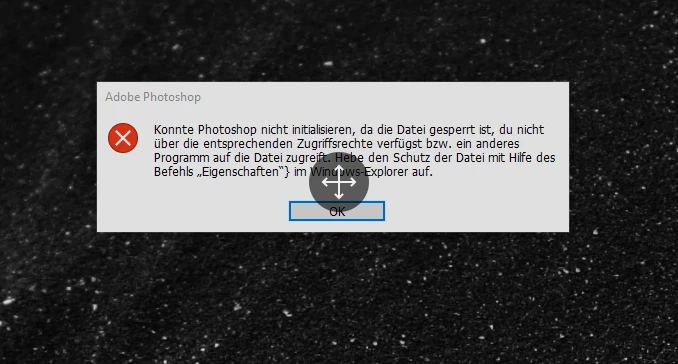
This message means "PS cannot acces the file. The file is locked. blahblah."
Whatever The file is, it is not locked.
- I reset permissions.
- I removed everything with CC Cleaner Tool and re-installed CC
- I removed all Adobe entries from the AppData and program folders manually
- I reset preferences with ctrl+alt+shift
- I unchecked GPU acceleration
- I cleaned my registry from all Adobe entries with Wise registry cleaner and CCleaner
- I manually removed the rest of all Adobe entries
- I checked the Bridge log. It was 20meg (what the hell?) but no recent logs in there
- Disabled UAC
- Disabled Defender
- Ran Avast and Kapersky and uninstalled them after that
- replaced ntdll.dll
- I checked Windows event logs. Nothing for PS, but this is what i got for BR:
- <Event xmlns="http://schemas.microsoft.com/win/2004/08/events/event">
- <System>
  <Provider Name="Application Error" />
  <EventID Qualifiers="0">1000</EventID>
  <Version>0</Version>
  <Level>2</Level>
  <Task>100</Task>
  <Opcode>0</Opcode>
  <Keywords>0x80000000000000</Keywords>
  <TimeCreated SystemTime="2022-05-25T11:57:43.8551761Z" />
  <EventRecordID>27203</EventRecordID>
  <Correlation />
  <Execution ProcessID="0" ThreadID="0" />
  <Channel>Application</Channel>
  <Computer>i7-4770</Computer>
  <Security />
  </System>
- <EventData>
  <Data>Bridge.exe</Data>
  <Data>12.0.2.252</Data>
  <Data>626bf49b</Data>
  <Data>ntdll.dll</Data>
  <Data>10.0.19041.1682</Data>
  <Data>7b5414ec</Data>
  <Data>c0000374</Data>
  <Data>00000000000ff249</Data>
  <Data>34c8</Data>
  <Data>01d8702e49abdcaf</Data>
  <Data>C:\Program Files\Adobe\Adobe Bridge 2022\Bridge.exe</Data>
  <Data>C:\WINDOWS\SYSTEM32\ntdll.dll</Data>
  <Data>251805f4-6ac1-4e84-bbc9-152d85392c6a</Data>
  <Data />
  <Data />
  </EventData>
  </Event>
I did literally everything. And i did this on three different computers with different hardware and whatnot.
Switching back to an older version of Bridge or PS also doesn't work.
Running the programs as an admin is no option in a company network. This cost me two days now and that seriously hurts my business.
What's going on here? All three computers are used for Adobe products only. Not even surfing the web.
I just updated. Nothing else.


 AdChoices