


Participant
December 29, 2022
Answered

All photo previews turned green

  • December 29, 2022
  • 1 reply
  • 432 views

Whenever I open a file in bridge it loads all the images correctly thank quickly turn each image green and the preview green as well. 
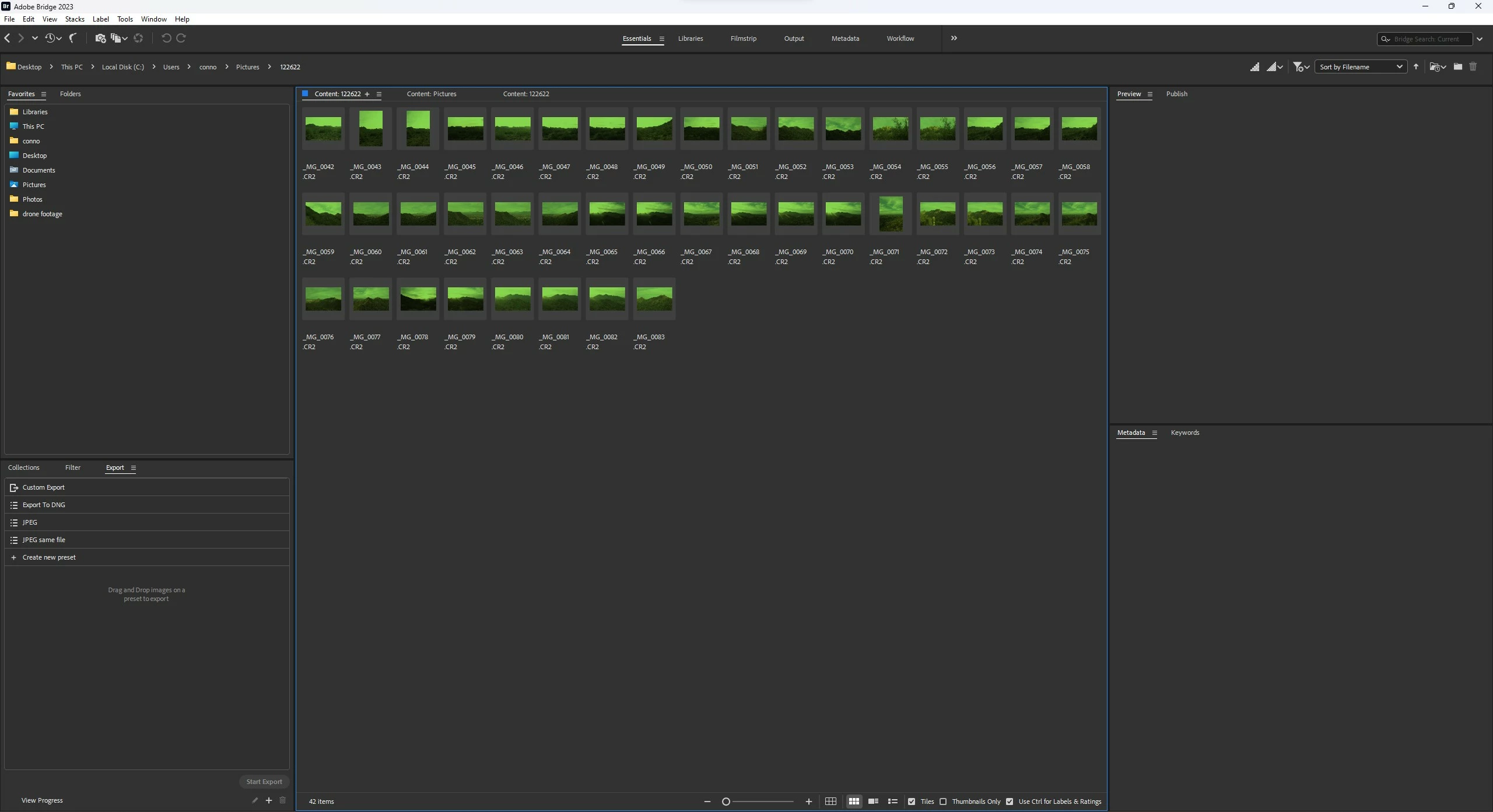
I have completely reinstalled bridge and got the same problem, this happens with .jpg and .cr2, which both I have never had a problem with in the past

This topic has been closed for replies.
Correct answer Rob_Cullen

Start by testing to see if your Monitor Profile is corrupt-

How do I change my monitor profile to check whether it’s corrupted? | The Lightroom Queen


1 reply

Rob_Cullen
Community Expert
Rob_CullenCommunity ExpertCorrect answer
Community Expert
December 29, 2022

Start by testing to see if your Monitor Profile is corrupt-

How do I change my monitor profile to check whether it’s corrupted? | The Lightroom Queen


Regards. My System: Windows-11, Lightroom-Classic 15.3, Photoshop 27.5, ACR 18.3, Lightroom 9.3, Lr-iOS 10.4.0, Bridge 16.0.3 .
Participant
December 29, 2022

That fixed it, it was the color calibration for HDR that was causing it.

Thanks for the help