In Windows 10:
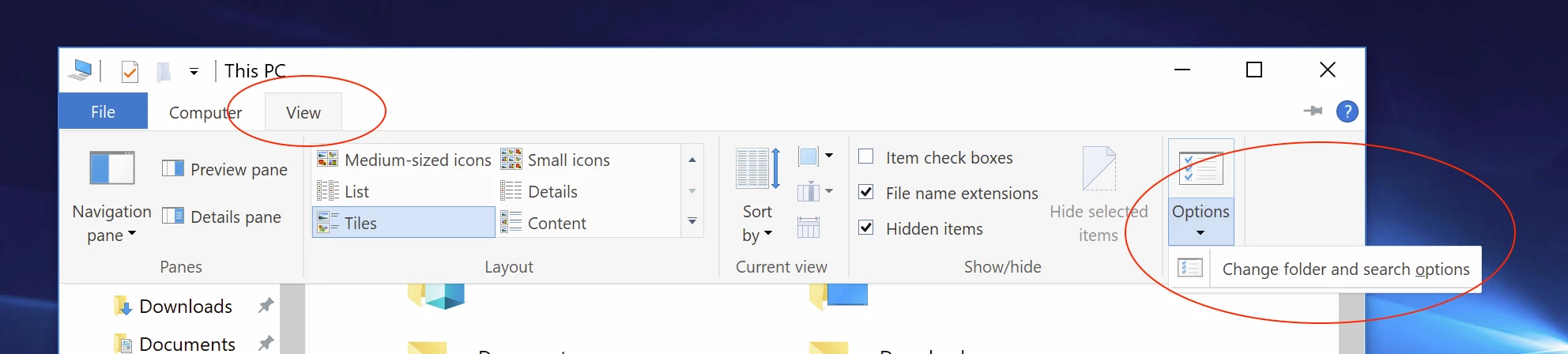
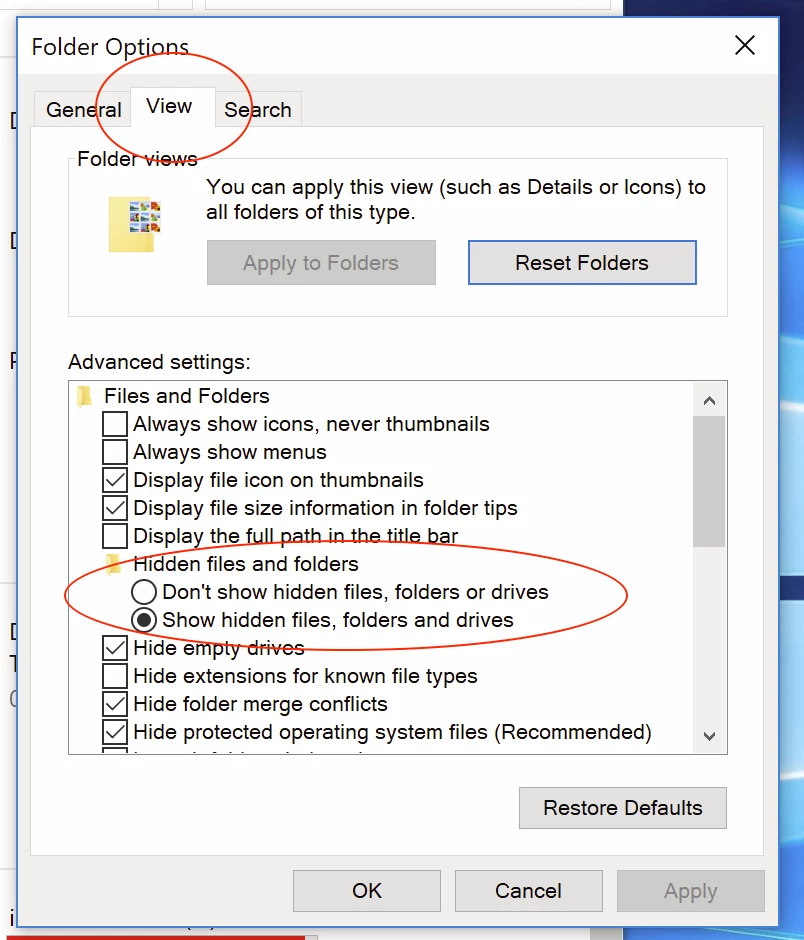
Sorry, wrong option highlighted in my previous screenshot, untick this setting:
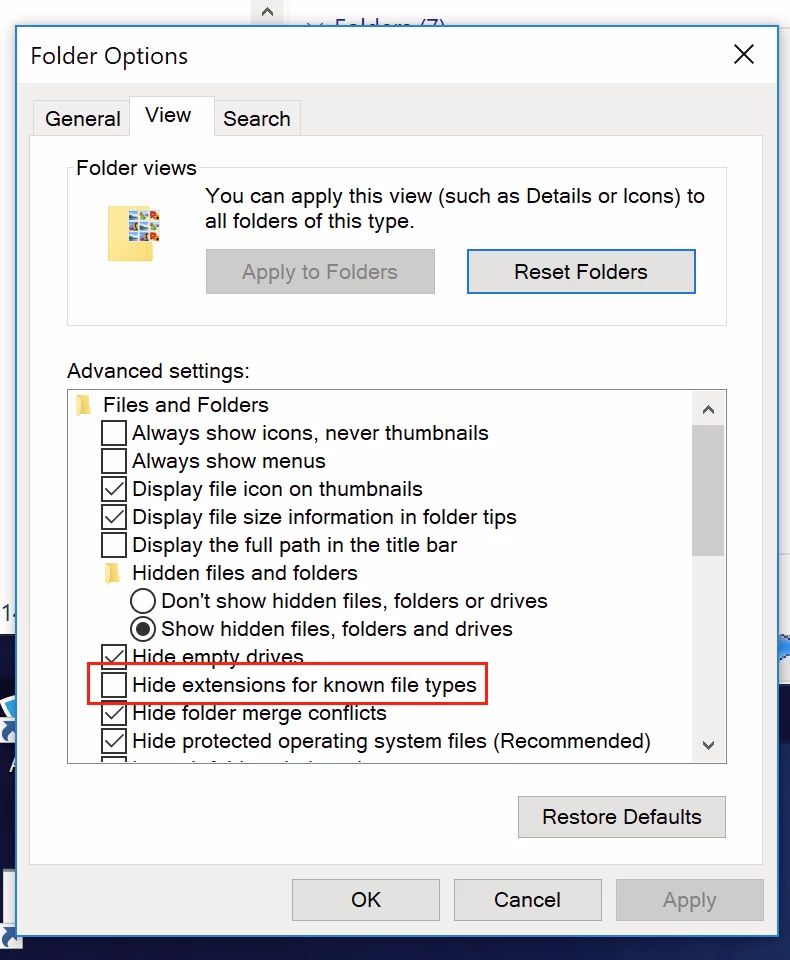
So please forget Bridge for now, just make the files workable in your normal Windows file browser… Then it may all make more sense when viewed in Bridge.
You can select one file in Bridge, then use Batch Rename with settings similar to the following, obviously changing .PNG to your .CR2 raw format extension:
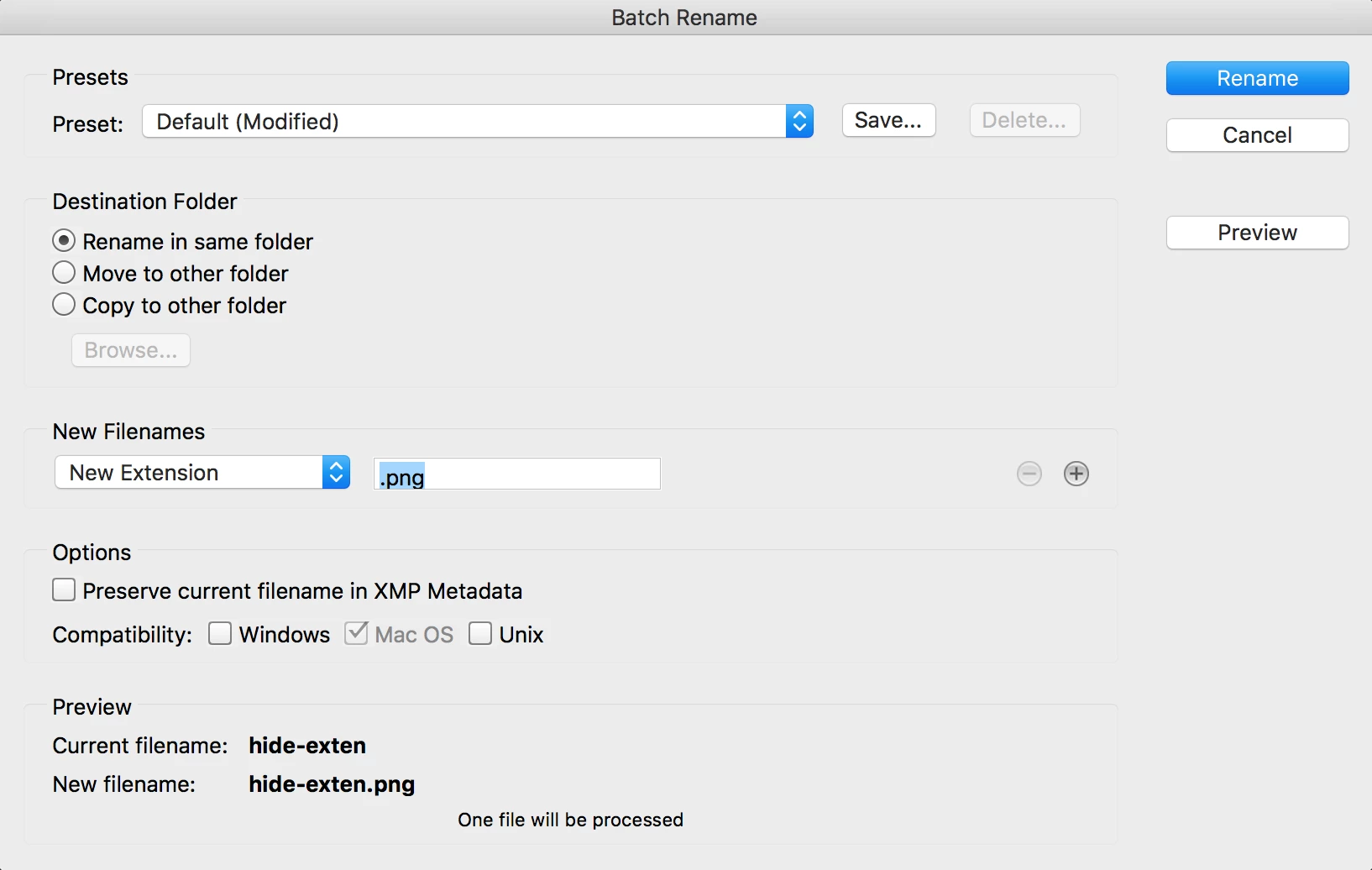
Test that it opens OK into Camera Raw. If it works for one file, then select all of the rest of them and update the filename extension.
The above demo was with the filename extension totally removed, however it you have accidentally renamed the filename extension to be something else then at least you will know what the invalid extension is if you show the filename extensions in Windows.
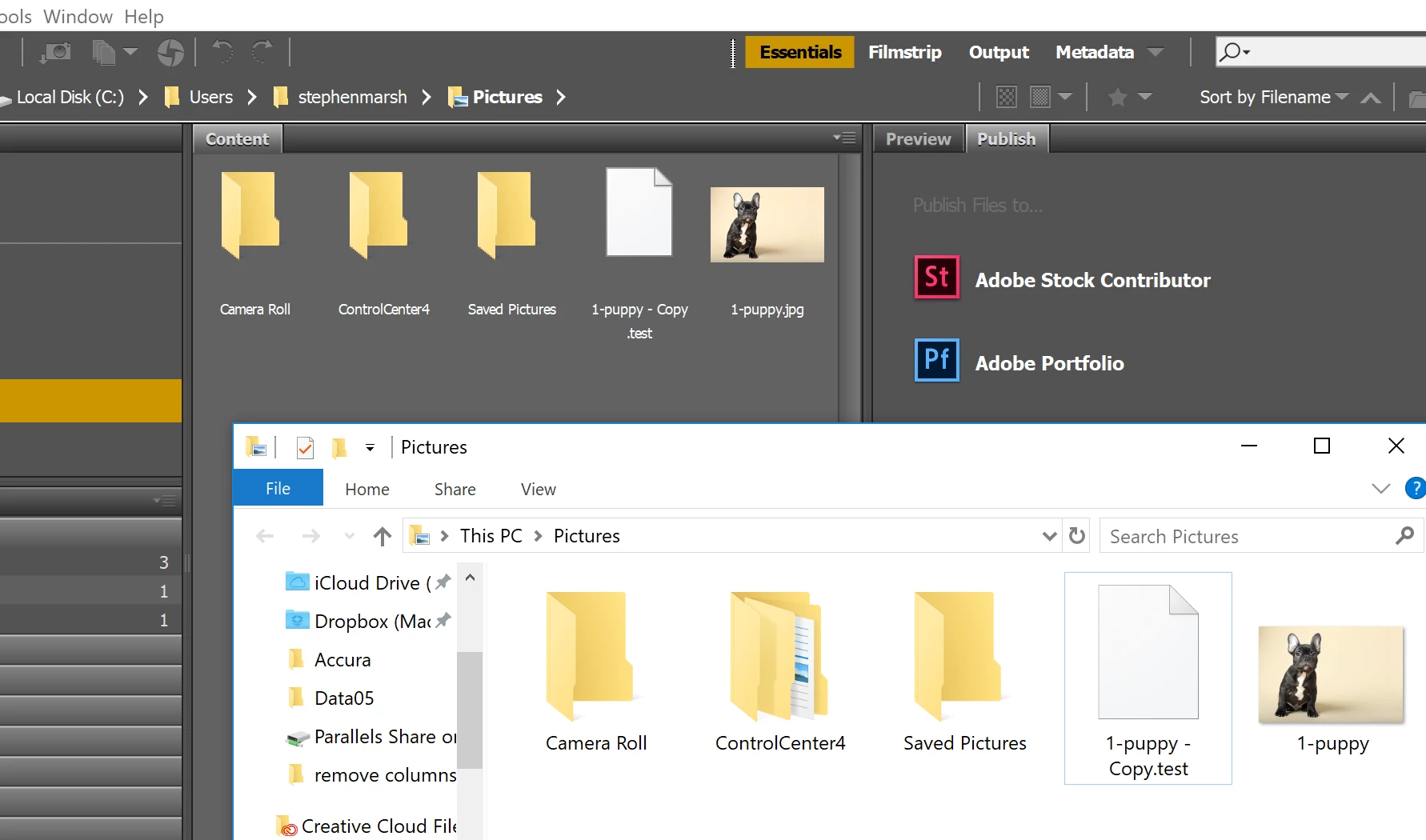
EDIT: It appears that showing/hiding filename extensions has no effect in MS Windows. Bridge still shows the extension, when Explorer does not:



 AdChoices