
Participant
January 10, 2023
Answered

Bridge 13.01 - Bridge crashes every time I exit full screen mode

  • January 10, 2023
  • 4 replies
  • 2087 views

I use bridge a lot for photo editing with Camera Raw.


I use the space bar a lot for entering the full screen preview when editing and lately Bridge crashes EVERY time I exit the full screen preview. I've used this so much that at this point I do it without thinking and it keeps crashing and it's very annoying for my workflow.  I've installed version 12.0.3 again and, luckily, works perfectly.
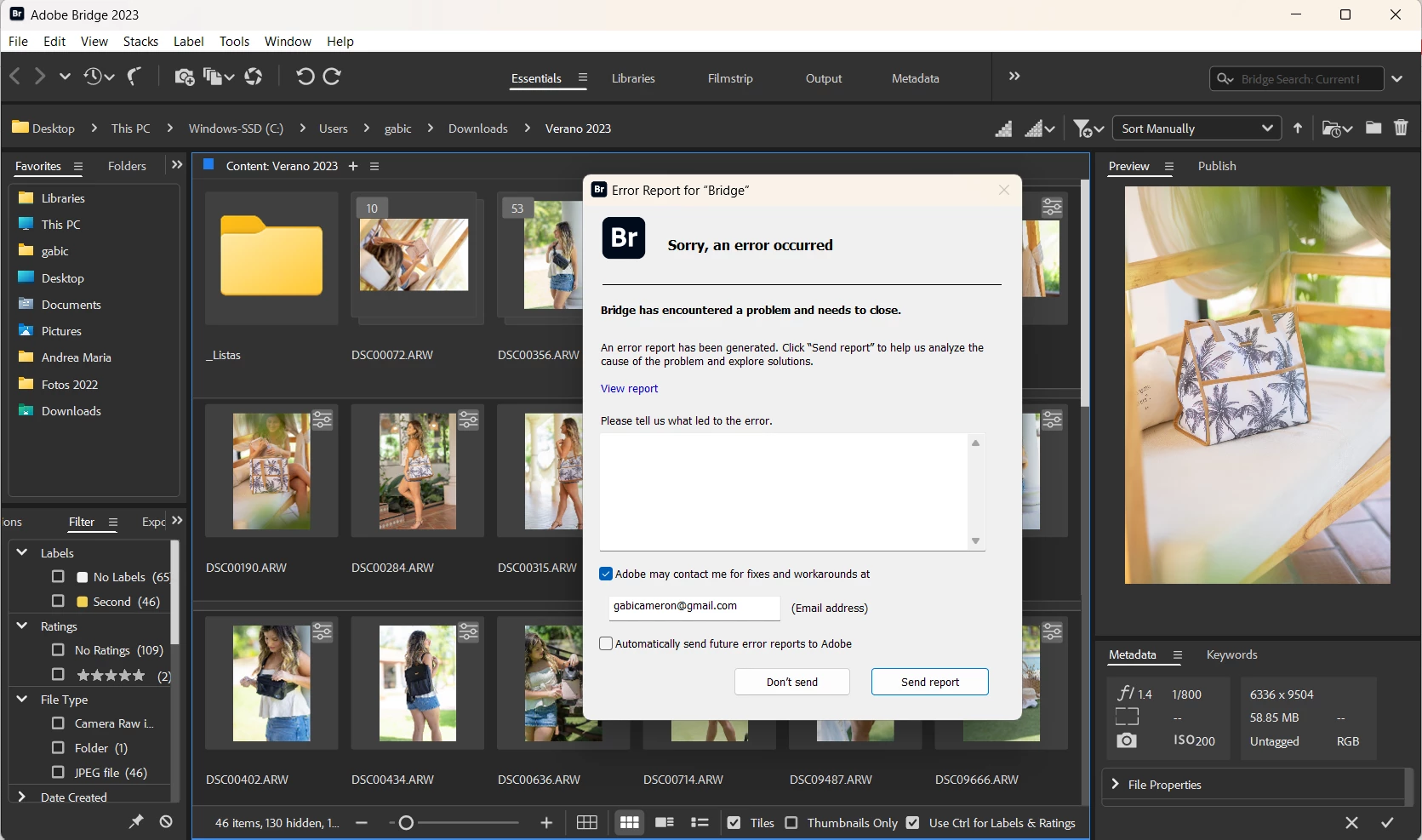
 

Just wondering if anyone is having this same issue with Bridge 13.01? 

I run Windows 11 Home 22H and I've NEVER had any issue with Bridge or any of the Adobe programs before.

This topic has been closed for replies.
Correct answer Marmes

Ifigured out what causing Bridge crashing. No crashing, if in the setting to activate Software rendering. So it's not possible to use hardware rendering. Is it Bridge or Nvidia bug?

4 replies

Erik Bloodaxe
Legend
January 20, 2023

Nvidia has acknowledged this issue caused by driver version 528.02.

There is yet another update, version 528.24 (release Jan 19 2023) which I installed and it seems to have cured the problem.

Here are the reported bug fixes with this new driver version:


Inspiring
January 20, 2023

Yes this is for Nvidia RTX/Quadro, but no update for GeForce cards yet.

Inspiring
January 20, 2023

I got today letter from Bridge team and they told:


We suspect that the recent NVIDIA driver update is causing this crash.

(Driver version : 31.0.15.2802 (528.02) , Release date : 5 Jan 2023)


To further investigate the issue, we need your help. Please confirm if the issue is resolved by either of the below steps:

  1. Downgrade the NVIDIA graphic card driver.
    1. Download it from NVIDIA official site


  1. Switch to “Software rendering” in Bridge preferences by following the below steps.
    1. Navigate to Edit-> Preferences-> Advanced
    2. Enable checkbox “Use Software Rendering”
    3. Restart Bridge
    4. Check if the crash is resolved while previewing files.


I downgraded NVIDIA driver to 527.56 and now Bridge working perfectly.  No crashing anymore

Participating Frequently
January 20, 2023

Thanks, got the same message.

All the best!

Participating Frequently
January 19, 2023

I get the exact same error.

However enabling "Software rendering" solves it, but *ONLY* in version 13.0 (Which is unusable due to other bugs).
Both Version 13.01 & 13.02 crash, even if "Software Rendering" is enabled.


Version 12.0.4 works with "Software Rendering" ON or OFF.


-
Windows 11 Pro

NVIDIA GeForce RTX 4080
NVIDIA Game Ready Driver, version: 528.02 Release date: 01/05/2023

AMD Ryzen 9 7950X
RAM: 32 GB

Adobe Logs Collector: AdobeLogs_20230119_110713_775-win-GS.zxp

Inspiring
January 20, 2023

Yes, this "software rendering" option unfortunately is not the solution. For a moment it worked, but not anymore. 

Participating Frequently
January 20, 2023

Strangely after reinstalling the NVIDIA drivers using "Perform Clean Install", Bridge 13.02 worked on the first launch without error, but after quiting & starting Bridge again it began crashing the same.

Some acknowledgement of this bug from Adobe would be appreciated.

Inspiring
January 10, 2023

Yes, I have exactly the same problem. When I watch pictures in full screen and after exit Bridge crashes. And how to bring back this error report windows that I can send reports manually again. I can't find solution.

MarmesCorrect answer
Inspiring
January 10, 2023

Ifigured out what causing Bridge crashing. No crashing, if in the setting to activate Software rendering. So it's not possible to use hardware rendering. Is it Bridge or Nvidia bug?

Participant
January 10, 2023

This worked!

My Nvidia drivers did update recently, wonder if it's directly connected with this issue? My Card is a GTX 1660 Ti. (Jealous of your RTX 3060!)

Thank you so much!