
Participant
December 7, 2018
Question

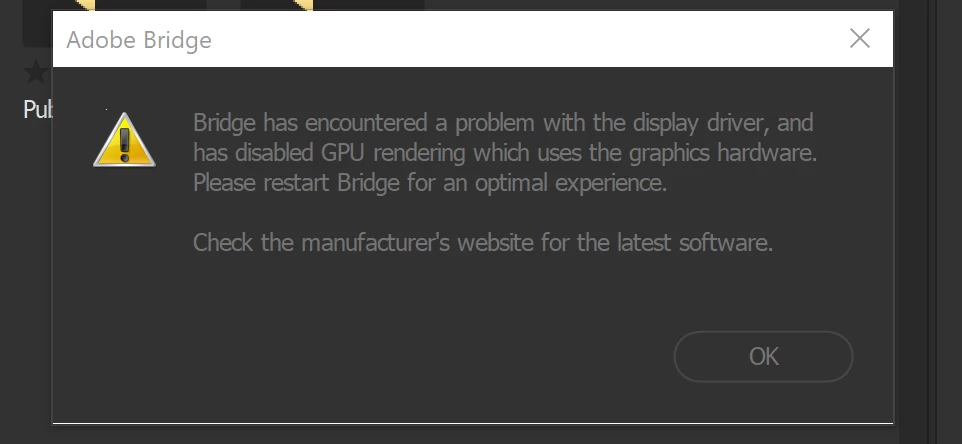
Bridge 2019 freezing constantly
  • December 7, 2018
  • 2 replies
  • 473 views

So I have a i7 surface pro windows 10 yadda yadda and when i open bridge ...it will pop up with an empty adobe cc box as it struggles to load things. Often it pops up with the above message and then completely freezes, crashes when i click on it, and only works like after restarting program again. this is pretty ridiculous and i think only happened after i did an adobe update to the 2019 one. Any help?

This topic has been closed for replies.

2 replies

velanobleAuthor
Participant
December 12, 2018

I dont really know how to ..when i go into control panel and find intel driver and update, it says its fine.

this is pretty irritating as also..a get a blank white 'thinking' adobe popup most times i start bridge. totally weird and never used to do this

Legend
December 12, 2018

The popup is the new licensing window. That was added in the October release and is migrating to other Adobe applications.

You can contact your system vendor or have a tech check your video drivers. Again, this is a common issue on Windows and varies by system but its the first thing to try.

Legend
December 7, 2018

Have you updated your video drivers? This seems to be a common problem on Windows.