
Participant
October 19, 2018
Answered

Bridge 2019 Image and document thumbnails no longer preview

  • October 19, 2018
  • 5 replies
  • 1720 views

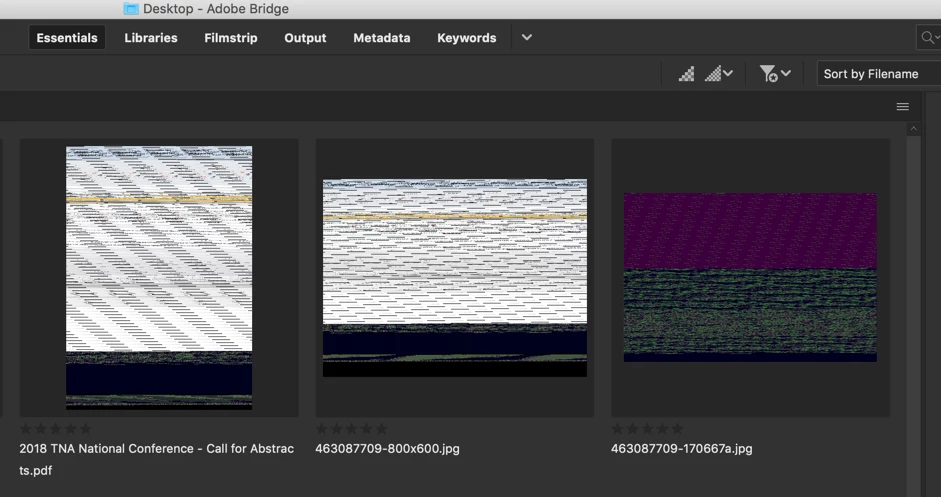
My image/document previews no longer display after installing Bridge 2019. So frustrating as I use Bridge in my workflow all day every day.

I ultimately uninstalled 2019/reinstalled 2018 and 2018 works fine.

I have tried to purge the cache, delete all settings/reset, remove settings files from libraries, etc, etc, etc. but in the end I found 2018 to work.

Not sure if this is an isolated issue, but here's a screen grab of what I now see when trying to use Bridge 2019 (below).

Awesome:
This topic has been closed for replies.
Correct answer Lumigraphics

This is a known issue wi9th the iMac Pro. Please use Bridge 2018 until a fix is available.

5 replies

otherd1159202
Participant
February 1, 2019

I figured it out! I had this problem at work but not at home. Using a MAC with Mojave and PSD CC 2019 both places. Photoshop preferences - File Handling tab - Maximize PSD and PSB File Compatibility: ALWAYS This fixed it for me. I just reopened those that didn't have thumbnails and resaved them, all is well.

Legend
February 1, 2019

Doing that adds a composite to the PSD files. Bridge can read PSD files without the composite, but Lightroom and many other program cannot.

LumigraphicsCorrect answer
Legend
October 25, 2018

This is a known issue wi9th the iMac Pro. Please use Bridge 2018 until a fix is available.

Adobe Employee
October 26, 2018

Dear Users,

We are aware of this issue and are investigating.

Please use Bridge CC 2018 (8.1) while we are working on a resolution of this issue.

Regards,

Abhishek Seth.

Known Participant
October 20, 2018

Exactly the same here.

Why is nobody addressing this?

Participant
October 25, 2018

And the same here.

E_deJuan
Participant
October 20, 2018

the same with iMacPro, in older iMac 2010 works fine ...


iMacPro

Bridge CC 2019
Mojave

Participating Frequently
October 19, 2018

Not isolated.  No reply from Adobe either.  Horrible!  See below.

Thumbnails in Bridge went crazy after 2019 update

Participant
October 19, 2018

THANKS!! Good to know it's not just my computer!