
FoveaCreative
Inspiring
Mar 3, 2020 4:17 PM UTC
Answered

Bridge 2020 - EPS and PNG thumbnails display incorrectly

Since the latest update, all my EPS and PNG file thumbnails display strangely, with a dark, chunky, checkerboard background. See attached image, which is a CMYK EPS file, saved backwards to CS1. Illustrator files look fine. All files display correctly in the preview window.


Anyone else seeing this issue?


Adobe Bridge 2020 (latest build - 10.0.3.138)

Mac OS X Catalina (10.15.3 (19D76))
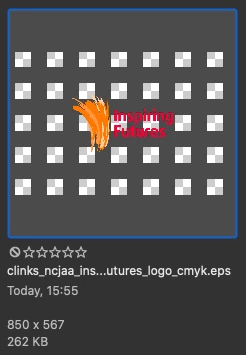
 

This topic is closed to new replies. Start a new post to keep the conversation going.
FoveaCreative
FoveaCreativeCorrect answer
Inspiring
Mar 3, 2020 8:02 PM UTC

Oh, I misunderstood your screenshot. I thought the gray was your intended image.


Can you share one of the images with me via PM?


Thanks Gary,


There was a CC app update, so I ran that. Then I logged out of CC, closed everything down, restarted my Mac and then logged in again. Not sure which of these things was causing a problem, but it's all working fine now!


Thanks for helping out.


Ian

5 replies

gary_sc
Community Expert
Community Expert
Mar 3, 2020 6:08 PM UTC

Hi Designicc,


Good news, there's nothing wrong with anything here. Just as in Photoshop, invisible (non-pixel) regions are being displayed with a checkerboard pattern to show that there are no pixels there. 


EPS, PNG, and TIF files can all have non-pixel regions and this lets you know that you are seeing a file that has non-pixel regions. 


(The first time I saw the checkerboard pattern in Photoshop, I thought that there was something seriously wrong in PS as well. Fortunately all is good.)

Translate
FoveaCreative
Inspiring
Mar 3, 2020 7:05 PM UTC

Thanks Gary, 


I'm familar with the checkerboard, but it's changed into something that makes it very hard to see the artwork (see the example I posted). It's not the checkerboard that I had before the recent update, it's like looking at the original checkerboard through a prison grill!

Translate
gary_sc
Community Expert
Community Expert
Mar 3, 2020 7:33 PM UTC

Oh, I misunderstood your screenshot. I thought the gray was your intended image.


Can you share one of the images with me via PM?


Translate