
Bridge 2022 - Batch Rename Using Regex
Hello,
I made a post before - but I realized that I did not offer enough information and I finally figured out a bit more how to do what I am trying to do. Here is my work-flow with Bridge for running my batch rename / ideal script.
Step 1 - Select All Images (Control+A or Command+A)
Step 2 - Sort by Rating - Ascending Order (all of my images are ranked by either 1 star, 2 star or 3 star, I use this as a way to pick which image is the b image)
Step 3 - Run AUTO_RENAME_01 (this is just what I call my saved batch rename setting) using the attached screenshot settings.
FIND: - ^(.{17})(.*) REPLACE: $1_b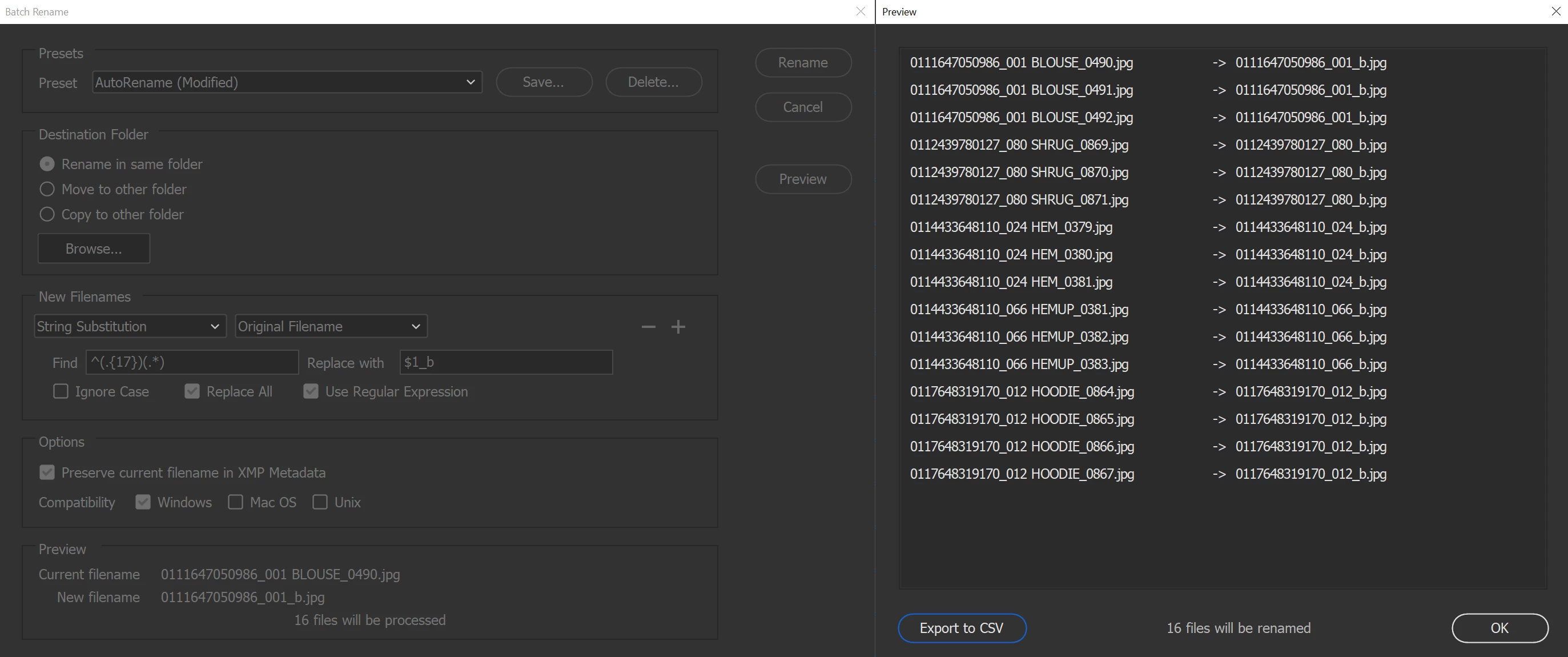
What this is doing is basically renaming all of my images.
From the following;
111647050986_001 BLOUSE_0490.jpg
0111647050986_001 BLOUSE_0491.jpg
0111647050986_001 BLOUSE_0492.jpg
0112439780127_080 SHRUG_0869.jpg
0112439780127_080 SHRUG_0870.jpg
0112439780127_080 SHRUG_0871.jpg
To the following;
0111647050986_001_b.jpg
0111647050986_001_b (1).jpg
0111647050986_001_b (2).jpg
0112439780127_080_b.jpg
0112439780127_080_b (1).jpg
0112439780127_080_b (2).jpg
Step 4 - Run AUTO_RENAME_02 (this is what I call my secondary batch rename) and its just a series of String Substitutions; as following.
String Substitution - Original Filename
Find b (1) Replace with d
String Substitution - Intermediate Filename
Find b (2) Replace with e
String Substitution - Intermediate Filename
Find b (3) Replace with f
String Substitution - Intermediate Filename
Find b (4) Replace with g
String Substitution - Intermediate Filename
Find b (5) Replace with h
This is the end of it since I never use more images with the same code that would result in anything past h.
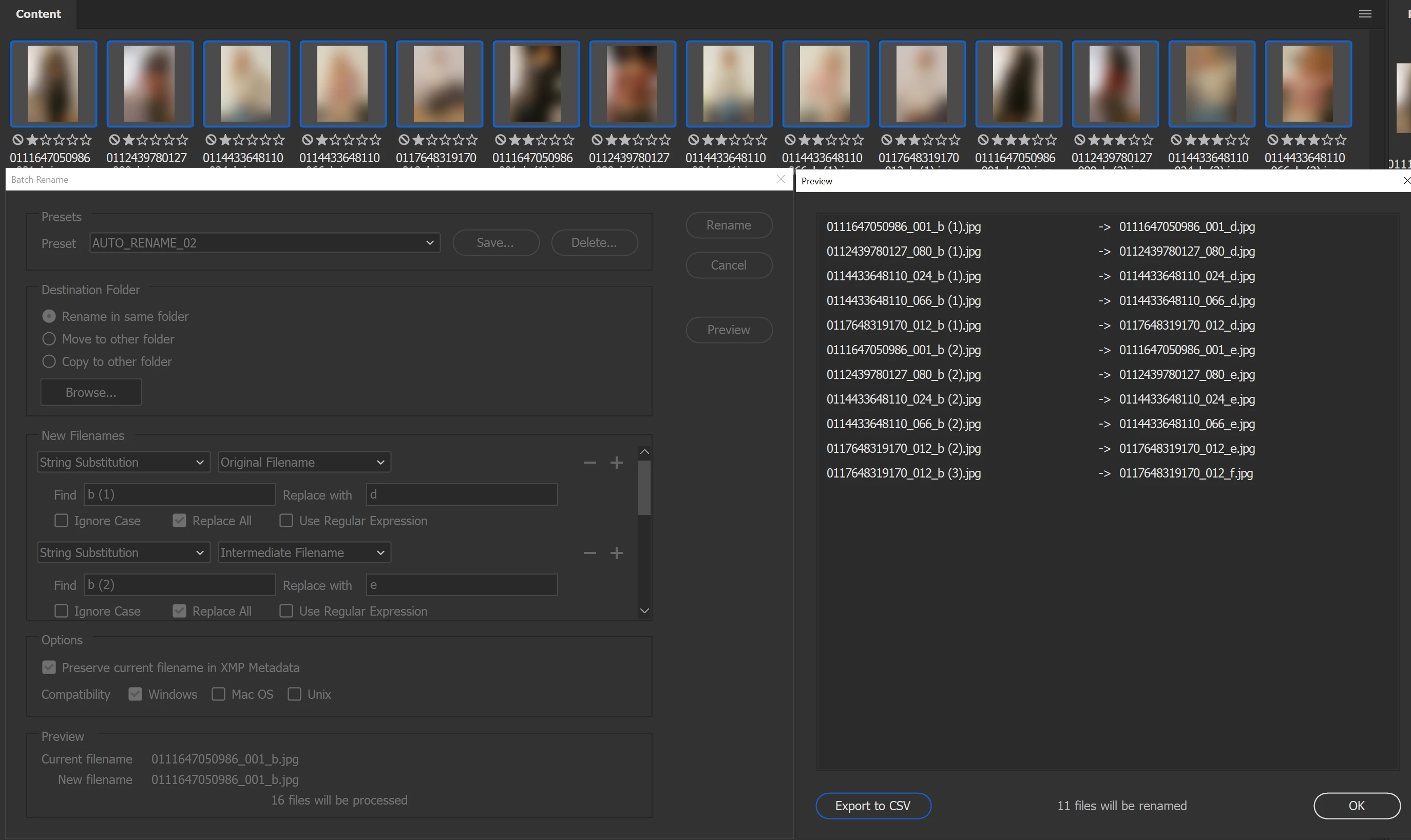
What this is doing is basically renaming all of my images a second time.
From the following;
0111647050986_001_b.jpg
0111647050986_001_b (1).jpg
0111647050986_001_b (2).jpg
0112439780127_080_b.jpg
0112439780127_080_b (1).jpg
0112439780127_080_b (2).jpg
To the following;
0111647050986_001_b.jpg
0111647050986_001_d.jpg
0111647050986_001_e.jpg
0112439780127_080_b.jpg
0112439780127_080_d.jpg
0112439780127_080_e.jpg
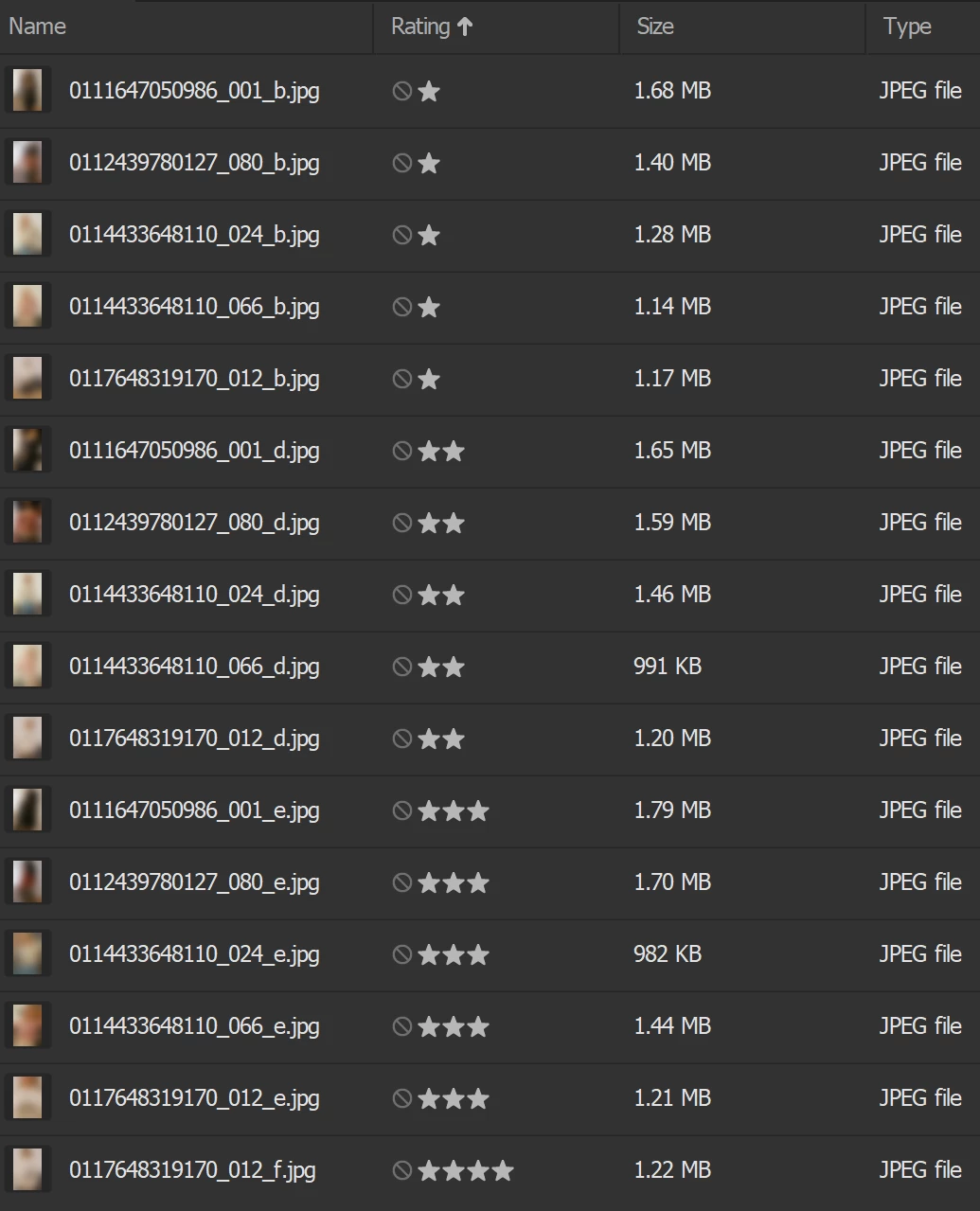
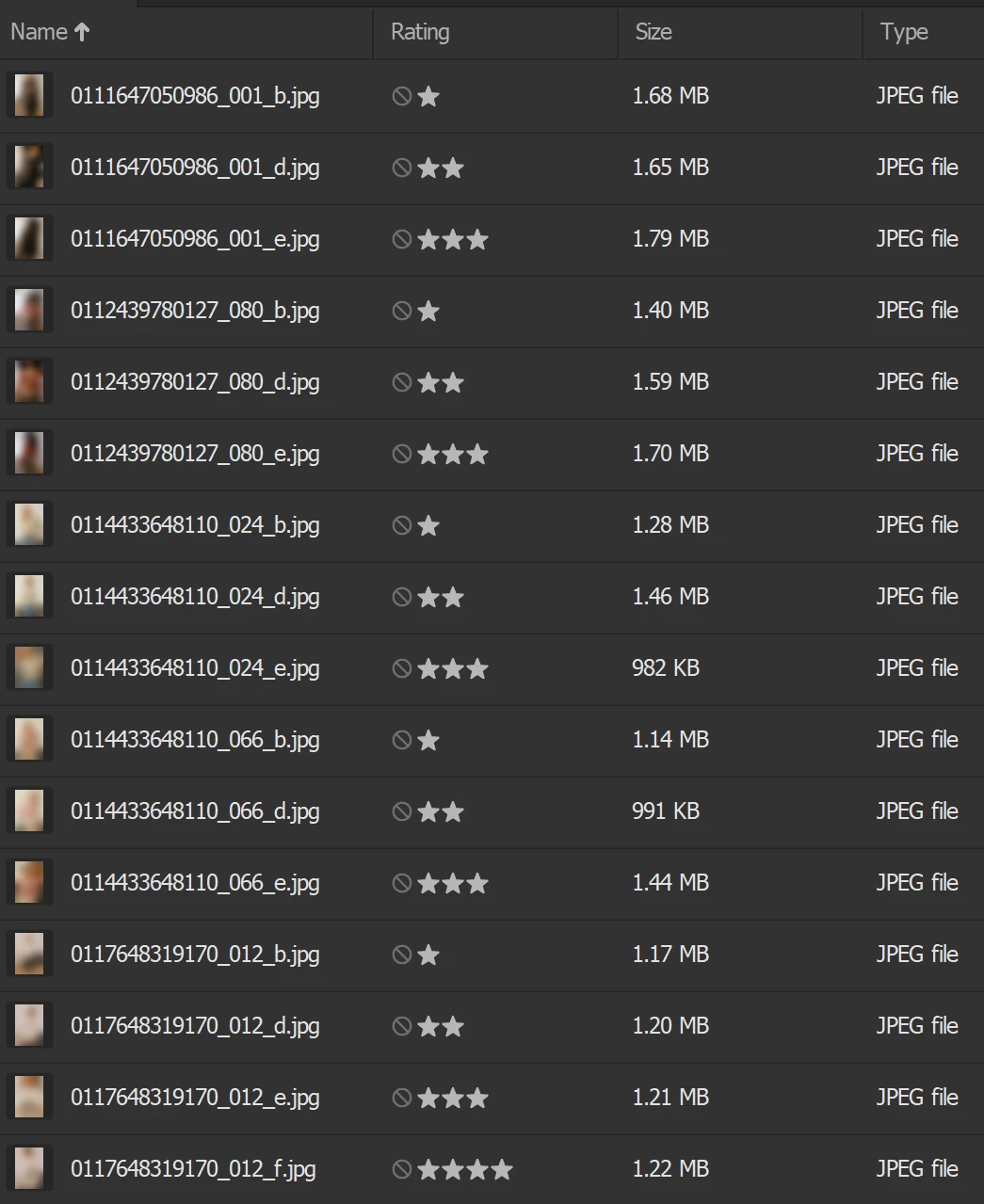
Here are two screenshots of the final result. Since the result is sort by rating - it shows all of the b first then e then etc. However if I re-order back to sort by filename (on the second screenshot) you can see the result is that each unique 17 digit code is followed by _d _e _f _g
I hope this makes sense. My question is - will I be able to script this process? Either by writing a script that says Run AUTO_RENAMER_01 and when finished Run AUTO_RENAMER_02 (I feel like this would be the easiest way?) or would I be able to script something that uses that regex + the rating in the meta-data of the image to detone the name?
Rating 1 - rename _b
Rating 2 - rename _d
Any other rating name sequentially from d so
Rating 3 - rename e, f,g,h
etc.
I hope this makes sense, I am very begginer level when it comes to scripting and this is something that I would usually get an idea on how to do via using PhotoShop script listener and studying the code it generates, but I cannot seem to find a listener version for bridge or the documentation with codes without access to the SDK / Console)


 AdChoices