Participant
April 4, 2022
Answered

Bridge 2022 doesn't allow for external drive photos to be displayed.

  • April 4, 2022
  • 2 replies
  • 193 views

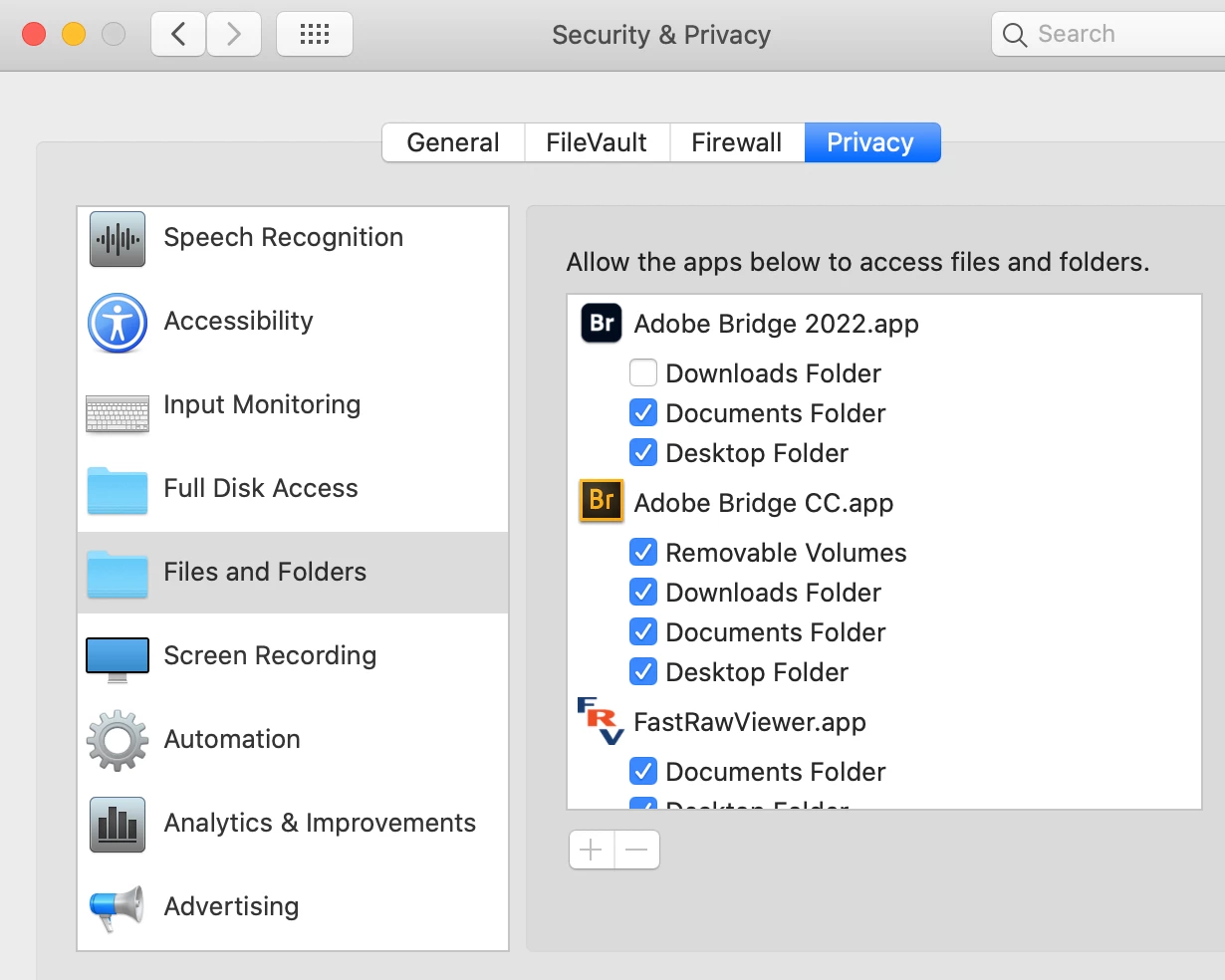
Have just upgraded to Bridge 2022 and can no longer access images on my external drive, where I keep all my photographs. I have gone to System Preferences - Security and Privacy - Files and Folders. Bridge 2022 has only three options available, Downloads Folder, Documents Folder and Desktop Folder. The previous version had an additional folder called Removable Volumes. Please advise


This topic has been closed for replies.
Correct answer 2_Left_Eyes

Solved the problem and will post here as it may be useful to others. 🙂

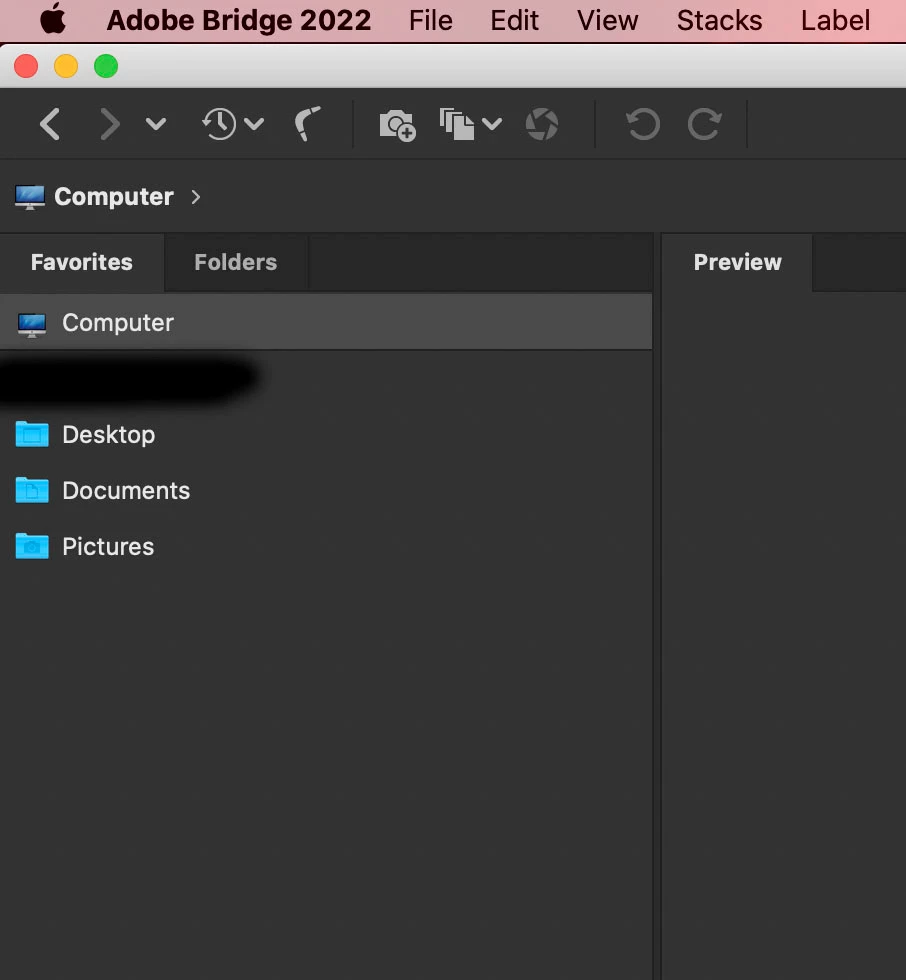
I opened Bridge 2022 and went to the Film stip option. Clicked on the Computer icon.


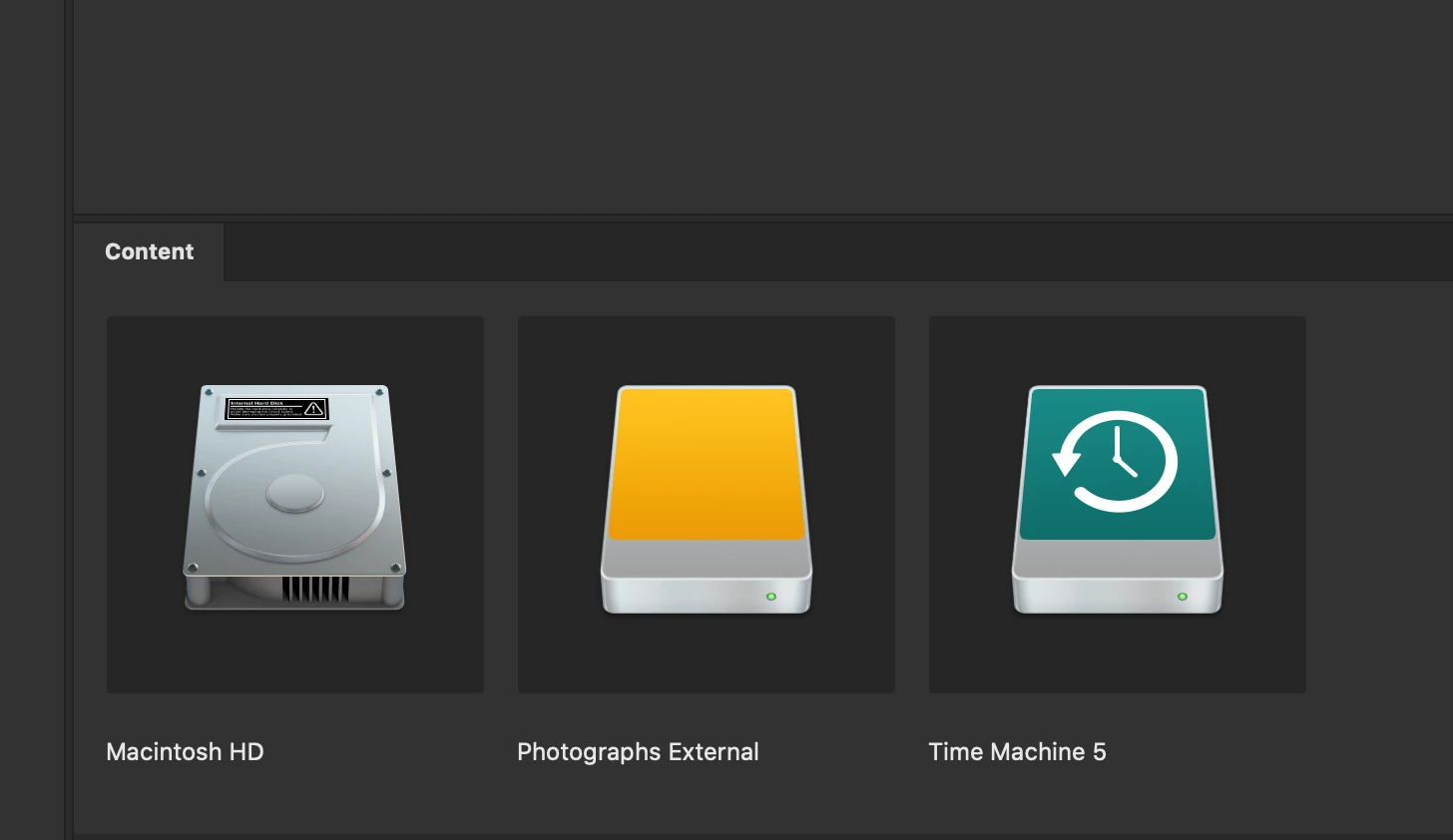
A new window opened, saying that Bridge wanted to access images on an external drive. Clicked "Yes" and the drive showed in a new window.

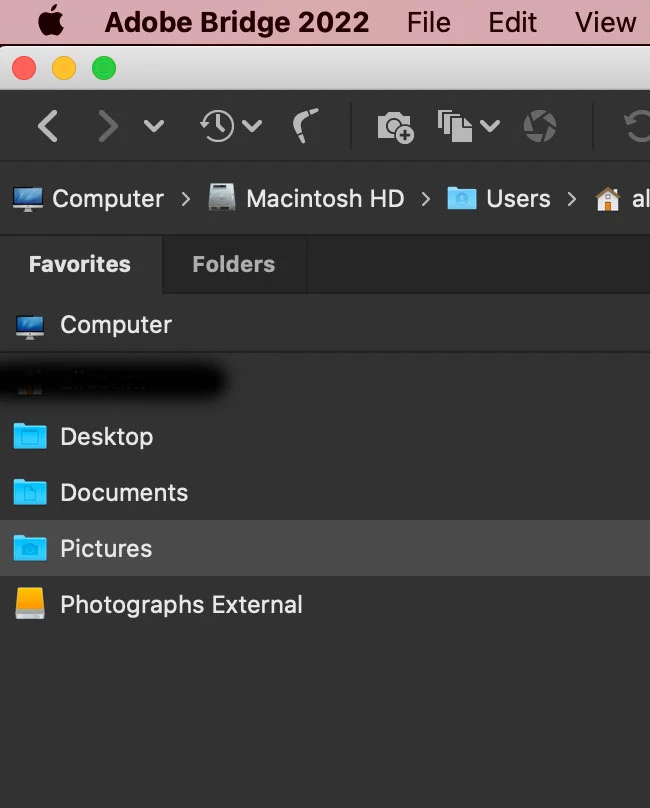
Chose the external drive and it is now accessable in the Favourites tab.

That's all, folks.

2 replies

2_Left_EyesAuthorCorrect answer
Participant
April 4, 2022

Solved the problem and will post here as it may be useful to others. 🙂

I opened Bridge 2022 and went to the Film stip option. Clicked on the Computer icon.


A new window opened, saying that Bridge wanted to access images on an external drive. Clicked "Yes" and the drive showed in a new window.

Chose the external drive and it is now accessable in the Favourites tab.

That's all, folks.

Participant
April 4, 2022

Sorry, forgot to add that I'm using a 2021 iMac with Catalina 10.17.7 installed.