Participant
November 6, 2022
Answered

Bridge 2022 (or above) Will Not Display the Desktop

  • November 6, 2022
  • 1 reply
  • 1291 views

Bridge 2022 (or above) Will Not Display the Desktop

I've tried to update several times.

Will continue w/Bridge v11.1.4.213, even though it crashes a lot


Running OS Monterrey

This topic has been closed for replies.
Correct answer gary_sc

Is this your computer's Security & Privacy issue or Bridge?


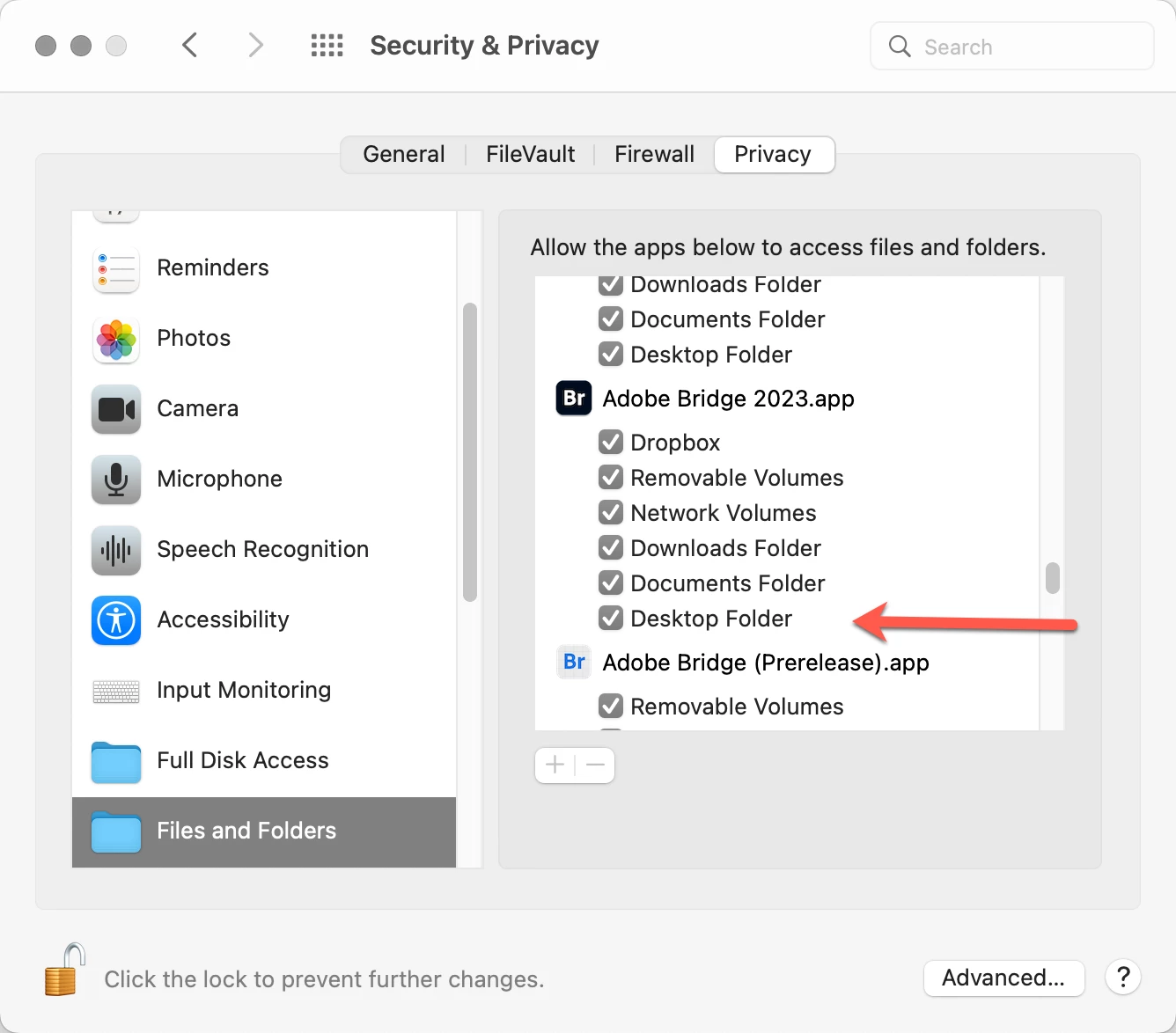
Let's check this out: Go to your System Preferences and click on Security & Privacy. Select the Files and Folders tab, and scroll down until you see Bridge 2023. Look at the Desktop Folder and make sure that the check box is checked. If not, click on the lock icon in the bottom left corner and give your computer your administrative password. (Also, at that point, the text region will be as clear as in my screenshot.). Check off any and/or all of the boxes that are not checked, and you should be good to go.


Let us know if that solves your issue.

1 reply

gary_sc
Community Expert
gary_scCommunity ExpertCorrect answer
Community Expert
November 7, 2022

Is this your computer's Security & Privacy issue or Bridge?


Let's check this out: Go to your System Preferences and click on Security & Privacy. Select the Files and Folders tab, and scroll down until you see Bridge 2023. Look at the Desktop Folder and make sure that the check box is checked. If not, click on the lock icon in the bottom left corner and give your computer your administrative password. (Also, at that point, the text region will be as clear as in my screenshot.). Check off any and/or all of the boxes that are not checked, and you should be good to go.


Let us know if that solves your issue.

D S5CB5Author
Participant
November 7, 2022

@gary_sc 

Thank you! This worked – so simple.

Onward …