
Participating Frequently
March 17, 2018
Answered

Bridge cache causing disc errors?
  • March 17, 2018
  • 4 replies
  • 5414 views

Most recent scenario: Return from vacation, download 100GB of video, RAW, and JPG photos (bridge PhotoDownloader), browse a couple (presumed LARGE) folders, and the next day "DISC NOT EJECTED PROPERLY"

Too much troubleshooting to explain everything but is anyone else seeing this? Last year when this started, I ended up with 3 of 5 HDDs corrupt in like 2 weeks. Now left with 1 brand new G-Tech usb drive (2GB of6GB used) and the problem is back.

LOST: multiple SSD drive's in (USB) DOCK

LOST: LACIE 2BIG (thunderbolt) 6TB (2x 3TB seagate from HDD crisis) ie Backblaze lawsuit

LOST: SEAGATE 3TB MEDIA CENTRAL (Ethernet)

GTECH 2TB time capsule also wouldn't mount during this time but was being used for photo access in Bridge

Symptom starts will "Disk Not Ejected Properly" notification, however files appear to be fine, until one day the Disc just won't mount and everything is gone.

APPLE believes it is ADOBE issue, and wants me to "USE" my Mac without Adobe products, but the only thing I use my iMac for is photos.

I was able to manage all the recovery files and grouping (approx 1.5GB) in finder when the GTECH DRIVE was brand new with no problem, I then started moving them again in Bridge and had a couple lockups but no Disk errors.

16GB of RAM REMOVED to troubleshoot and still occurs

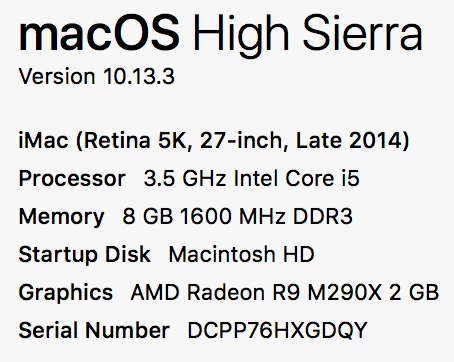
     8GB of Apple ram currently and just occurred

Operating System wiped and reloaded clean still occurs

All software removed and reinstalled, updated still occurred
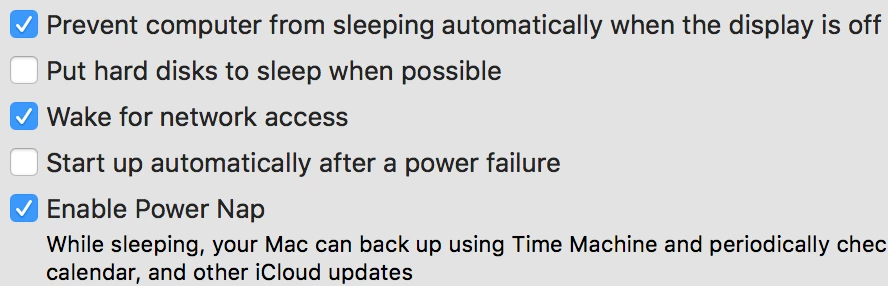
Suggestions from APPLE forums^

The thing I can't wrap my head around is whether I'm stressing the HDD by setting the bridge disk CACHE really large and/or should I be using a secondary disk for the cache? ALSO concerned about the resolution settings being to high? All variations have been attempted (while it was occurring last year) and I am now only using 1 disk to continue troubleshooting.

APPLE has been extremely helpful at the Genius Bar and through phone support and only found a burnt thunderbolt port. They weren't concerned about that, but I stopped using it anyway when I lost my RAID array to this corruption.

Last statement from level 2 at APPLE is that "ADOBE SOFTWARE REWRITES THE (KERNAL)" ?

That is why I am now here

Thoughts?

Thank You

Chris

This topic has been closed for replies.
Correct answer Varun Varshney

Hi All,

We have released a new version of Adobe Bridge (CC 2019) on 15th October 2018. The new version build number is 9.0.0.204. This version is available to install via Adobe Creative Cloud application.

This Bridge update contains support for managing media cache files (https://helpx.adobe.com/bridge/using/media-cache.html).

Please check following link to know about all new features in Adobe Bridge CC 2019 - https://helpx.adobe.com/bridge/using/whats-new.html

You may need to update the Creative Cloud application and restart your computer to see the updated installer.

Thanks,

Varun Varshney

4 replies

Varun Varshney
Adobe Employee
Varun VarshneyCorrect answer
Adobe Employee
October 15, 2018

Hi All,

We have released a new version of Adobe Bridge (CC 2019) on 15th October 2018. The new version build number is 9.0.0.204. This version is available to install via Adobe Creative Cloud application.

This Bridge update contains support for managing media cache files (https://helpx.adobe.com/bridge/using/media-cache.html).

Please check following link to know about all new features in Adobe Bridge CC 2019 - https://helpx.adobe.com/bridge/using/whats-new.html

You may need to update the Creative Cloud application and restart your computer to see the updated installer.

Thanks,

Varun Varshney

jbm007
Community Expert
Community Expert
March 19, 2018

I think this more a MAC OS issues then a Adobe Bridge issue.

APFS Bug in macOS High Sierra Can Cause Data Loss When Writing to Disk Images - Mac Rumors

Legend
March 19, 2018

The OP isn't writing to disk images.

As for the bug itself, this probably isn't Bridge. You are losing power to your drives and they are all shutting off. Get a battery backup.

CRemboldAuthor
Participating Frequently
March 19, 2018

iMac and every external drive have always been plugged into Battery Backup. Was concerned that the quality of the HDs may have something to do with these issues because I’ve never had a lot of confidence in external drives. I thought the thunderbolt interface would be more reliable that USB but the problem persists on all ports and many different hard drives.

For the iMac Video creators, are your HDDs lasting 2 3 4 years without these issues? Should I consider Enterprise Drives?

CRemboldAuthor
Participating Frequently
March 18, 2018

03/18/2018 6:00PM

This seems like it is going to continue until the drive is so corrupt it will no longer be readable.

jbm007
Community Expert
Community Expert
March 18, 2018

i have never had a issue with high sierra and Bridge.

Your he first person I know  that has this issue.

Have you tried manually copying your files to the the drive?

CRemboldAuthor
Participating Frequently
March 18, 2018

The GOOGLE search phrase to understand the widespread issue is “DISK NOT EJECTED PROPERLY”. Everyone is barking at Apple and most threads end unresolved. Only once did someone say that 2nd level got them a solution w a  list of disconnecting from networks, changing IPs and wiping PList settings. BTW I did all that and it Still happened.

regarded the downloading of files the problem seems to only appear when bridge is involved by writting the Cache of 4 folders and 4 files for every CR2 file in a LARGE directory. Never have I seen the problem after the download, just after opening a large folder in Bridge, then the next morning after waking iMac I see “disk not ejected properly”