
Participant
June 18, 2017
Answered

Bridge CC 2017 Will Not Open

  • June 18, 2017
  • 1 reply
  • 245 views

Hi!

My Bridge CC 2017 will not open when I click on it; I've tried re-installing it a million times and I still get this message:
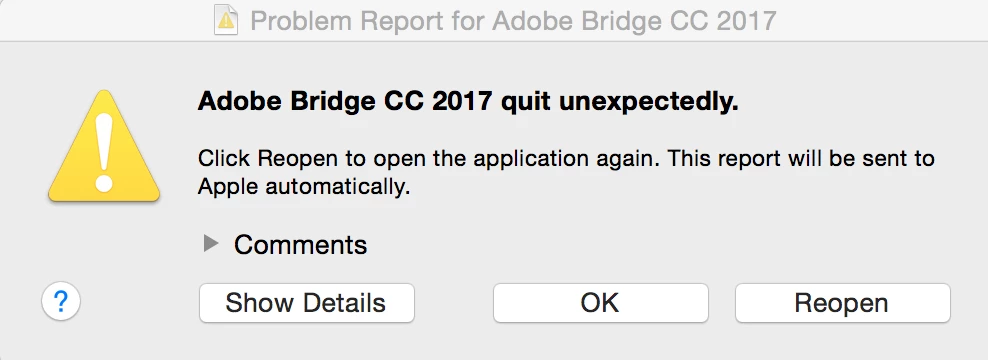
Not sure what to do now. Also cannot find a way to get in contact with support. Adobe is making this very difficult.

    This topic has been closed for replies.
    Correct answer Akash Sharma

    Hi taylorm,

    We're sorry that you're having trouble using Bridge CC.

    Please try resetting the preferences of Bridge CC: -

    Start Adobe Bridge and immediately press Ctrl+Alt+Shift (Windows) or Command+Option+Shift (Mac OS) until the Reset Settings dialog box appears. Select all three options--Reset Preferences, Reset Standard Workspaces, and Purge Entire Thumbnail Cache--and then click OK.

    Let us know if that helps.

    Regards,

    Akash

    1 reply

    Akash Sharma
    Akash SharmaCorrect answer
    Legend
    June 27, 2017

    Hi taylorm,

    We're sorry that you're having trouble using Bridge CC.

    Please try resetting the preferences of Bridge CC: -

    Start Adobe Bridge and immediately press Ctrl+Alt+Shift (Windows) or Command+Option+Shift (Mac OS) until the Reset Settings dialog box appears. Select all three options--Reset Preferences, Reset Standard Workspaces, and Purge Entire Thumbnail Cache--and then click OK.

    Let us know if that helps.

    Regards,

    Akash