
Participant
December 12, 2017
Answered

bridge cc 2018 today's update problem

hi there,i am unable to update the bridge got the code "146". reinstall the app is not helps. is there any solution for the stupid photographer? thanx in advance!
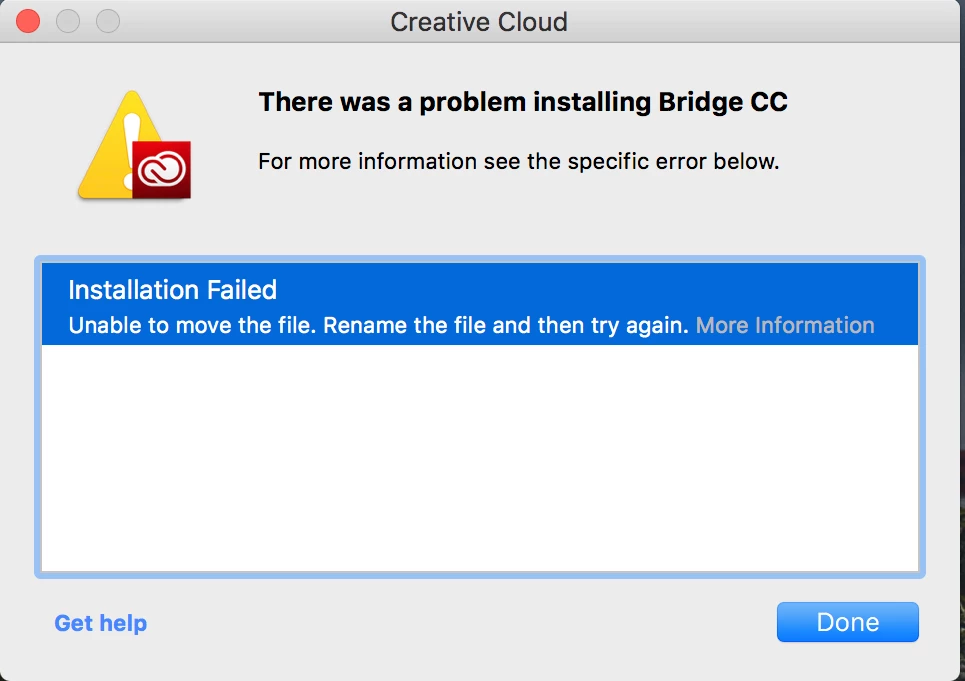
Exit Code: 146

-------------------------------------- Summary --------------------------------------

- 2 fatal error(s), 0 error(s), 1 warnings(s)

FATAL: Error (Code = 146) executing in command 'MoveDirectoryCommand' for package: 'AdobeBridge8.0-mul', version:8.0.1.282

FATAL: Error occurred in install of package (Name: AdobeBridge8.0-mul Version: 8.0.1.282). Error code: '146'

WARN: Failed to move directory '/.adobeTemp/1A3D2103-5AA0-4A87-A4A4-07505E410D15/1/Adobe Bridge' to '/System/Library/Components/PDFImporter.component/Adobe Bridge CC 2018'

-------------------------------------------------------------------------------------

This topic is closed to new replies. Start a new post to keep the conversation going.
Moon_jo
Moon_joCorrect answer
Participant
December 13, 2017

I had the same error. I downloaded Bridge directly from here, Download Creative Cloud apps. Installed using the .dmg. Checked Adobe Application Manager and it still showed an update for Bridge. I clicked install and it worked. Bridge is updated and I no longer see the update for Bridge in Adobe Application Manager.

31 replies

Participant
February 18, 2018

Well, obviously not a priority for Adobe to fix.

Original suggestion did work though, thanks. Download from link supplied,

Download Creative Cloud apps.

I logged out from Adobe CC, don't know if that is necessary, installed the download, closed Bridge, logged back on to Adobe CC.  Click on Bridge to update, worked, no longer showing update required.

Translate
Participant
January 4, 2018

I have same problem. I can not install bridge 2018. macOS 10.13.2 is used.

I have deinstalled ACC and I installed new. Same problem.

That's an Adobe problem. Hope it will be fixed asap.

Translate
Participant
January 4, 2018

ssg​ did you try the download for Bridge 2018 for your OS from Download Creative Cloud apps ??
I deinstalled Bridge, then installed the manually downloaded Bridge 2018. Then rebooted and all was fine.

Translate
Participant
January 4, 2018

Thanks fr feedback.

Yes, I have done. Still the problems.

Translate
Paulus de Boskabouter
Participant
December 27, 2017

It is clearly an Adobe problem, because I've had the same problem with Bridge 2018.

So I tried installing Bridge 2017, and this went without any problems.

Translate
Participant
December 19, 2017

Sorry, am a little bit annoyed...

moving anything to /System/Library/Components/PDFImporter.component/Adobe Bridge without checking that there is a PDFImporter.component is a bad idea. And telling people in the normal help / FAQ to correct the folder permissions and to give all users write access to /System/Library/Components/ is a bad idea too (here: https://helpx.adobe.com/de/creative-cloud/kb/error-exit-6-exit-7-cc.html#verify_permissions ​), only admins should write there.

Definitely a mistake Adobe has to correct.

Why does the installer fail completely when the PDFImporter.component is missing eludes me. Can't it be installed then? Or continue without it?

Please....

Translate
Participant
December 15, 2017

I just face lots of problem for EACH update:(

Translate
Participant
December 15, 2017

having the same problem and it's the first time I'm seeing this... perhaps a newly introduced bug?

Translate
Inspiring
December 14, 2017

This does not work.

Translate
All Things Creative
Inspiring
December 14, 2017

Chrisste ... I didn't get any help from the forums but I called ADOBE and they came in and through screen sharing were able to fix. It was not straight forward so I would highly recommend you call them as mine works 100% now!

Translate
Inspiring
December 14, 2017

Thanks. I'll give it a try. Hopefully they don't have long hold times.

Translate
Participant
December 14, 2017

I was able to update today (after giving up for two days with multiple tries). Seems to have gotten fixed?

Translate
Participant
December 14, 2017

I have seen the above comments and tried to download the .dmg.

After installed, it CAN BE UPDATED without error 146:)

Many thx.

Translate
Participating Frequently
December 13, 2017

Thanks here as well. A successful work-around.

Well done, Moon_jo,

Now will Adobe fix this?

Yeah - Na!

Translate