
Participant
June 16, 2020
Answered

Bridge conflict with Arc Soft Media

  • June 16, 2020
  • 1 reply
  • 326 views

Normally, when selecting an JPEG Image to processes in Photoshop the file opens in Photoshop.  Since the new upgrade the selected file now opens in Arcsoft media and not in Photoshop.  If the image has also been save previously as a PSD file and is selected the image opens as it should in Photoshop.  The conflict means I nnow have to open JPEGs as "Open in RAW" to access Photoshop.  Never had this issue with previous updates - what is going on?  
This topic has been closed for replies.
Correct answer gary_sc

Hi Haydn,


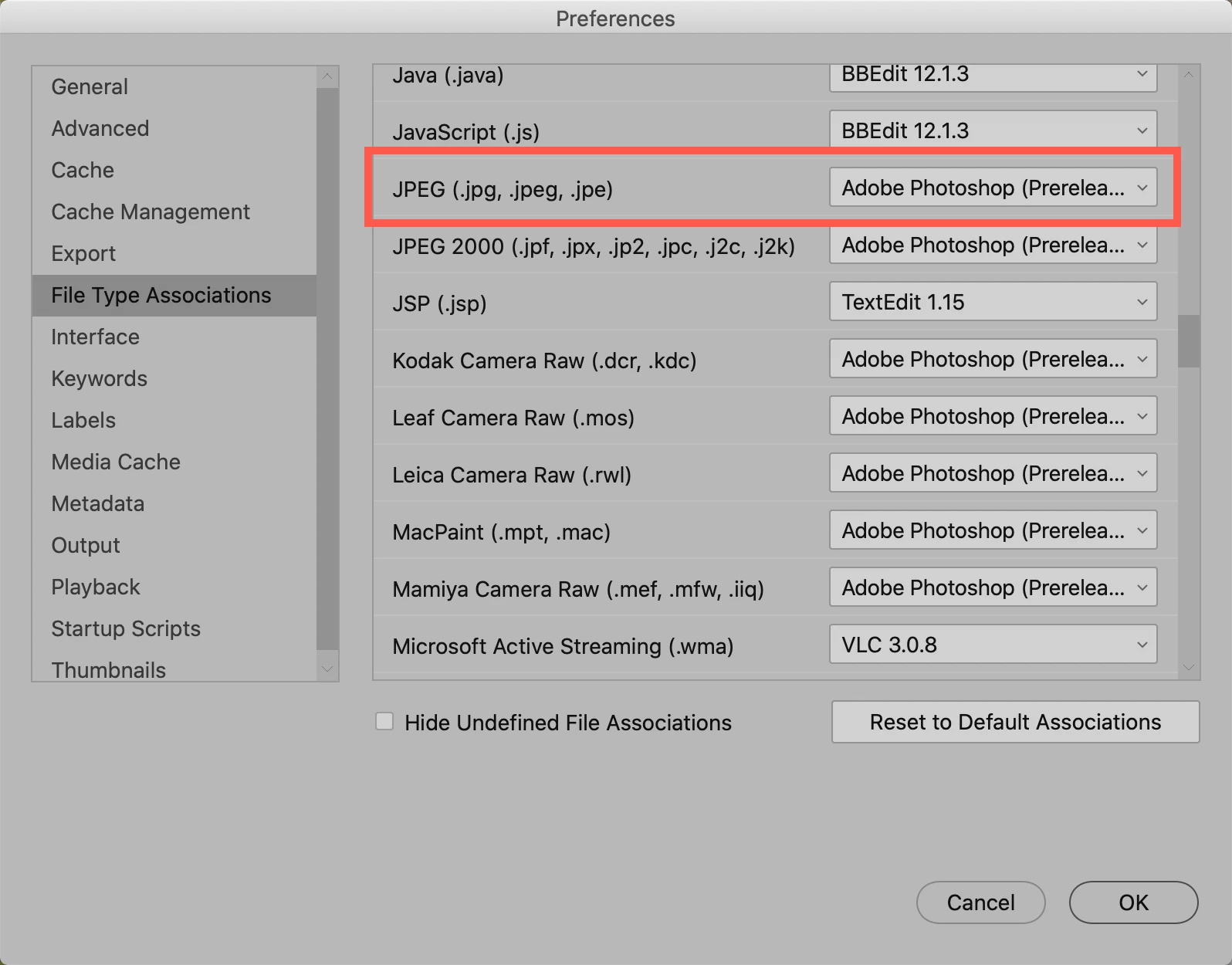
Sorry about this. Please go to Bridge's Preferences and select the File Type Associations. Then on the right side drag down to JPEG and then you can set the application you want the JPGs to default to. Note you may have to do this as well for GIF and PNG images as well.


Let me know if this fixes your problem.

1 reply

gary_sc
Community Expert
gary_scCommunity ExpertCorrect answer
Community Expert
June 16, 2020

Hi Haydn,


Sorry about this. Please go to Bridge's Preferences and select the File Type Associations. Then on the right side drag down to JPEG and then you can set the application you want the JPGs to default to. Note you may have to do this as well for GIF and PNG images as well.


Let me know if this fixes your problem.

Participant
June 17, 2020

Hi Gary - I have tried your suggestion and have selected Preferences in the Bridge.  The settings in File Types associations are all set to NONE.  When I navigate to JPEG the drop down box does NOT open to allow amendment - only theword BROWSE appears and nothing happens - any other options that I can try?  Thanks for helping.