
Known Participant
July 11, 2019
Question

Bridge CS5 v4.1.0.54 launches on startup even though not set in preferences - Windows 10

  • July 11, 2019
  • 1 reply
  • 619 views

Bridge CS5 v4.1.0.54 is launching when I startup my computer even though I do not have this setting checked in preferences, it is not in my startup group in Windows 10 nor set in the registry.
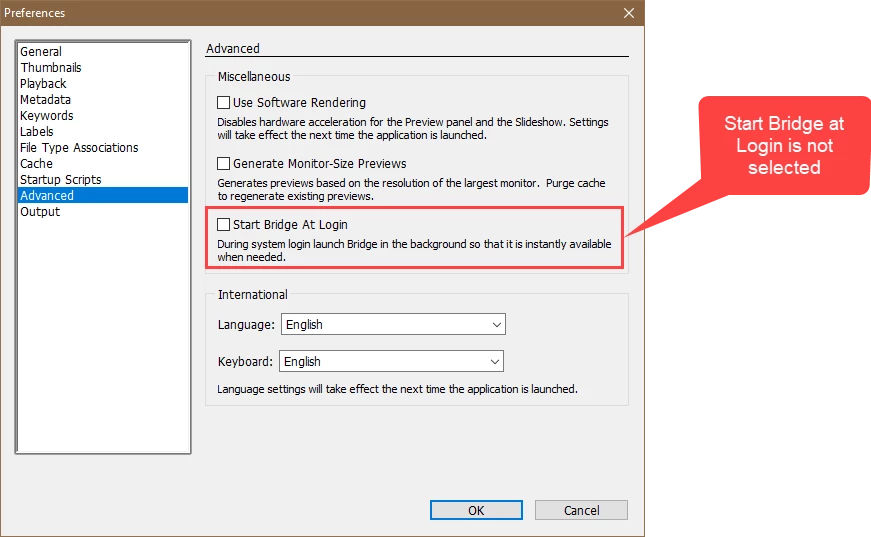
.
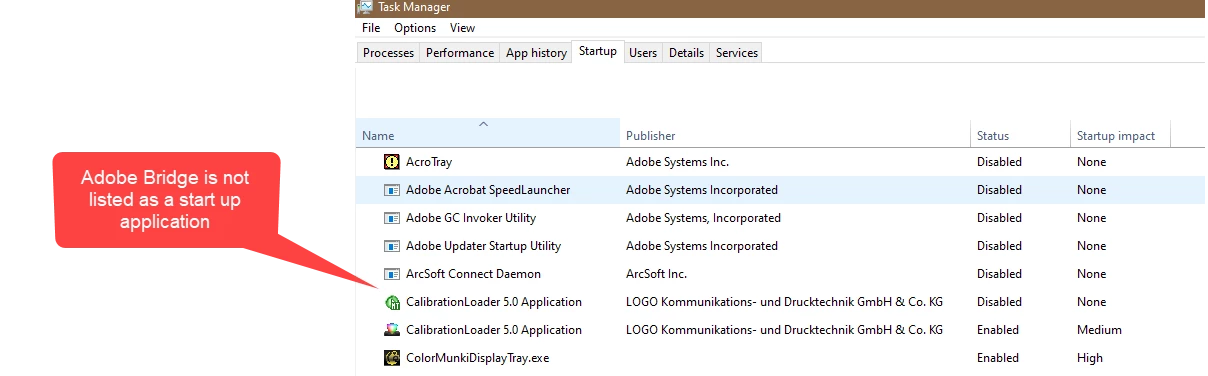
Why is this happening and how can I get it to stop?

I am running Windows 10 Home version 1903

Thanks

    This topic has been closed for replies.

    1 reply

    Akash Sharma
    Legend
    July 12, 2019

    Hi TanyaOwens,

    Sorry that Bridge CS5 is starting on your computer during a startup even though it is not set to do so.

    Could you please restore Bridge preferences to default as mentioned below?

    Damaged preferences or workspaces can cause unexpected behavior in Adobe Bridge. Purging the cache can fix display issues for thumbnail previews.

    • Start Adobe Bridge and immediately press Ctrl+Alt+Shift (Windows) or Command+Option+Shift (Mac OS) until the Reset Settings dialog box appears.
    • Select all three options--Reset Preferences, Reset Standard Workspaces, and Purge Entire Thumbnail Cache--and then click OK.

    Thanks,

    Akash

    Known Participant
    July 14, 2019

    That seems a bit drastic.

    I found where it was loading in startup my registry and deleted it there, so I can keep my customizations in Bridge.

    Akash Sharma
    Legend
    July 15, 2019

    Does it still loads after restarting the computer?

    ~Akash